Architectural animation is no longer a “nice-to-have.” It’s now a must-have for architects, real estate developers, interior designers, and brands that want to show their ideas before construction even begins.
But even with all the powerful tools—AI 3D Architectural visualization, 3D rendering engines, architectural drafting tools, and modeling software—many projects still fall flat.
Why? Because some common mistakes keep showing up again and again.
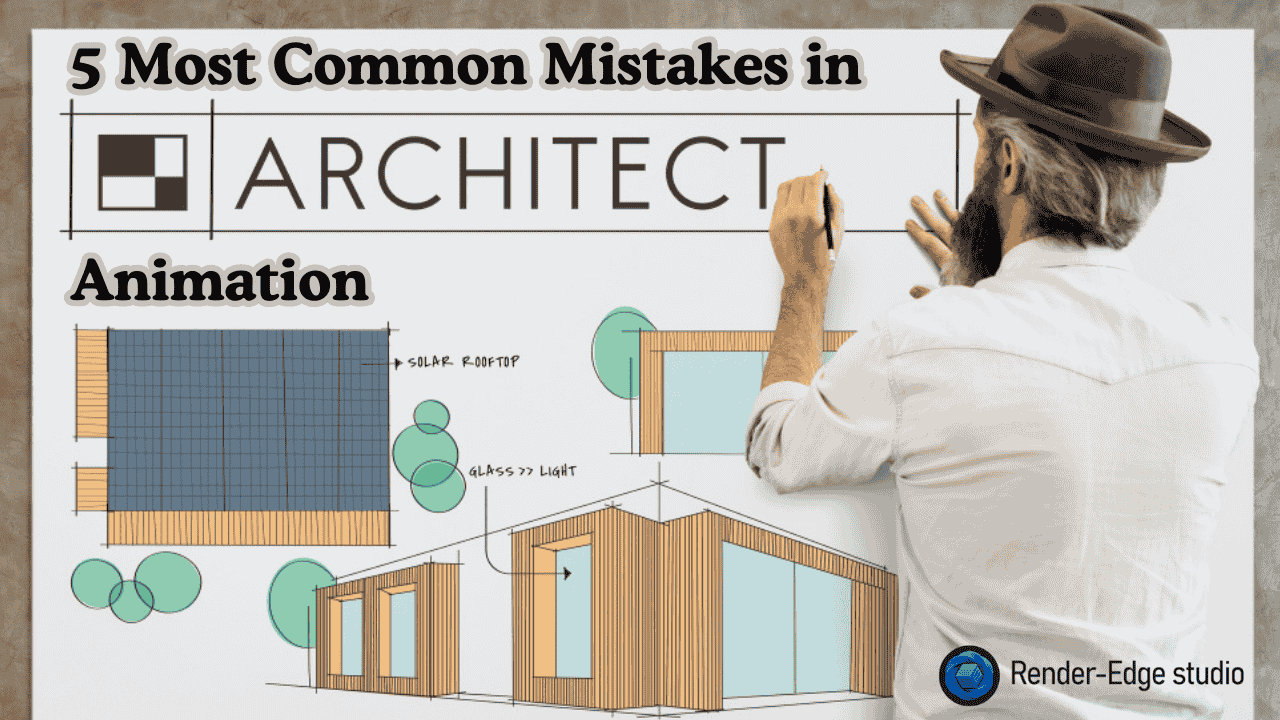
In this guide, I’ll walk you through the 5 most common mistakes in architectural animation, so your next project looks clean, professional, and ready for the real world.
Let’s break it down in a simple, friendly way.
What Is 3D Architectural Animation Meaning Today?
Before we jump in, let’s make it clear.
3D Architectural Animation meaning:
It’s a digital animation that shows how a building, interior, or space will look, feel, and function before it’s built. Think of it like turning a drawing into a cinematic walkthrough.
When done right, it’s like giving your client a time machine to preview the future.
But when done wrong?
It becomes one of those epic fails like the Leaning Tower of Pisa… except you don’t want your client laughing at your design. You can learn more about 3D architectural animation.
Mistake 1: Poor Lighting Choices
A beautiful model still looks dull with bad lighting.
Lighting is the “soul” of architectural animation. It sets the mood. It guides the viewer’s eyes. It tells the story of space.
But many creators use:
- harsh shadows
- flat lighting
- unrealistic brightness
- zero contrast
- random color tones
The result?
The animation feels fake and lifeless.
If architectural photography has taught us anything, lighting decides everything.
Good light sells the mood.
Bad light kills the scene.
Tip:
Use real-world light behavior. Follow natural light angles. Study architectural photography for inspiration.
Mistake 2: Unrealistic Materials and Textures
This happens so often that it almost qualifies as a global problem.
You’ve seen it:
Wood that looks like plastic.
Metal that looks like rubber.
Glass that reflects nothing.
Marble that feels blurry.
Floors that look like they were painted in MS Paint.
Material mistakes instantly break realism.
Remember, your animation must make people feel the construction quality. If materials look wrong, clients lose trust.
Tip:
Use PBR textures, high-quality surface maps, and real-world measurements.
Study physical materials—touch them, photograph them, compare them.
Good materials create believable 3D animation.
Mistake 3: Inaccurate Scale and Proportions
Even a perfect model becomes useless if the scale is wrong.
Imagine a couch that looks bigger than a car. Or a dining table that feels like a children’s toy. This happens when creators rush through the architectural drafting or ignore real-world measurements.
Incorrect scale affects:
- furniture realism
- human movement
- interior flow
- lighting shadows
- camera path
Accurate scale is the backbone of all Architectural Animation Services.
Tip:
Follow standard architectural drafting rules.
Cross-check dimensions with construction drawings.
When unsure, compare with real furniture, appliances, or your room.
Mistake 4: Overcrowded or Empty Spaces
This is the “goldilocks problem.”
Some architectural animations look cluttered with too many props. Others look empty, like a ghost building with no life inside it.
Both are mistakes.
Overcrowded spaces feel messy.
Empty spaces feel lifeless and boring.
Your space needs balance.
You’re not just modeling. You’re designing a user experience.
Think like a storyteller:
- Who lives here?
- How do they move?
- What objects matter?
- What mood should the room carry?
3D animation should show a lifestyle, not just a layout.
Tip:
Use real architectural photography as reference.
Notice how interior photographers stage objects.
They keep it clean but full of personality.
Mistake 5: Bad Camera Movement
Camera movement can make or break your animation.
A smooth camera makes the viewer feel like they’re walking through the space.
A shaky camera feels like holding a cheap phone.
Common camera mistakes:
- moving too fast
- abrupt turns
- unrealistic height
- no storytelling path
- random cuts
Camera work is basically your “invisible guide.”
If the guide is drunk… the viewer gets confused.
Tip:
Think of your camera as a human walking.
Slow, smooth, natural.
Like giving a gentle house tour.
Bonus Mistake: No Storytelling
Many animations show only walls, floors, and furniture.
But zero story.
Even a small narrative creates emotional engagement.
Imagine starting with sunrise light hitting the balcony. Or showing how a family might use the kitchen. Or letting shadows create drama in the hallway.
A building has a soul.
Your animation should reveal it.
Why These Mistakes Keep Happening
Most creators think architectural animation is only about:
- modeling
- drafting
- rendering
- drawing
But the truth is deeper.
Great animation needs:
- photography thinking
- storytelling
- emotion
- timing
- real-world physics
You’re not just building an architectural model.
You’re building a world people want to live in.
How Render Edge Studio Helps
At Render Edge Studio, we use:
- AI 3D Architectural visualization
- high-end 3D rendering
- real-world lighting studies
- advanced drafting workflows
- photography-inspired visuals
We make sure your architectural animation looks clean, accurate, and future-ready.
Because your clients deserve clarity.
Not confusion.
People Also Ask and You May Ask
1. What is the main purpose of architectural animation?
To show how a building or interior will look and feel before construction starts. It helps with sales, planning, approvals, and design decisions.
2. How long does it take to create a 3D architectural animation?
Most animations take 1–4 weeks depending on the size, details, and number of scenes.
3. Why does lighting matter so much in architectural animation?
Lighting controls mood, realism, and viewer focus. Good lighting makes your design look premium.
4. What’s the difference between 3D rendering and architectural animation?
3D rendering is a still image.
Architectural animation is a moving walkthrough that tells a story. Here is the detailed guide on Architectural Animation vs 3D Rendering.
5. Can AI tools improve architectural animation?
Yes. AI tools help with drafting, texture enhancement, camera planning, and even pre-visualization.