Trade Show 3D Animation Services & Explainer Videos
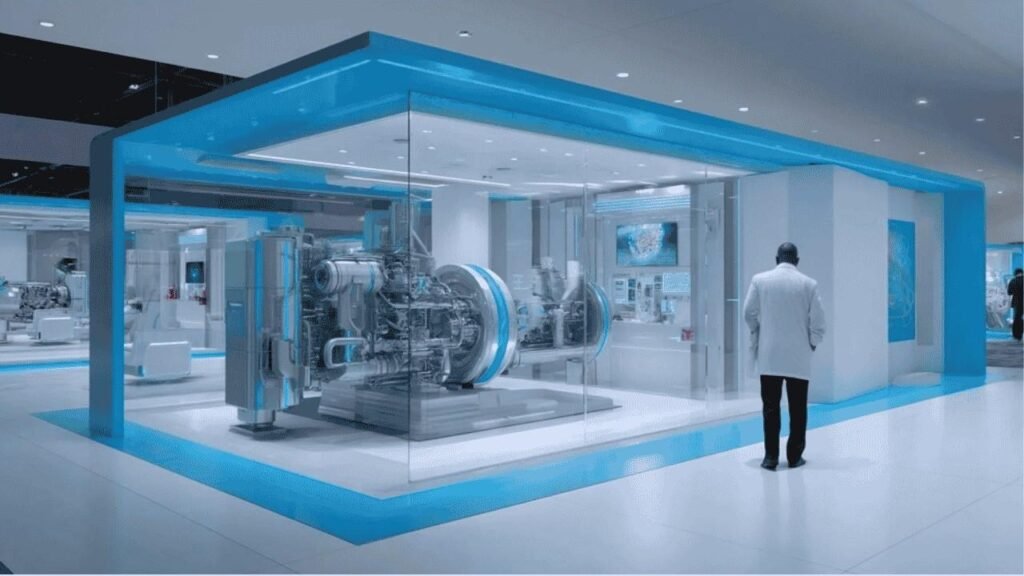
In today’s crowded trade show halls, standing out is a challenge. Flashy lights and shouting crowds mean most booths blend together – unless you grab attention instantly. That’s where 3D animation and explainer videos shine. A dynamic looping video or interactive 3D demo can cut through the noise, stop foot traffic, and turn casual visitors into leads. Experts agree: trade shows are perfect for “visual storytelling” – using motion and graphics to “catch people’s attention and encourage them to stop and explore your booth”. Imagine walking by a sea of static banners versus a towering screen playing a cinematic product reveal. That’s the difference: motion draws the eye. Companies like Showfloor Visuals note that high-quality 3D content is not just decoration, it “creates instant understanding – the key to sparking serious sales conversations.” In fact, interactive videos can hold visitors 4.5× longer and boost conversions by ~37%. In short, the right 3D animation or explainer video can turn a “hard pass” into a serious sales opportunity. Figure: A futuristic trade show booth demo. Immersive 3D visualizations (like this machinery cutaway) draw attendees in faster than static displays. High-impact graphics and live demos create a memorable experience. Why 3D Animations Matter at Trade Shows Trade show attendees have seconds to notice your message. A study in med tech expos found that without instant clarity, booth visitors simply move on. 3D animations solve this “attention gap” by telling a story in seconds. Instead of a salesperson explaining a complex device, an animated cutaway on screen “showcases inner workings in photorealistic detail”. It’s like handing them an X-ray of your product on the spot. Consider this: a medical device with dozens of components is confusing to describe. A short 3D reel can turn it into a “clear, captivating story”. Showfloor Visuals reports that when busy visitors see engaging visuals, they stay 4.5× longer at the booth. That extra attention is the key to turning eyeballs into conversations (and eventually sales). In fact, animated storytelling at events can “create instant understanding — the key to sparking serious sales conversations.” Benefits of 3D Booth Animation: Ultimately, 3D booth animations act like a magnet. They’re not just pretty; they deliver information faster and more engagingly than text or speech. Visitors get it immediately, reducing questions and pushing them further down the sales funnel. Explainer Videos: Converting Visitors into Leads While animations engage, explainer videos take it a step further toward conversion. An explainer video is a short, narrative-driven clip that highlights key benefits or features of your product. Think of it as a trailer for your tech. These videos can be 3D, 2D, or hybrid, but at trade shows 3D explainers have special power because of their “realistic depth and detail”. A high-quality 3D explainer does more than wow the crowd; it delivers a pitch on autoplay. According to Digital Brew, “3D explainer videos offer a visually striking way to communicate complex ideas with clarity and impact.”. In practice, that means a looping animation on a screen can “educate the audience” about your product while your sales team talks to someone else. It’s like having an extra salesperson – 24/7. Key uses of 3D Explainer Videos at Shows: Interactive kiosks also amplify explainers. For instance, Autodesk’s IMTS 2022 booths featured six interactive video kiosks. Visitors touched screens to see Fusion360’s parts in 3D and even played with models themselves. Meanwhile, an 80-inch LED continuously looped high-res animations of their software’s tools, ensuring no one missed the message. This mix of self-service video and large-screen spectacle is a proven way to generate leads: attendees are naturally curious about cutting-edge demos and more likely to request follow-ups. Figure: An example interactive booth setup. Visitors engage with touch-screens showing 3D product demos. Interactive kiosk displays and looping explainer videos (as shown here) convert passive viewers into active prospects. Core Technologies: Software & Production Behind every seamless trade show animation is a stack of powerful software. Many studios combine tools for modeling, animation, and final compositing. Here’s a quick rundown: These tools work behind the scenes, but for clients, the takeaway is simple: a professional service will have the right expertise to deliver polished videos. Studios might show you a pre-production storyboard or a quick 3D mockup of your product early on – a kind of digital prototype of your marketing message. This is like creating a virtual rehearsal for your trade show demo before the hardware even arrives. Case Examples: Big Shows and Booth Wins Trade shows around the globe are already embracing 3D visuals. At CES (consumer electronics in Las Vegas), many tech giants feature large video walls with 3D visualizations of products. For example, Caterpillar’s 2026 booth included a bespoke cinematic sequence blending live demos and 3D animation. It’s no surprise: CES attendees expect cutting-edge displays. Similarly, at InfoComm (AV industry’s flagship show), presenters often demo 3D virtual walkthroughs of systems on giant screens and VR headsets – think immersive product tours. The manufacturing world’s top show, IMTS in Chicago, is another hotspot. We saw Autodesk’s booth use multiple 3D elements – from interactive kiosks to giant LED loops – to highlight their CAD/CAM tools. Even without a citation, it’s known that heavy machinery and industrial companies turn to 3D because they can’t lug around actual equipment. Hannover Messe in Germany (industrial tech) and Electronica in Munich (electronics) are similar: 3D models let exhibitors ‘teleport’ factory lines and microchips to the booth. And events like SIGGRAPH (graphics/animation conference) are the cutting edge, where you’ll often see prototype AR/VR demos that blend physical exhibits with 3D overlays. These examples show a pattern: wherever the audience is technical or visual, 3D explainer content is a hit. It gives complex products instant appeal. In fact, Showfloor reports that companies who use this strategy “showcase their value clearly — especially in high-traffic environments like trade shows.”. Cost, ROI and Budgeting You might wonder: how much do these animations cost, and are they worth it? It’s true 3D content isn’t free.
3D Character Art Styles: Types, Techniques & Guide in 2026
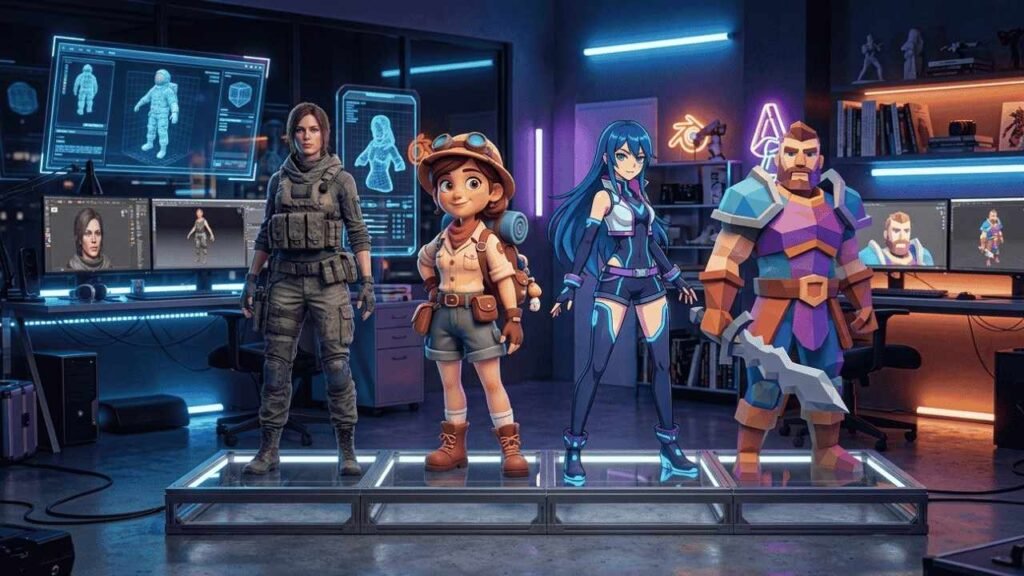
The global 3D animation market was valued at over $21 billion in 2023 and is projected to exceed $47 billion by 2030. Behind every AAA game, blockbuster animated film, and immersive metaverse avatar lies a foundational decision that shapes the entire production pipeline — the choice of 3D character art style. This isn’t a cosmetic choice. It determines your budget, your toolchain, your rendering performance, your audience reach, and ultimately, whether your character resonates or gets ignored. This guide breaks down every major 3D character art style, the techniques behind them, and a practical framework to help you make the right call. What Are 3D Character Art Styles? 3D character art styles are defined visual languages that govern how a digital character is modeled, textured, lit, and rendered. Unlike 2D character styles, which exist flat on a canvas, 3D styles occupy virtual space — which means every decision about topology, surface material, and lighting has compounding consequences on performance and visual fidelity. The core technical pillars of any 3D character style are: Understanding Physically Based Rendering (PBR) is essential here. PBR is a rendering approach that simulates real-world light physics, and it’s become the industry standard across realistic and semi-realistic pipelines. Main Categories of 3D Character Art Styles At the highest level, all 3D character design styles fall into two broad camps: realistic and stylized. Everything else is a spectrum in between. Realistic 3D Character Styles Realistic characters aim to replicate human anatomy, skin microsurface detail, subsurface scattering, and anatomically accurate proportions. The workflow is demanding — artists rely on ZBrush for high-poly sculpting, Autodesk Maya for rigging, and PBR textures baked down to game-ready meshes. The Last of Us Part II is the benchmark here. Naughty Dog’s character pipeline used photogrammetry data, multi-layer skin shaders, and motion-captured facial performances to achieve near-cinematic fidelity. The result? Emotionally devastating storytelling enabled partly by technical authenticity. Best for: AAA games, feature films, cinematic cutscenes. Cost: High. Performance demand: Very heavy. Stylized 3D Character Styles Stylized characters intentionally deviate from realism in favor of artistic expression — exaggerated proportions, simplified geometry, bold color palettes. The creative freedom here is enormous, and so is the commercial value. Fortnite‘s art direction is the case study every studio references. Epic Games built a global cultural phenomenon on stylized character design — a style flexible enough to absorb Marvel superheroes, Eminem, and NFL players without visual dissonance. Types of 3D Character Art Styles: Detailed Breakdown Cartoon / Toon Style Rooted in classic animation principles — squash and stretch, exaggerated shape language, high-saturation palettes. Cartoon 3D characters prioritize expressiveness over anatomy. Think rounded limbs, oversized heads, and fluid deformation rigs. Anime-Inspired 3D Style This style bridges the visual vocabulary of 2D Japanese animation into three-dimensional space — stylized facial proportions, large eyes, sharp silhouettes, and expressive cel-like shading. Genshin Impact by miHoYo is the most technically sophisticated example, blending real-time anime rendering with open-world scale production. The game’s character shader system is a masterclass in Non-Photorealistic Rendering (NPR). Semi-Realistic Style One of the most commercially dominant styles in modern games, semi-realistic sits at the intersection of believability and artistic control. Characters read as human without the extreme technical overhead of hyperrealism. Studios choose this style when they want emotional grounding without photogrammetry pipelines. Low Poly Style Defined by intentional polygon minimalism — geometric facets visible, no smooth shading illusions. What it lacks in fidelity it gains in performance, charm, and development speed. Critically important for mobile games and indie projects where triangle budgets are tight. The key LSI distinction: low poly vs high poly character design isn’t just aesthetic — it’s an architectural decision that affects your entire asset pipeline, LOD strategy, and platform targets. High Poly / Hyper-Realistic Style Film-quality characters built for pre-rendered content — visual effects, cinematics, product visualization. Pixar Animation Studios operates at this level, where a single character can contain millions of polygons with simulation-driven hair and cloth. Not real-time. Not cheap. Hand-Painted Style A criminally underrated approach: artists manually paint texture details directly onto UV maps, replacing photographic realism with deliberate, stylized brushwork. The result is warm, distinctive, and visually cohesive — World of Warcraft defined this aesthetic for an entire generation of MMO players. Cel-Shaded (Toon Shading) Cel shading uses flat color regions and hard-edge lighting to simulate the look of hand-drawn animation in 3D space. It’s a rendering technique as much as an art style — achieved through NPR shaders rather than geometric decisions. The flat aesthetic reads clearly at distance and scales beautifully to smaller screens. Abstract / Experimental Styles Increasingly visible in indie games and digital art — characters that abandon anatomical logic entirely in favor of geometric abstraction, glitch aesthetics, or procedural deformation. As GPU capabilities grow and creative tooling democratizes, expect this category to expand significantly. 3D Character Modeling & Texturing Techniques The visual output of any style depends on disciplined technical execution. Here’s how the pipelines diverge: Style Modeling Approach Texturing Method Rendering Realistic Complex topology, edge loops PBR textures Ray tracing Stylized Simplified geometry Hand-painted or stylized PBR NPR or standard Low Poly Minimal polygons Flat color or basic diffuse Real-time rasterization Anime Moderate poly, sharp silhouettes Stylized maps + toon shaders NPR (custom shaders) Hand-Painted Medium complexity Full hand-painted diffuse Standard lit or NPR PBR vs hand-painted textures represents a genuine philosophical divide in 3D character design. PBR textures simulate physical material properties (metalness, roughness, ambient occlusion) and respond dynamically to lighting. Hand-painted textures embed the lighting information directly into the texture — beautiful, stylized, but less adaptive to dynamic lighting environments. Industry tools: Blender (open-source, increasingly industry-standard), Autodesk Maya (rigging and animation pipeline), ZBrush (sculpting and high-poly detailing) — these three form the backbone of most professional 3D character workflows. How to Choose the Right 3D Character Art Style This is where strategy separates competent studios from excellent ones. 1. By project type: Games need real-time optimized assets. Films can afford offline rendering. Marketing content needs fast turnaround. Match the pipeline
Best iPad Animation App for Kids: 7 Safe & Creative Apps to Start Animating
Does your child love cartoons and drawing? An iPad animation app for kids is the perfect tool to turn that creative spark into real animated stories. With the right app, your child can create their own cartoon characters, build scenes, and bring imagination to life — all on a single Apple device. Kids learn best when they are having fun. Animation apps combine storytelling, art, and technology in a way that genuinely excites young learners. Whether your child is 6 or 14, there is an iPad animation app built just for their skill level. In this guide, we explore the best iPad animation app for kids, compare features, explain safety, and walk through how your child can create their very first animation today. What Is an iPad Animation App for Kids? An iPad animation app for kids is a digital tool that allows children to create moving images, cartoons, and short videos directly on an Apple iPad. These apps simplify the animation process so that kids can focus on creativity rather than complicated technical steps. There are several types of animation kids can explore using these tools: • 2D animation apps — drawing characters frame by frame • Stop motion animation — capturing real objects in photos to create movement • Digital storytelling apps — drag-and-play characters with voice recording • Puppet animation — controlling characters on screen like a puppet show Every type brings its own set of creative learning perks. Kids learn patience, improve their sequencing skills, and enhance their visual storytelling abilities. Plus, animation apps help build digital literacy, equipping children for a future where creative tech skills are essential. Quick Comparison: Best iPad Animation Apps for Kids Check out this handy table to easily discover the perfect app for your child! You can filter by their age, preferred animation style, and whether you’re looking for a free or paid option. App Age Animation Type Free/Paid Skill Level FlipaClip 9+ 2D Frame-by-Frame Free/Paid Beginner Toontastic 3D 6+ 3D Storytelling Free Beginner Stop Motion Studio 8+ Stop Motion Free/Paid Intermediate Animation Desk 10+ Drawing Animation Free/Paid Intermediate Puppet Pals HD 6+ Puppet Storytelling Paid Beginner All apps listed above are available through the Apple App Store and are widely used by kids and educators around the world. 7 Best iPad Animation Apps for Kids Here’s a closer look at each app, highlighting what makes it unique and appealing for young animators. FlipaClip – Best for Learning 2D Animation FlipaClip is one of the most popular 2D animation apps available for iPad. This app features a fun frame-by-frame animation system that lets kids draw each frame just a bit differently, bringing their creations to life with smooth movement. Plus, it has an onion skin feature that displays a faint outline of the previous frame, making it easy for kids to trace and fine-tune their drawings with precision. FlipaClip is beginner friendly and comes with drawing tools like pencils, brushes, and fill options. It is frequently used in schools as a kids creativity tool and supports creative learning at a young age. The free version offers solid features, with optional paid upgrades for more advanced tools. If you are looking for the best ipad animation app to teach real animation fundamentals, FlipaClip is a top choice. Toontastic 3D – Best for Storytelling Toontastic 3D, developed by Google, is a free digital storytelling app that guides kids through the animation process using structured story arcs. Children choose a beginning, middle, and end, then animate their characters by dragging and moving them across the screen. Kids can easily record their own voices to bring dialogue and narration to life. This feature makes Toontastic 3D a fantastic cartoon creation app for kids aged 6 and up. With its drag-and-play system, there’s no need for drawing skills, which makes it one of the most user-friendly animation apps for beginners. Stop Motion Studio – Best for LEGO Animation Stop Motion Studio is the go-to app for kids who love LEGO, toys, and physical objects. Using stop motion animation, kids place objects on a surface, take a photo, move the objects slightly, and repeat the process. When the frames are played together, the objects appear to move on their own. The app offers frame capture, editing, and audio features, making it a fantastic all-in-one tool for stop motion filmmaking. It’s especially great for kids who enjoy working with tangible materials rather than just digital drawing. Stop Motion Studio even has a free version, along with in-app purchases for those premium features! Animation Desk – Best Drawing Animation App Animation Desk is a powerful drawing animation app that supports frame-by-frame animation with a focus on digital sketching. It is designed for kids who enjoy drawing and want to take their artwork further by making it move. The app offers a sleek and professional space for kids to dive into animation. They can bring their hand-drawn characters to life, set the scene with backgrounds, and carefully arrange their frames. Animation Desk is perfect for children aged 10 and up who have a bit of drawing experience. It’s truly one of the top free iPad animation apps for kids eager to learn the basics of animation software. Puppet Pals HD – Best for Story Creation Puppet Pals HD turns the iPad into a digital puppet theatre. Kids choose characters from a library, place them on a stage, and record their movements and voices in real time. The result is a short animated story that feels like a live puppet show. This app is fantastic for sparking creativity in storytelling and voice acting! It really encourages kids to map out their stories, bring characters to life, and play around with imaginative narratives. Puppet Pals HD is a paid app, but it offers amazing value for young storytellers aged 6 and up. Stick Nodes – Best for Stick Figure Animation Stick Nodes is a simple and fun stickman animation app designed to help kids learn basic animation principles through easy
What Is the Best iPad Animation App? 2D, 3D & Free Options Compared
Animation used to live inside expensive studios. Today, it lives in your bag. The iPad has completely transformed how animators work. Whether you’re sketching on your couch or building a full animation workflow on iPad during your commute, the possibilities are genuinely exciting. And when you pair it with the Apple Pencil? It feels like magic. But here’s the real challenge most people face — it’s not can you animate on an iPad. Of course you can. The real question is: which app should you actually use? There are dozens of options out there. Some are built for beginners. Some are professional-grade. Some focus on 2D animation tools for iPad, others handle 3D animation with surprising power. And yes, some are completely free. This guide breaks it all down — beginner vs. pro, 2D vs. 3D, free vs. paid. You’ll also find a comparison table, iPad model advice, AI animation features, and a final recommendation that matches your exact situation. Let’s get into it. What Should You Look for in an iPad Animation App? The best iPad animation app isn’t the one with the most features. It’s the one that fits your workflow. Here’s what actually matters when choosing iPad animation software: Key Features Checklist Best iPad Animation Apps Compared App Best For Free/Paid 2D/3D Audio Skill Level Pricing Model Procreate Illustration + basic 2D Paid 2D No Beginner–Mid One-time ($12.99) Procreate Dreams Full 2D animation Paid 2D Yes Mid–Pro One-time ($19.99) RoughAnimator Frame-by-frame 2D Paid 2D Yes Intermediate One-time ($4.99) ToonSquid Cel + vector animation Paid 2D Yes Mid–Pro One-time ($9.99) FlipaClip Beginner animation Free/Paid 2D Yes Beginner Freemium Clip Studio Paint Pro illustration + animation Subscription 2D/3D Yes Pro Subscription Blender 3D animation Free 3D Yes Advanced Free Stop Motion Studio Stop motion Free/Paid 2D/3D Yes Beginner–Mid Freemium Best iPad Animation Apps by Category Best iPad Animation App for Beginners If you’re just starting out, you don’t need the most powerful tool. You need the most approachable one. 1. FlipaClip is the go-to choice for beginners. Its interface is clean and fun. The timeline is simple. You can start animating within minutes, no tutorials required. The free version gives you enough to practice and grow. It’s one of the best free animation apps for iPad right now. 2. Procreate is another solid starting point — not because it’s built specifically for animation, but because most beginners already use it for digital art. Its simple onion skinning and frame system let you dip your toes into mobile animation tools without overwhelming you. Which iPad animation app is easiest for beginners? FlipaClip — hands down. Simple UI, free access, and a gentle learning curve make it the best first step. Best 2D Animation App for iPad For 2D animation tools for iPad, you have genuinely excellent options. 1. Procreate Dreams is the most polished 2D animation experience on iPad right now. It handles keyframe animation beautifully, supports audio, and integrates perfectly with Procreate’s brush engine. If you already love Procreate, Dreams is a natural upgrade. 2. RoughAnimator is a hidden gem. It’s built specifically for frame-by-frame animation iPad workflows — think old-school cel animation, but digital. Lightweight, fast, and precise. 3. ToonSquid sits in a sweet spot between beginner and professional. It supports both frame-by-frame and keyframe systems, has excellent layer management, and feels incredibly natural with Apple Pencil animation apps in mind. 4. Clip Studio Paint is the professional’s choice. It’s the industry standard for comic and anime-style 2D animation. The brush engine is exceptional. But it does come with a subscription cost and a steeper learning curve. What is the best 2D animation app for iPad? Procreate Dreams for most users. ToonSquid for cel animation. Clip Studio Paint for professional studio-level work. Best 3D Animation App for iPad 3D animation on iPad is still evolving — but it’s more capable than most people think. 1. Blender is free, powerful, and supports full 3D animation including modeling, rigging, and rendering. However, the interface wasn’t designed for touchscreen. Pair it with a keyboard and you’ll get the most out of it. For anyone serious about 3D animation, Blender remains the industry standard — even on iPad. 2. Clip Studio Paint includes 3D model support, which is helpful for pose reference and basic 3D integration within 2D workflows. 3. Nomad Sculpt isn’t an animation app, but it’s worth mentioning for 3D sculpting that feeds into animation pipelines. Can you do professional 3D animation on iPad? Yes — especially on iPad Pro with M1 or M2 chips. Blender on iPad Pro handles surprisingly complex 3D animation scenes, though render-heavy work still benefits from desktop power. Studios like Render Edge Studio use multi-device pipelines that increasingly include iPad for pre-production and concept stages. Best Free Animation Apps for iPad Is there a free animation app for iPad? Yes — several good ones. 1. FlipaClip offers a generous free tier. You get limited layers and watermarked exports on free, but it’s more than enough to learn and practice. 2. Stop Motion Studio has a solid free version for stop-motion projects. 3. Blender is completely free with no paywalls. Keep in mind: free versions often come with watermarks, layer restrictions, limited export quality, or frame caps. If you’re creating content for clients or YouTube, upgrading is worth it. Which iPad Is Best for Animation? Your app choice matters. But so does your device. iPad Pro (M1/M2) is the clear winner for serious animators. The M2 chip handles complex animation workflows on iPad without lag. RAM-heavy apps like Blender and Clip Studio Paint perform significantly better here. The ProMotion 120Hz display makes drawing feel incredibly responsive. iPad Air is a great mid-range choice. It supports Apple Pencil (2nd gen) and handles most animation apps for iPad Pro-level work without the Pro price tag. iPad (standard) works fine for FlipaClip and basic Procreate animation. But it supports only Apple Pencil (1st gen) and may struggle with heavier apps. Apple Pencil compatibility, RAM, and storage directly impact
Color Theory for Character Design: A Complete Practical Guide
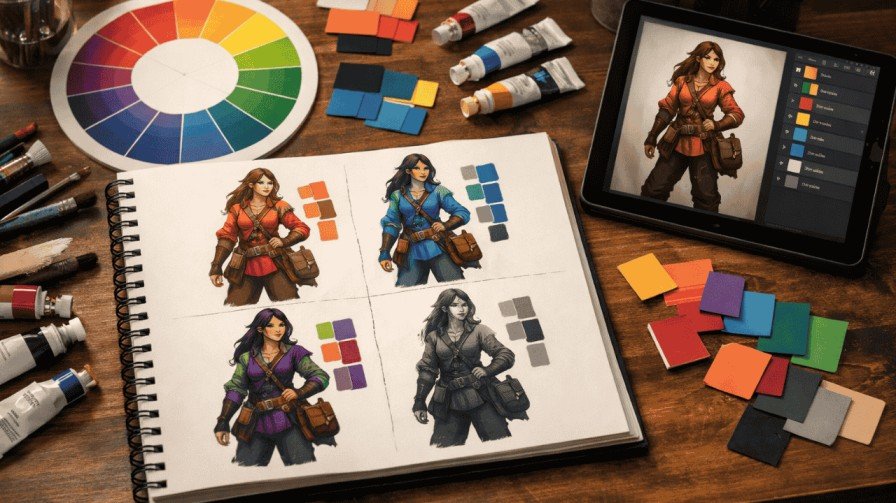
Color theory for character design is the strategic use of hue, saturation, and value to shape how your audience feels about a character before they say a single word. It goes far beyond picking pretty colors. When applied with intention, color becomes your most powerful storytelling tool — one that signals personality, drives emotion, and makes your character unforgettable. This guide gives you a step-by-step system to master it. What Is Color Theory in Character Design? Color theory in character design is the purposeful application of color principles to communicate personality, emotion, and story role through a character’s visual appearance. Unlike general color theory — which focuses on mixing, harmony, and contrast in abstract terms — character-focused color theory asks a very specific question: What does this color make the audience feel about this person? A character’s color palette isn’t decoration. It’s data. Think about how instantly you recognize Spider-Man’s red and blue, or how the sickly greens of a villain signal danger before they even speak. That’s color psychology in character design working at full power. Here’s why it matters for your work: • Emotion control — color sets the emotional tone before dialogue • Personality signaling — warm, cool, muted, or vibrant colors all say something • Visual hierarchy — color guides the eye to what matters most • Memorability — a strong palette makes a character stick in memory • Story reinforcement — color shifts can show character growth or corruption The 3 Core Elements of Color Theory Hue — Choosing the Emotional Direction Hue is the basic color family: red, blue, green, yellow, and so on. It’s your first emotional decision. Warm hues (reds, oranges, yellows) feel passionate, aggressive, or nurturing. Cool hues (blues, purples, greens) feel calm, mysterious, or distant. How it affects characters: A fire-wielding hero in reds and golds feels energetic and bold. That same character in cool blues suddenly feels withdrawn or untrustworthy. Common beginner mistake: Choosing hue based on aesthetics alone, ignoring what it communicates emotionally. Quick tip: Before picking any color, write down 3 personality traits for your character. Then find hues that naturally match those traits. Saturation — Controlling Intensity and Attention Saturation controls how vivid or muted a color appears. High saturation = bold, energetic, and attention-grabbing. Low saturation = subtle, tired, complex, or morally grey. How it affects characters: Heroes in animated shows like those in Genshin Impact often use high-saturation palettes to feel exciting and heroic. Tragic or morally complex characters tend toward desaturated, dusty tones. Common beginner mistake: Cranking up saturation on every color, which creates visual chaos and makes the character feel flat. High saturation = energetic hero | Low saturation = complex, morally grey character Value — Creating Depth and Readability Value refers to how light or dark a color is. It’s arguably the most important element in character design because it controls readability at any size. Strong value contrast between a character’s skin, clothing, and hair creates a clear, readable silhouette. How it affects characters: Characters with high value contrast (dark outfit, light skin) read instantly even at thumbnail size. Low value contrast muddles the design. Common beginner mistake: Relying on hue differences without checking value — the result is a muddy design that disappears at small sizes. Low value contrast = muddy design | Always run a grayscale test before finalizing How to Choose a Color Palette for a Character (Step-by-Step Framework) This 6-step system is your repeatable process for building strong character design color schemes from scratch — no guessing, no random picks. 1. Step 1: Define your character’s core personality trait. Pick one dominant word: brave, corrupt, nurturing, cold, chaotic. Everything else flows from this. 2. Step 2: Choose an emotional color family. Match your personality trait to a hue family. Brave = warm reds/golds. Cold = deep blues. Chaotic = clashing complementary hues. 3. Step 3: Select your dominant color (60%). This color covers the most visual real estate — usually clothing or overall appearance. It anchors identity. 4. Step 4: Add a secondary support color (30%). This complements or contrasts your dominant. It adds depth without competition. 5. Step 5: Add your accent color (10%). This is your pop — use it sparingly on eyes, accessories, or key details to draw attention exactly where you want it. 6. Step 6: Test in grayscale. Strip all color and check readability. If the design still reads clearly, your value structure is solid. If it blurs together, adjust. Spider-Man: Into the Spider-Verse is a masterclass in this framework. Each Spider-Person uses a distinct dominant hue, supporting color, and accent — making them instantly separable even in crowded scenes. Color Psychology for Character Design Primary Emotional Associations Red isn’t just anger. A soft rose-red reads as romantic and vulnerable. A deep crimson reads as dangerous and powerful. Context, saturation, and value completely change how a hue lands emotionally. Never reduce color psychology to single-word labels. Cultural Variations in Color Meaning White signals purity in Western storytelling but mourning in several East Asian traditions. Purple represents royalty in European contexts but can feel spiritual or supernatural elsewhere. If your character exists in a specific cultural world, research how colors land in that context. Subverting Color Expectations The most memorable characters often break color rules deliberately. A villain dressed in bright, saturated pastels (think certain animated antagonists) feels deeply unsettling because the color says ‘safe’ while the behavior says ‘danger.’ That tension is powerful storytelling. Color Standard Read Subverted Read Red Passion / Danger Sacrifice / Vulnerability Green Nature / Growth Toxic / Envy / Corruption Purple Royalty / Power Isolation / Melancholy Yellow Energy / Joy Madness / Cowardice Using Color to Show Character Relationships One of the biggest gaps in most character design tutorials is relationship color logic. Your characters don’t exist alone — they exist in context with each other. Color harmony for
Shape Language Character Design Explained: Circles, Squares, and Triangles
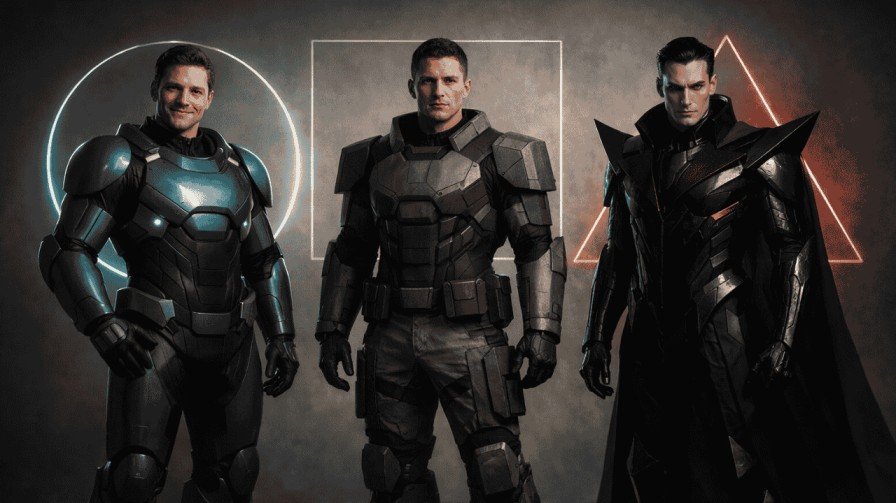
Before a character says a single word — before you even see their face — you already know whether to trust them or fear them. That’s not an accident. That’s shape language character design doing exactly what it’s supposed to do. Think about your favorite animated villain. Chances are, they’re sharp. Angular. Pointed. Now think about the loveable sidekick — round, soft, maybe a little bouncy. These aren’t random design choices. They’re rooted in a deep psychological principle that every great character designer uses, whether they’re working in animation, gaming, branding, or visual storytelling. In this guide, you’ll get a full breakdown of how shape language works, why it matters, and how you can use it intentionally to create characters that communicate on an instinctive level — no dialogue needed. What is Shape Language in Character Design? Shape language is the practice of using geometric and organic shapes to convey a character’s personality, emotions, and role in a story — even before any detail is added. It’s one of the foundational character design principles used by studios like Pixar, Disney, and DreamWorks. At its core, shape language works because of shape psychology — our brains are wired to read shapes emotionally. Soft, curved shapes feel safe. Hard, angular shapes feel threatening. Stable, blocky shapes feel reliable. These responses happen in milliseconds, long before conscious thought kicks in. Here’s what makes it especially powerful: unlike color theory for character design — where cultural associations can vary — shape language is remarkably universal. A jagged, triangular form reads as threatening across most cultures. A round, bubbly form reads as friendly almost everywhere. That universality makes it one of the most reliable tools in a designer’s toolkit. Core Types of Shapes and Their Emotional Impact Understanding geometric shapes in animation and character art starts with the three core forms: circles, squares, and triangles. Each carries distinct emotional weight. Circles: Friendly, Approachable, and Cute Circles suggest warmth, safety, and playfulness. Characters built on circular forms feel non-threatening — they invite the audience in. Think of Kirby from Nintendo, Baymax from Big Hero 6, or virtually any cute animal companion in a kids’ animation. Their rounded shapes signal: ‘I’m safe. You can trust me.’ Circular shapes work brilliantly for protagonist designs, sidekicks, and any character whose role is to create emotional warmth in the audience. Squares: Strong, Stable, and Dependable Square and rectangular forms communicate groundedness and reliability. A mentor figure, a protector, or a dependable team member often carries strong square-based proportions — wide shoulders, a blocky torso, a squared-off jaw. Think of characters like The Rock’s roles in animated features or classic guardian archetypes. They’re built to look immovable and trustworthy. Triangles: Dynamic, Dangerous, and Cunning Triangles are the villain’s best friend. Sharp edges, pointed silhouettes, and angular features create an immediate sense of danger and unpredictability. From Maleficent to Jafar to countless antagonists in gaming, triangular shapes in character design signal threat. Even a subtle triangular motif in a costume or hairstyle can shift how an audience perceives a character — nudging them from neutral to unsettling. Organic and Abstract Shapes: Nature, Whimsy, and Complexity Organic vs geometric character forms open up a whole new design space. Organic shapes — irregular, flowing, nature-inspired — work beautifully for fantasy characters, mystical creatures, or morally ambiguous figures. Abstract combinations of shapes, meanwhile, allow designers to build multi-layered personalities that don’t fit neatly into hero or villain categories. How Does Shape Language Influence Character Personality? Here’s something that surprises a lot of new designers: your character’s silhouette is more communicative than their facial expression. If you strip a character down to a black outline, can you still tell what their personality is? If yes, your shape language is working. If no, something needs to go back to the drawing board. Character silhouette design is a foundational tool for this reason. Body posture, proportions, and the dominant geometric form all contribute to personality long before any detail is rendered. A character with circular proportions and a low center of gravity reads as friendly and grounded. A character with long, narrow limbs and angular features reads as quick, cunning, or threatening. In emotional expression through shapes: • Circular shapes signal protagonist friendliness and approachability • Triangular shapes reinforce antagonist threat and unpredictability • Square shapes communicate stability, confidence, and reliability How Do You Combine Shapes for Complex Characters? Real characters are rarely one-dimensional — and their shapes shouldn’t be either. The most interesting character personality designs come from deliberately mixing shapes to create visual tension that mirrors psychological complexity. Here are a few combinations that work exceptionally well: • Round face + triangular costume = a friendly hero who carries power and authority • Square body + circular accessories = a strong protector who’s also warm and approachable • Triangular body + circular eyes = a cunning character with a deceptive softness The key when combining shapes is clarity. Each shape addition should serve a purpose. Ask yourself: ‘What is this shape telling the audience?’ If you can’t answer that, simplify. The best character designs are the ones where every visual choice has intention behind it. Shape Language Across Different Creative Contexts Shape language isn’t just for hand-drawn animation. It’s a universal principle that applies across every visual medium. Animation In 2D and 3D character shapes for animation, shape language extends beyond the design itself into movement. Round characters bounce. Angular characters slash. Square characters plant their feet. The shape informs how a character physically occupies the world, making it a core component of how character animators approach their work at studios like Render Edge Studio and beyond. Gaming In games, player recognition through silhouette is critical. With multiple characters on screen at once, players need to identify roles at a glance. Shape theory in animation applies here too — a healer character is likely rounder and softer, while a damage dealer carries sharper angles. Brand Mascots Rounded mascots feel approachable and friendly —
How Industrial 3D Animation Boosts Manufacturing Marketing
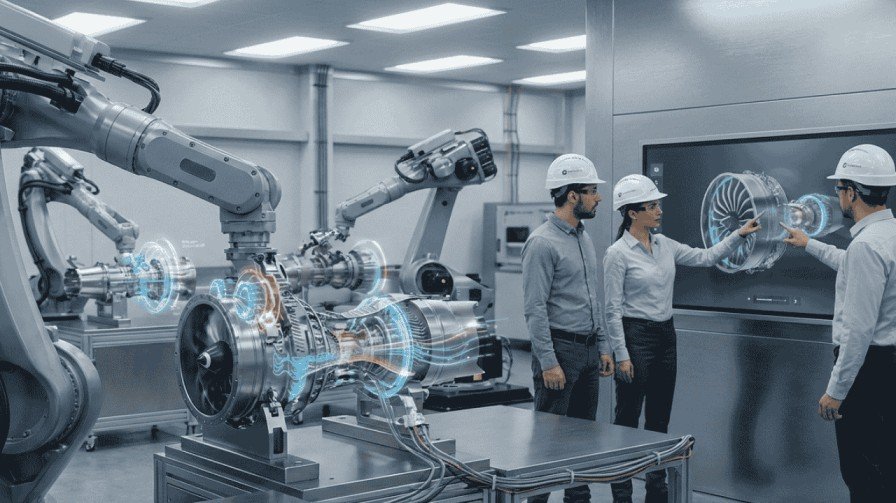
Ever tried explaining how a hydraulic press works using just words? It’s like trying to describe the color blue to someone who’s never seen it. That’s exactly the challenge manufacturers face every day. Your products are complex. Your buyers are busy. And your competitors? They’re still using PDF brochures from 2015. Here’s the game-changer: industrial 3D animation for manufacturing isn’t just a fancy visual tool anymore. It’s become the bridge between your engineering brilliance and your customer’s “aha!” moment. Let me show you how it transforms manufacturing marketing from forgettable to unforgettable. What Makes Industrial 3D Animation Different? Think of traditional product photography as a postcard. Nice to look at, but flat. Industrial 3D animation is like handing someone a VR headset to your factory floor. It uses Computer-Generated Imagery (CGI) to create dynamic visuals that show exactly how your machinery moves, assembles, or operates. We’re talking about exploded views of complex equipment, step-by-step assembly processes, and internal mechanisms that no camera could ever capture. Unlike video, these animations can: It’s product visualization on steroids. Why Manufacturing Companies Can’t Ignore This Anymore Let’s be honest. Your buyers aren’t reading 50-page technical manuals anymore. They’re scrolling LinkedIn during lunch breaks. They’re comparing vendors on mobile devices. They’re making million-dollar decisions based on what they can understand in 90 seconds. Here’s what 3D product animation for industrial equipment delivers: 1. Clarity That Sells When a procurement manager watches your animation, they immediately grasp what took three sales meetings to explain before. The learning curve? Gone. 2. Trust Through Transparency Showing the internal workings builds credibility. You’re not hiding anything. Every gear, valve, and circuit is visible. That’s powerful in B2B marketing where trust equals contracts. 3. Speed to Decision A 60-second animation can compress weeks of back-and-forth emails into one shared link. Decision-makers get aligned faster when everyone sees the same clear picture. Where Industrial 3D Animation Crushes Traditional Marketing Let me paint you a comparison: Traditional Approach 3D Animation Approach Static CAD drawings Interactive 360° views Physical prototypes shipped Digital demos sent instantly Technical jargon overload Visual storytelling One-size-fits-all brochure Customizable presentations Trade show booth limitations Looping demos on any screen The difference? Manufacturing marketing with 3D visuals meets buyers where they are: online, mobile, and expecting instant clarity. Real-World Applications That Drive Results Wondering how this actually works in practice? Here are scenarios happening right now: 1. Product Launches Without Physical Samples A German automation company launched their new robotic arm across three continents. Instead of shipping prototypes, they sent a 3D animation showing assembly, operation, and maintenance. Result? 40% faster sales cycle. 2. Training That Actually Sticks An HVAC manufacturer replaced thick training manuals with animated safety procedures. New technicians could see danger zones and proper protocols in action. Accidents dropped. Confidence soared. 3. Trade Shows That Stand Out Picture this: while competitors hand out flyers, your booth displays a mesmerizing loop of your production line. Attendees stop. They watch. They ask questions. That’s the magnetic pull of industrial product visualization services. 4. Investor Pitches That Close Funding Startups in the manufacturing industry use 3D animations to show prototypes that don’t physically exist yet. Investors can visualize the end product, understand the innovation, and write checks. How Does 3D Animation Actually Get Made? You might think it’s rocket science. It’s more like organized creativity. Here’s the typical process: Step 1: Discovery Call Your team shares CAD files, technical specs, and marketing goals. What problem are we solving? Who needs to understand this? Step 2: Storyboarding Animators map out the visual flow. Which angles matter? What sequence makes sense? This is where engineering meets storytelling. Step 3: 3D Modeling Every component gets built digitally. Textures, colors, materials—everything matches reality. Step 4: Animation & Physics Movement gets added. If it rotates in real life, it rotates on screen. If hydraulics compress, the animation shows that pressure. Step 5: Polish & Delivery Voiceovers, music, and final touches. You receive files ready for websites, presentations, or social media. Total timeline? Usually 2-6 weeks depending on complexity. What’s the Investment Looking Like? Let’s talk numbers without dancing around them. A basic 3D animation for factories and production processes starts around $2,000-$5,000 for a 30-second explainer. More complex projects—think full assembly sequences or multiple product variations—can range from $8,000 to $20,000+. Expensive? Maybe. But compare that to: One animation gets reused across your website, sales decks, email campaigns, and trade shows for years. The ROI compounds. Can Small Manufacturers Afford This? Absolutely. You don’t need a Hollywood budget. Start small: Many studios offer tiered packages. Some even work with startups on flexible payment terms. The real question isn’t “Can we afford it?” It’s “Can we afford NOT to stand out in a crowded market?” How Do You Choose the Right Animation Partner? Not all 3D studios understand industrial equipment like they should. Here’s your vetting checklist: 1. Do they have manufacturing experience?Ask for portfolio pieces in your industry. Generic animation skills don’t translate to technical accuracy. 2. Can they work with your CAD files?If they need to recreate everything from scratch, costs skyrocket. Find partners who import and optimize existing models. 3. Do they ask good questions?Great studios dig into your buyer’s journey, pain points, and goals. They’re not just animators—they’re marketing partners. 4. What’s their revision policy?Technical products need precision. Make sure you get 2-3 revision rounds included. What Results Should You Actually Expect? Let’s set realistic expectations. You won’t suddenly 10x your revenue overnight. But here’s what companies typically see: One aerospace component manufacturer reported that 68% of their enterprise deals now include their 3D animation in the proposal. Why? Because it works. Does This Work for Every Manufacturing Product? Almost. If your product has moving parts, assembly steps, or internal mechanisms, animation is a slam dunk. Even static products benefit. Imagine showing: The only exception? Commodities where differentiation is purely price-based. If you’re selling generic bolts, animation might be overkill. How Do You Maximize Your Animation Investment? Creating the animation is
What Is Industrial 3D Animation? Complete Guide for 2026
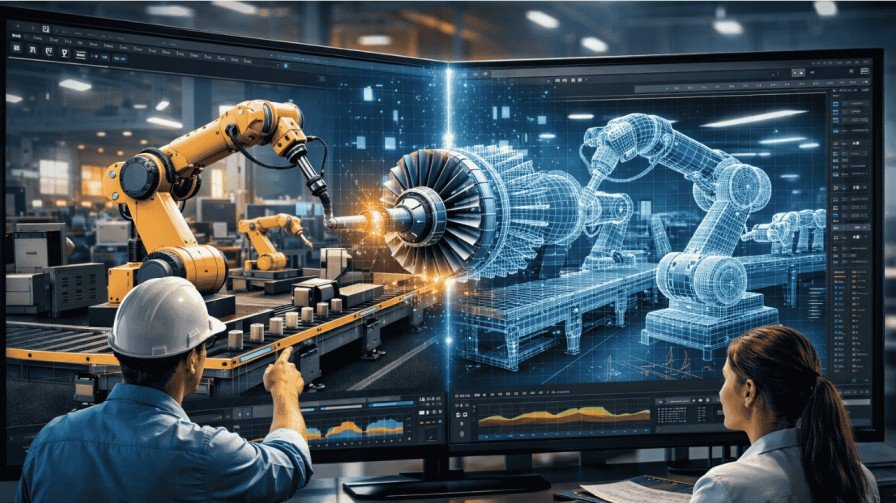
Hey, have you ever wondered how factories show off complex machines without building them first? That’s where industrial 3D animation comes in. It’s like a magic trick that turns blueprints into moving pictures. In this guide, I’ll explain what is industrial 3D animation in simple terms. We’ll cover its benefits, how it works, and why it’s a game-changer for the manufacturing industry. Picture this: You’re an engineer trying to sell a new robot arm. Words alone won’t cut it. But with industrial 3D animation, you create a video that shows it twisting and turning. This grabs attention fast. It’s not just fancy visuals. It solves real problems in product visualization and engineering visualization. So, What Is Industrial 3D Animation Exactly? Let’s break it down. Industrial 3D animation is a digital way to show how machines, products, or processes work. It uses computer-aided design (CAD) files to build virtual models. These models move like in real life, thanks to motion graphics techniques. Think of it as a video game for industry. You start with a flat sketch. Then, software adds depth, colors, and actions. This creates 3D industrial product visualization that’s super realistic. Unlike cartoons, it’s precise for technical stuff. Why call it “industrial”? It focuses on heavy-duty sectors like manufacturing. It explains mechanical process animation or industrial equipment animation. No fluff—just clear, helpful visuals. Why Is Industrial 3D Animation Booming in 2026? The world loves visuals now. Videos get 66% more engagement than text. In manufacturing, this means big growth. The global 3D animation market hits about $32 billion in 2026. It grows at 12% yearly, per reports from The Business Research Company. Industrial segments lead this surge. Why? Tech like AI and VR makes animations faster and cheaper. Imagine the old days. Engineers drew by hand. Now, industrial 3D animation services speed things up. They cut costs by 30-50% on prototypes. That’s huge for businesses. Key Benefits: How Does It Help Your Business? You might think, “Is this worth it?” Absolutely. Let’s list the perks. Real talk: A car maker like Tesla uses similar tech. They animate assembly lines. It helps workers understand flows better. Your factory could do the same. Types of Industrial 3D Animations: Which One Fits Your Needs? Not all animations are the same. Pick based on your goal. Here’s a quick table to compare: Type Description Best For Example Product Demos Shows a single item’s features and motion. Sales pitches. Animating a drill’s spin. Process Visualizations Maps out full workflows, like assembly lines. Training sessions. Step-by-step factory operations. Maintenance Guides Breaks down repairs with exploded views. Technician manuals. Fixing a pump virtually. Safety Simulations Models hazards and safe practices. Employee onboarding. Evacuation drills in 3D. Each type uses CAD for accuracy. Motion graphics add smooth movements. Choose one that matches your manufacturing needs. How Do You Create Industrial 3D Animation? A Step-by-Step Guide Curious about the process? It’s easier than you think. Follow these steps. Pro tip: Hire industrial 3D animation services if you’re new. They handle tools and save you headaches. I once helped a friend in manufacturing. He animated a conveyor belt. It took two weeks but won a big contract. Worth every minute. Real-Life Applications in the Manufacturing Industry Let’s get practical. How does this play out daily? In product visualization, companies like GE animate turbines. Clients see inside without opening them. This builds trust. For engineering visualization, Boeing uses it for plane parts. They simulate stress tests. Spots weak spots early. Oil firms rely on industrial equipment animation. They show pipeline flows. Helps in planning and safety. A small example: A bike maker animated gear shifts. Sales jumped 20%. Customers “got it” instantly. Emerging Trends: What’s Next for Industrial 3D Animation? Technology doesn’t stop. In 2026, new stuff excites me. AI automates boring parts. It suggests motions based on CAD data. Cuts creation time by half. VR lets you walk through animations. Feel like you’re in the factory. Great for remote teams. AR overlays animations on real objects. Scan a machine with your phone. See repairs pop up. Real-time rendering is huge. Change designs on the fly. No long waits. Metaverse? Factories might train in virtual worlds. Sounds sci-fi, but it’s coming. Stay ahead. Adopt these for competitive edge in manufacturing. FAQs on Industrial Animation 1. What is industrial 3D animation used for mainly? It explains machines and processes. Think sales, training, and design in manufacturing. 2. How much does industrial 3D animation services cost? Varies. Simple videos: $5,000-$10,000. Complex ones: $20,000+. Depends on length and detail. 3. Is it better than 2D animation? Yes, for depth. 3D shows angles 2D can’t. But 2D is cheaper for basics. 4. Can small businesses afford 3D industrial product visualization? Absolutely. Tools like free software lower barriers. Start small. 5. What’s the difference between motion graphics and full 3D animation? Motion graphics focus on text and shapes moving. 3D adds realistic models. 6. How does it integrate with CAD in engineering visualization? CAD provides the base model. Animation brings it to life with actions. Related Reads: What is apple style 3d animation? How Industrial 3D Animation Boosts Manufacturing Marketing? Final Thoughts So, what is industrial 3D animation? It’s your secret weapon for clear communication in manufacturing. Imagine your team loving their jobs more. Clients raving about your demos. That’s the power here. Ready to try? Chat with an expert in industrial 3D animation services. It could transform your business.
Transmedia Storytelling: Definition, What Is It & Examples
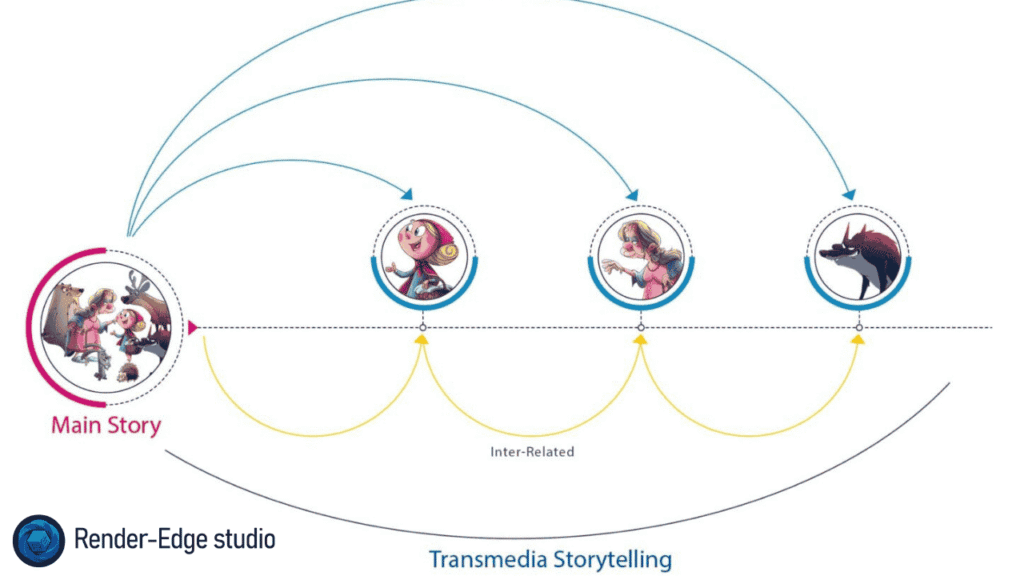
Hello! As you’re chatting with a friend about your most beloved film, imagine that this film doesn’t end just by what is seen on the film; the narrative carries over into a comic book; video game; or into your social-networking account. Transmedia storytelling is the magic of all these different mediums connected through one larger narrative story arc. Think of transmedia storytelling as a puzzle with the numerous pieces located on different tables that must be put together to create the overall image. If you’re wondering about the definition of transmedia storytelling or interested in the many transmedia storytelling examples, you’ve come to the right place! Let’s break down transmedia storytelling together over some coffee while we get excited about these epic stories. In this post, I’ll explain the transmedia storytelling definition, share real-life transmedia storytelling examples, and show how it builds immersive worlds. We’ll cover everything from basics to tips, all in a way that’s easy to follow. By the end, you’ll see why this storytelling technique is a game-changer for creators and fans alike. What Is Transmedia Storytelling? Picture this: You’re not just watching a story; you’re living it across different spots. What is transmedia storytelling? It’s a way to tell one big tale using multiple platforms, where each adds something fresh. Unlike a book turned into a movie that repeats the same plot, transmedia expands the universe. Think of it as a tree. The trunk is the main story, but branches spread out into games, podcasts, or apps. Each branch grows the world without repeating the trunk. This cross-platform storytelling keeps fans hooked, turning passive viewers into active explorers. Henry Jenkins, the guy who popularized this idea, calls it a “unified and coordinated entertainment experience.” He says integral elements get dispersed across channels. So, if you’re into narrative across media, transmedia narrative is your jam. The Transmedia Storytelling Definition: Breaking It Down Let’s get precise. The transmedia storytelling definition? It’s storytelling where a single narrative unfolds over various media, and each piece contributes uniquely to the whole. No one platform tells the full story; you need them all for the complete vibe. For example, a film might show the hero’s quest, while a web series dives into a side character’s backstory. This multi-platform content creates depth. It’s not just repackaging; it’s expanding. Why does this matter? In our digital world, people bounce between devices. Transmedia meets them there, making stories feel alive and interactive. How Does Transmedia Differ from Traditional Storytelling? Ever read a book and then watch its movie adaptation? That’s traditional – one story, one medium, maybe adapted to another. But transmedia? It’s like upgrading from a solo hike to a group adventure. In traditional storytelling, the audience sits back. Transmedia invites them to join in. You might solve puzzles in a game that affect the TV show’s plot. This shift boosts engagement. Take cross-platform storytelling: It uses each medium’s strengths. Films for visuals, books for depth, social media for real-time buzz. Traditional sticks to one lane; transmedia weaves through many. One tale, many lives: Inside the worlds of transmedia storytelling | Hindustan Times Key Principles of Transmedia Narrative Henry Jenkins laid out some core rules. Let’s list them out simply: These storytelling techniques make transmedia narrative pop. Apply them, and your story becomes a living ecosystem. Benefits of Using Transmedia Storytelling Why bother with this? Simple: It supercharges engagement. Fans stick around longer, exploring every nook. First, it reaches more people. Not everyone watches movies, but some play games or read comics. Multi-platform content casts a wider net. Second, it builds loyalty. When fans piece together the narrative across media, they own it. That creates buzz and word-of-mouth gold. Third, for creators, it opens revenue streams. Merch, spin-offs, events – the sky’s limit. In marketing, brands use it to connect emotionally. Think of it as turning customers into story co-authors. Step-by-Step Guide: How to Create Your Own Transmedia Campaign Ready to try? Here’s a simple guide. Think of it as building a Lego set – start with the base, add pieces. Follow these, and your transmedia narrative will thrive. Transmedia Storytelling Examples: Real-World Hits Now, the fun part: transmedia storytelling examples. These show how it works in action. 1. Star Wars Franchise: A Galaxy Far, Far Away Star Wars is a classic. The films tell core tales, but books explore Jedi history, games let you battle as a Sith, and comics fill gaps. Remember The Mandalorian? It expands the universe on TV, tying into movies. Fans hunt Easter eggs across media. This cross-platform storytelling keeps the franchise alive for decades. One real-life win: During lockdowns, fans binged shows, read novels, and played games – all in one world. It boosted Disney’s streams big time. The fun of exploring the Star Wars Transmedia franchise | by Sam Edwards | Medium 2. Marvel Cinematic Universe (MCU): Heroes United The MCU nails transmedia storytelling examples. Movies like Avengers connect, but TV shows like WandaVision add layers. Comics provide origins, games let you swing as Spider-Man. It’s a web of stories. Miss a show? You might miss a plot twist in the next film. This narrative across media builds hype. Real example: Endgame’s buildup spanned years and platforms. Fans debated theories online, boosting engagement. Box office? Over $2 billion. 3. Other Transmedia Storytelling Examples Pokemon: Games core, anime adventures, cards for battles. It’s endless fun. The Last of Us: Game to HBO series, expanding emotional depth. For 2025 vibes, look at brands like Nike. Their campaigns span ads, apps, social – telling athlete stories across media. These transmedia storytelling examples prove it works for entertainment and marketing. Transmedia in Animation and Interactive Media Animation loves transmedia. Why? It’s visual and flexible. Take The Animatrix: Shorts expand The Matrix world. Or Harry Potter sites with interactive games. In 3D Animation, creators build worlds fans explore. Think easy animation ideas like stop motion animation ideas for fan content. Fun facts about animation: It started simple, but now blends with
35+ Easy Animation Ideas for Beginners (Cute & Cool)
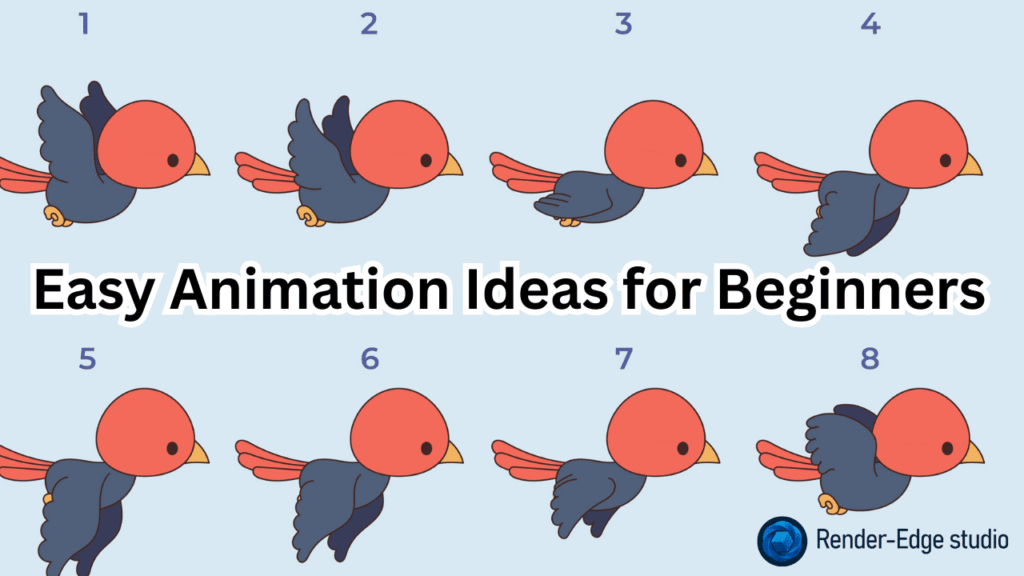
Hey friend! If you’re here, you probably just downloaded a free animation app, stared at a blank timeline, and thought… “Okay… now what do I actually animate?” I’ve been exactly where you are. Ten years ago I started with a cracked copy of Flash and a dream. My first bouncing ball looked drunk, but I kept going. Today I run Render Edge Studio and teach thousands of beginners every year. So trust me: you don’t need fancy ideas to start. You need simple animation ideas that secretly train your brain and hands for the big stuff later. Let’s fix that blank-timeline panic right now. Here are 35+ proven, cute, cool, and super-easy animation ideas for beginners — all tested by my students (and me) in the last 12 months. Why Start with Simple Animation Ideas? Big Hollywood scenes look amazing, but they’re built on tiny exercises you’re about to do. Every pro you admire (yes, even the Pixar and Spider-Verse people) started with a bouncing ball and a walking stick figure. Simple animation ideas help you master: Do these first → everything else becomes 10× easier. Level 1 – Warm-Up Ideas (Do These in Your First Week) Perfect for frame-by-frame animation in Adobe Animate, Procreate Dreams, or even free apps like FlipaClip. Level 2 – 1-Minute Animation Ideas (Your First “Wow” Moment) These are complete tiny stories in 30–90 seconds. Level 3 – Cool Animation Ideas (Impress Your Friends) Now we add secondary motion and character. Level 4 – Stop-Motion Animation Ideas (Phone + Free App = Magic) You only need your phone and Stop Motion Studio (free version works great). Real student example: Sarah made #23 in one afternoon. It got 2 million views on TikTok. True story. Level 5 – Cute Animation Ideas That Melt Hearts People share these like crazy. Bonus Section: 5 Good Animation Ideas You Can Finish Today (Under 2 Hours Each) Idea Tool Needed Skill You Learn Time Cuteness Level Popcorn Popping Any 2D app Squash & stretch + anti-gravity 45 min 10/10 Smiling Sun Rising Procreate/Adobe Arc motion + secondary glow 60 min Super cute Walking Mushroom FlipaClip Walk cycle + overlapping 90 min Adorable Floating Jellyfish Any app Slow ease in/out + tentacles flow 50 min Mesmerizing Excited Puppy Tail Wag Loop RoughAnimator Overlapping action + anti-symmetry 30 min Share-worthy Quick Tool Comparison for Beginners (2026) Tool Price Best For Difficulty Adobe Animate $20/mo Professional 2D frame-by-frame Medium Blender Free 3D animation (Is 3D animation easy? Not at first, but Grease Pencil mode is!) Medium-Hard Procreate Dreams $20 once iPad hand-drawn animation Easy FlipaClip Free Android & iPad, super beginner-friendly Very Easy Stop Motion Studio Free Stop-motion with phone camera Easy (Pro tip: Start with FlipaClip or Procreate Dreams. Zero learning curve, maximum fun.) Step-by-Step: How to Finish Your First Animation This Week FAQs – Real Questions My Students Ask Every Week Q: I have zero drawing skills. Can I still animate? A: 100% yes! Start with simple shapes or use free rigs from sites like Mixamo. Q: How long until my animation stops looking stiff? A: Usually 2–4 weeks if you do one small exercise daily. Q: Should I learn 2D or 3D first? A: 2D. You learn timing and acting faster. (Read my full answer: Is 3D animation easy?) Q: Where do pros get inspiration? A: Real life! Film yourself walking, watch pets, record wind in trees. Nature is the best teacher. Q: Any more stop motion animation ideas? A: Tons → check my dedicated post: 77 Stop Motion Animation Ideas You Can Shoot Today Final Thought (From Someone Who Started Exactly Like You) Your first 50 animations will probably look rough. That’s normal. But your 51 will surprise you. And 100? That’s when people start asking “Wait… you made that?!” So pick one easy animation idea from this list right now. Open your app. Hit “New Project.” And make something tiny move. You’ve got this. I’ll be here cheering (and waiting to see your work). Happy animating! – Zakiul @ Render Edge Studio P.S. Want way more facts about animation + free templates? → Facts About Animation (2026 Edition) P.P.S. Need professional 3D animation later? We got you → Render Edge Studio – 3D Animation Services.