Hey friend,
Imagine this: you’re about to launch your new gadget. You need a jaw-dropping video that makes people stop scrolling and actually buy. One wrong choice and you waste weeks + thousands of dollars on something that looks like a 2008 YouTube intro.
I’ve been on both sides of that table — hiring studios and running one. Today I’m saving you the pain. Here’s exactly how to choose a 3D product animation service provider that delivers real results.
Let’s jump in.
Why Even Bother with 3D Product Animation in the Right Way?
Simple.
Great 3D product animation increases sales by 200–300 % on landing pages (Backlinko & Wyzowl 2025–2026 reports).
Bad animation kills trust faster than a typo on your homepage.
So choosing the right partner isn’t optional — it’s make-or-break.
Step 1: Get Crystal Clear on What You Actually Need
Most people skip this and regret it later.
Ask yourself three quick questions:
- What is the #1 job this video must do? (Explain a complex mechanism, show 360° views, create emotional hype, drive pre-orders?)
- Where will it live? (Instagram Reels, Amazon listing, trade-show loop, homepage hero?)
- What’s your deadline and budget range?
Write the answers down. You’ll thank me when studios start throwing proposals at you.
Step 2: Look at Their Portfolio Like a Detective
A pretty website means nothing. Dig deeper.
Red flags vs Green flags:
| Red Flag | Green Flag |
| Only 2–3 samples | 20+ recent product videos |
| Everything looks the same | Multiple styles (photoreal, stylized, clay, etc.) |
| No before/after or breakdown | Reels with wireframe → final render |
| Watermarked “demo” projects only | Real client brands you recognize |
Pro tip: Ask for a 15–30 second raw render test of YOUR product. The best studios will do it for free or tiny fee to prove capability.
Step 3: Check If They Actually Understand Products (Not Just Pretty Pictures)
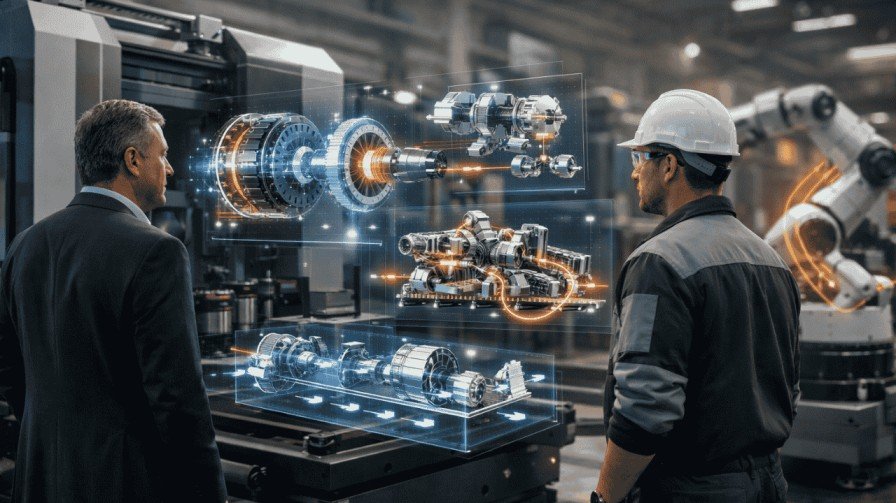
There’s a massive difference between a motion graphics specialist who makes logo stings and a real 3D product visualization expert who works with Product Design & R&D Teams every day.
Look for:
- Exploded views and cutaways
- Accurate material shaders (metal, glass, soft-touch plastic)
- Proper lighting that matches real-world photography
- Assembly animations that make sense mechanically
Render Edge Studio (and studios like us) live inside Blender, Maya, Cinema 4D, and the full CGI rendering pipeline every single day. That matters more than you think.
Step 4: Read Reviews the Smart Way
Don’t just scroll stars on their website.
Do this instead:
- Go to Clutch.co and Sort by “Product Animation”
- Filter for companies with 10+ reviews in the last 18 months
- Look for comments about communication speed and revision rounds
- Message 1–2 past clients on LinkedIn (90 % reply if you’re polite)
Real quote I saw last month:
“They delivered three rounds of changes in 48 hours and the client loved it.” ← That’s the kind of partner you want.
Step 5: Talk Money Early (Here’s What Things Actually Cost in 2026)
Let’s be real — nobody likes surprises.
Current market rates (worldwide, professional quality):
| Video Length & Style | Average Cost (USD) | What You Get |
| 15–30 sec social teaser | $3,000 – $6,000 | Photoreal, 1–2 revisions |
| 60 sec explainer / Amazon A+ | $7,000 – $14,000 | Voice-over, sound design included |
| 90–120 sec premium launch video | $15,000 – $30,000+ | Unlimited revisions, 8K delivery |
Want the full transparent breakdown? → Check our page Product animation cost.
Step 6: Test Their Process Before You Pay a Cent
Great studios have a proven system. Ask for it.
A healthy workflow looks like this:
- Kick-off call + moodboard
- Written script + storyboard (you approve)
- Style frames (you approve)
- Animation blocking
- First full render
- Two rounds of changes (good studios give unlimited)
- Final delivery in every format you need
If they can’t show you this in writing → run.
Quick Comparison: Product Animation vs Product Photography (2026)
You can check out the details guide here.
| Factor | 3D Product Animation | Traditional Product Photography |
| Cost per hero asset | Higher upfront, $0 after | Lower per shot, but adds up |
| 360° spin / cutaway | Yes, instantly | Impossible or extremely expensive |
| Change color or variant | Click a button | New photo shoot |
| Impossible angles/locations | Yes (product in space, underwater) | No |
| Time to create new variant | Hours | Days + studio booking |
That’s why forward-thinking brands are moving heavy into 3D. (Read more: increase sales with product animation)
Bonus: Can You Do 3D Product Animation by Yourself?
Short answer: Yes, but…
If you have 200+ hours, a $10k workstation, and years in Blender/Maya — go for it.
Most founders I talk to would rather spend that time closing deals.
Full guide here → 3d product animation by my self.
FAQs – Your Questions Answered Fast
Q: How long does a professional 3D product video take?
A: 4–8 weeks is normal. Top studios can rush in 10–14 days for extra fee.
Q: Do I own the files when it’s done?
A: Always get source files (.blend, .c4d, etc.) and unlimited commercial license in the contract.
Q: Will it work on Amazon, Shopify, and social?
A: Yes — good studios deliver square, vertical, and horizontal versions automatically.
Q: What if I need changes six months later?
A: Studios with proper project archiving (like Render Edge Studio) can reopen and update in days, not weeks.
Important Read:
Details Guide on Product Animation For Business.
Your Next Move (Don’t Overthink It)
You now know more than 95 % of buyers out there.
Take this checklist, open three studios you like, and ask them the tough questions above.
Or — if you want to skip the whole dance and work with a team that already checks every box — book a free 15-minute call with Render Edge Studio today.
We’ll look at your product, tell you exactly what will work best, and give you a zero-BS quote in 24 hours.
Ready to make your product look unstoppable?
→ Click here to book your slot (we only take 8 new projects per month)
You’ve got this,
Talk soon! P.S. The next product launch window waits for no one. Let’s make yours unforgettable.