After spending years in 3D animation, I’ve worked on everything from blockbuster visual effects to product commercials. But when clients started asking for furniture visualization projects, I realized something important.
The software I used for animation wasn’t always the best choice for furniture design. I needed specialized tools that understood real-world manufacturing, precise measurements, and client presentations.
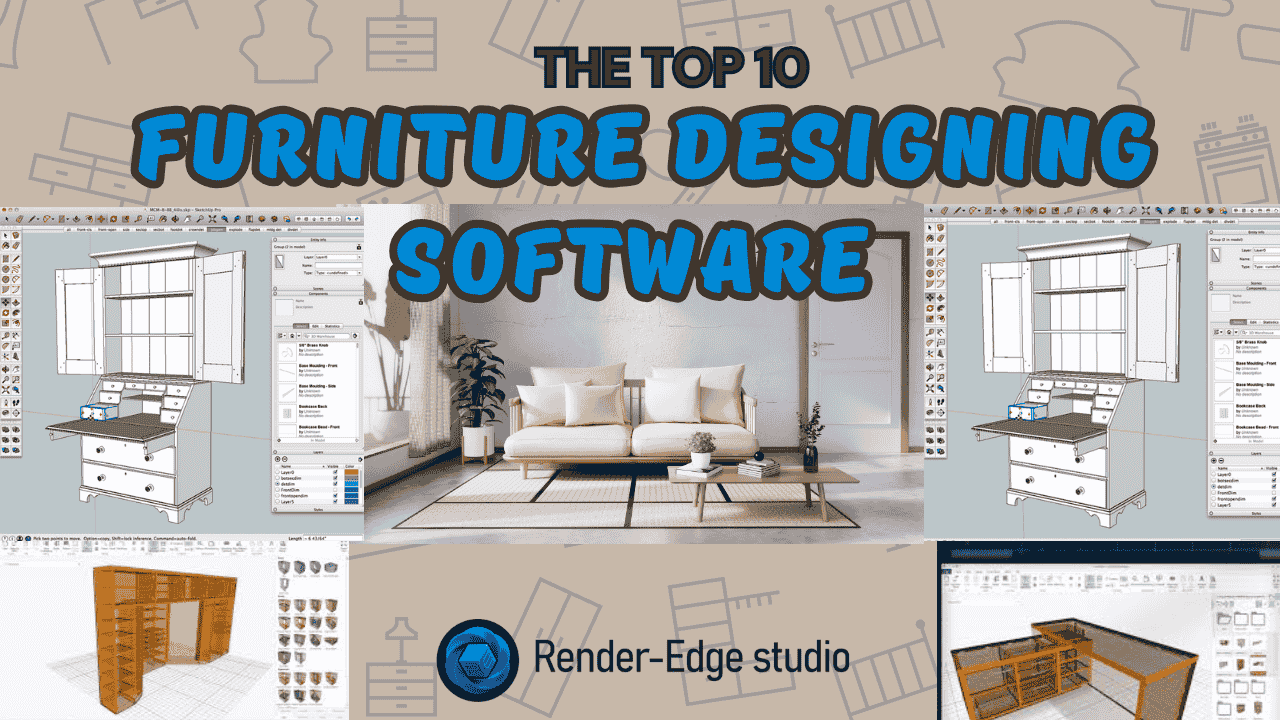
That journey led me to test dozens of furniture design programs. Today, I’m sharing the top 10 tools that actually deliver results for professional work.
Why Furniture Design Software Matters for Animation Professionals
Think about it. When a client wants to see their custom sofa before manufacturing, they don’t want a rough sketch. They want photorealistic renders that look like professional photography.
Traditional animation software can do this, sure. But furniture-specific tools cut your workflow time in half. They understand joinery, materials, and manufacturing constraints that general 3D tools miss.
The right software bridges the gap between creative vision and real-world production. It’s the difference between pretty pictures and actual buildable designs.
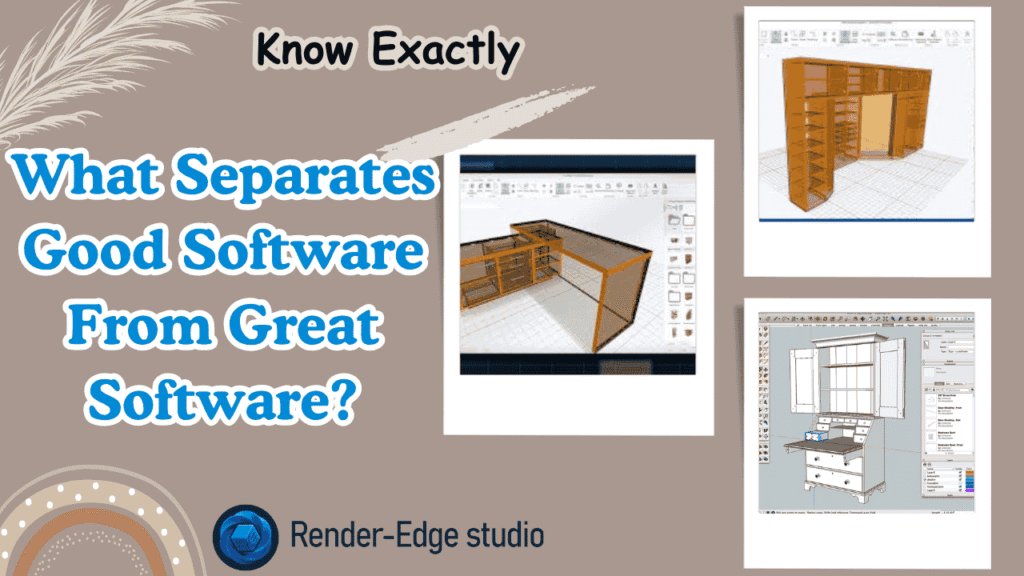
What Separates Good Software From Great Software?
I’ve wasted countless hours on programs that promised everything but delivered frustration. Here’s what actually matters in professional work.
Essential features you need:
- Precision modeling for accurate measurements
- Realistic material rendering
- Fast iteration for client revisions
- Export options for manufacturing
- Integration with your existing pipeline
Let me break down the tools that meet these standards and explain when to use each one.
1. SketchUp: The Gateway Drug for Designers
SketchUp gets unfairly dismissed as “beginner software.” That’s wrong. It’s actually one of the most efficient tools for conceptual furniture design.
Why professionals use it:
- Lightning-fast modeling workflow
- Massive 3D Warehouse library
- Excellent for client presentations
- Plugin ecosystem extends functionality
- Browser-based version needs zero setup
I use SketchUp for initial concept presentations. Clients can immediately visualize ideas without waiting for complex renders. The furniture drawing process is intuitive and quick.
For wooden furniture concepts, SketchUp’s simplicity becomes its strength. You can iterate through five design variations in the time other software loads.
The real magic happens with extensions. Tools like V-Ray turn SketchUp into a rendering powerhouse for product visualization for furniture business needs.
Best for: Rapid prototyping and client concept presentations.
2. Fusion 360: The Modern Professional’s Choice
Autodesk Fusion 360 changed how I approach furniture projects. This CAD software for furniture makers bridges design and manufacturing seamlessly.
Professional advantages:
- Parametric modeling saves massive time
- Cloud collaboration with clients
- Built-in rendering engine
- CAM tools for CNC programming
- Free for startups and hobbyists
Here’s a real example. A client needed custom furniture for a restaurant chain. Fusion 360 let me create one master design, then automatically generate 15 size variations by changing parameters.
The software handles complex joinery that would take hours in polygon modeling. Mortise and tenon joints? A few clicks. Dovetails? Built-in tools handle it.
Product animation capabilities are solid too. You can create exploded views and assembly animations directly in the software. These animations increase sales by showing clients exactly how pieces go together.
Best for: Professional custom furniture designers and small studios.
3. SolidWorks: The Industry Heavyweight
When furniture manufacturing companies want serious engineering, they specify SolidWorks files. There’s a reason for that.
Enterprise-level features:
- Unmatched precision and accuracy
- Stress simulation for structural testing
- Complete manufacturing documentation
- Industry-standard file compatibility
- Professional support network
I worked with a high-end furniture manufacturer using SolidWorks. Their quality control team could simulate weight distribution and stress points before building prototypes. This saved them thousands in material waste.
The learning curve is real. But comparing 2D images vs 3D animations, SolidWorks produces the most technically accurate visualizations possible.
For furniture animation services targeting luxury brands, SolidWorks credentials matter. It signals professional-grade work.
Best for: Large-scale manufacturing and engineering-focused projects.
4. Blender: The Open-Source Powerhouse
As an animation expert, you probably know Blender. But many don’t realize how good it is for furniture design and rendering.
Animation professional advantages:
- Completely free forever
- Cycles renderer rivals any paid software
- Animation tools you already know
- Geometry Nodes for procedural modeling
- Massive community and resources
I use Blender when clients want cinematic furniture presentations. The rendering quality matches software costing thousands. The animation capabilities let me create product animations that competitors can’t match.
3D furniture animation boosts online sales significantly. Blender gives you Hollywood-quality tools to make that happen. You can create 360-degree turntables, exploded assembly views, and lifestyle animations.
The furniture modeling workflow takes some setup. But once you build a template file with proper lighting and materials, you’re incredibly fast.
Best for: Animation professionals wanting cinematic furniture visualizations.
5. Rhinoceros 3D: The Precision Sculptor
Rhino handles curves and organic shapes better than anything else. For modern, flowing furniture designs, it’s unbeatable.
Design excellence:
- NURBS modeling for perfect curves
- Architectural precision
- Grasshopper for parametric design
- Excellent file compatibility
- Professional rendering plugins
I designed a curved lounge chair that would have been impossible in polygon software. Rhino’s NURBS tools created mathematically perfect curves that manufacturers could actually produce.
The software excels at complex wooden furniture with curved elements. Traditional CAD programs struggle with organic shapes. Rhino makes them effortless.
For digital furniture planning and visualization tools, Rhino’s Grasshopper plugin opens incredible possibilities. You can create furniture families that automatically adjust proportions while maintaining design integrity.
Best for: High-end contemporary furniture with complex geometry.
6. AutoCAD: The Technical Documentation Master
AutoCAD feels old-school because it is. But for technical furniture drawing and manufacturing documentation, nothing beats it.
Technical strengths:
- Industry-standard drafting
- Precise 2D documentation
- Reliable file exchange
- Extensive block libraries
- Professional credibility
Manufacturing shops speak AutoCAD. When you deliver DWG files, they know exactly what to do. No translation errors, no compatibility issues.
I use AutoCAD for final technical drawings after designing in other software. It’s the common language between designers and makers.
The 3D modeling feels dated compared to modern tools. But for creating shop drawings that woodworkers actually use? AutoCAD remains king.
Best for: Technical documentation and manufacturing communication.
7. Shapr3D: Professional CAD Goes Mobile
Shapr3D surprised me. Real professional CAD on an iPad seemed impossible. But it works remarkably well.
Mobile innovation:
- Full parametric CAD engine
- Apple Pencil integration
- Desktop-class features
- Cloud sync across devices
- Intuitive touch interface
I sketched a coffee table design on a flight using my iPad. By landing, I had a complete 3D model ready for client review. That workflow was impossible before.
The software handles serious furniture design, not just sketches. You can create precise joinery, export for manufacturing, and generate realistic renders.
For best 3D furniture design tools that work anywhere, Shapr3D delivers. It’s especially valuable for client meetings where you can sketch modifications in real-time.
Best for: Professionals who design on location or travel frequently.
8. Cinema 4D: The Visualization Specialist
Cinema 4D comes from the motion graphics world, but it’s fantastic for furniture visualization and product animation.
Rendering excellence:
- Industry-leading renderer
- Intuitive interface
- Excellent animation tools
- Material system perfection
- Fast iteration workflow
The MoGraph toolset creates incredible product animations. I used it for a furniture catalog where every piece needed to be shown from multiple angles with smooth transitions.
Benefits of 3D rendering for Amazon sellers and e-commerce become obvious with Cinema 4D. The quality rivals photography at a fraction of the cost.
The modeling tools aren’t as precise as CAD software. But for creating stunning visuals from existing models, Cinema 4D excels.
Best for: High-end rendering and animation-focused projects like amazon 3d product rendering.
9. 3ds Max: The Architectural Visualization Standard
In architectural visualization, 3ds Max dominates. That same power applies perfectly to interior and furniture modeling software needs.
Architectural power:
- V-Ray integration excellence
- Massive asset libraries
- Professional workflow
- Industry standard acceptance
- Corona renderer compatibility
I worked on a commercial interior project featuring custom furniture throughout. 3ds Max handled the entire environment with furniture seamlessly integrated.
The software excels at creating furniture in context. You can show how pieces work within complete room designs. This context matters for high-end residential and commercial projects.
Product visualization for furniture business reaches its peak in 3ds Max. The rendering quality and ecosystem support are unmatched.
Best for: Architectural visualization with custom furniture elements.
10. Vectorworks Designer: The All-in-One Solution
Vectorworks attempts to be everything – CAD, BIM, rendering, and documentation. For furniture in architectural contexts, it succeeds surprisingly well.
Comprehensive features:
- Hybrid 2D/3D workflow
- Built-in rendering
- BIM capabilities
- Extensive object libraries
- Cross-platform compatibility
The furniture design tools integrate with complete architectural workflows. You can design custom pieces that automatically appear in schedules and documentation.
I appreciate the single-software workflow. Design furniture, place it in architectural drawings, render presentations, and generate cut lists all in one program.
The learning curve reflects its comprehensive nature. But for studios doing both architecture and custom furniture, Vectorworks eliminates software juggling.
Best for: Architectural firms designing custom furniture for projects.
Comparing Software: What Works When?
Let me break down real-world scenarios and which software fits best.
- Quick client concepts: SketchUp wins every time. Speed matters more than precision in early stages.
- Manufacturing-ready designs: Fusion 360 or SolidWorks depending on complexity. Both generate proper documentation.
- Cinematic presentations: Blender or Cinema 4D for animation. 3ds Max for architectural contexts.
- Organic modern designs: Rhinoceros handles curves better than anything else.
- Technical documentation: AutoCAD remains the universal language of manufacturing.
The Hidden Cost Nobody Talks About
Software prices are obvious. But rendering time costs real money in professional work.
I calculate my effective hourly rate including rendering. If software takes three hours to render what another does in thirty minutes, the “cheaper” option actually costs more.
GPU rendering changed everything. Octane, Redshift, and V-Ray GPU cut rendering times by 80% in my workflow. This matters tremendously for furniture animation services.
Cloud rendering services like RebusFarm let you offload heavy rendering. You work while the cloud renders. This productivity boost pays for itself immediately.
Material Libraries: The Secret Weapon
Realistic materials separate amateur work from professional visualization. This is where furniture animation services shine or fail.
I’ve built extensive material libraries over years. Wood grain scans, fabric textures, metal finishes – all organized and ready to apply.
Software with good material systems saves enormous time. Cinema 4D’s material editor and Blender’s shader nodes let you create photorealistic surfaces quickly.
For product animation that increases sales, material realism matters more than geometry complexity. Clients respond to surfaces they can almost touch.
Learning Resources That Actually Help
Every software has a learning curve. But modern resources make it manageable.
YouTube became my university. Channels like Blender Guru, SketchUp School, and Autodesk’s official tutorials teach better than most paid courses.
Effective learning approach:
- Start with official getting-started tutorials
- Follow along with real projects
- Join community forums
- Practice daily for 30 minutes
- Teach others what you learn
I learned Fusion 360 in two weeks of focused evening practice. Nothing magical – just consistent small steps.
The AI Revolution in Furniture Design
AI tools are starting to impact furniture design workflows. Text-to-3D models, automatic UV unwrapping, and intelligent material application are emerging.
I’m testing AI-assisted design tools that generate variations from simple prompts. The technology isn’t ready to replace skilled designers, but it accelerates ideation phases significantly.
Digital furniture planning and visualization tools will incorporate more AI features. Staying current with these developments maintains competitive advantage.
My Recommended Starter Stack
If you’re beginning furniture design work today, here’s what I’d suggest.
Essential foundation:
- Fusion 360 for modeling (free to start)
- Blender for rendering and animation (free)
- SketchUp for quick concepts (free tier works)
This combination costs nothing but delivers professional results. As projects grow, you can add specialized tools.
Next-level additions:
- Rhino for complex curves
- V-Ray or Octane for rendering
- Cinema 4D for motion graphics integration
Build your toolkit based on actual project needs, not theoretical capabilities.
Final Thoughts
After years testing these tools, I’ve learned this: skills matter more than software. Start with free options like Fusion 360 or Blender. The top 10 furniture designing software all work professionally. Pick one tool, learn it thoroughly, and start creating. Your furniture design journey begins today. Whether you’re creating furniture animation services, handling custom furniture projects, or supporting furniture manufacturing with digital tools, these software options give you professional capabilities. Remember, The furniture design industry needs skilled 3D professionals for product visualization.
Related Read
Best Software For 3D Product Animation in 2026
Frequently Asked Questions
What is the best furniture design software for professional work?
It depends on your specific needs. Fusion 360 offers the best balance of modeling, rendering, and manufacturing tools for most professionals. SolidWorks is better for engineering-focused work. Blender excels at visualization and animation.
Can animation software like Blender handle precise furniture design?
Yes, but with limitations. Blender can model furniture accurately, but lacks CAD features like parametric dimensions and engineering constraints. It’s excellent for visualization but requires extra care for manufacturing accuracy.
How long does it take to learn furniture design software?
Basic competence takes two weeks of focused practice. Professional proficiency requires 3-6 months of regular use.
Which software do furniture manufacturers prefer receiving files from?
SolidWorks and AutoCAD are most universally accepted. STEP and IGES file formats work across almost all manufacturing software.
Is expensive software really better than free options?
Not always. Blender rivals software costing thousands for visualization. However, specialized tools like SolidWorks offer engineering features impossible in free alternatives. Match software to actual requirements, not price tags.
What computer specs do you need for furniture design software?
Minimum: 16GB RAM, dedicated GPU with 4GB VRAM, and SSD storage. Recommended: 32GB RAM, RTX 3060 or better, and fast multi-core processor.
Can you use furniture design software for product animation?
Absolutely. Most modern furniture design tools include animation capabilities. Software like Blender, Cinema 4D, and even Fusion 360 can create product animations.