Hey, imagine you could finish a photorealistic rendering in 30 seconds instead of 12 hours.
Or walk your client through a fully interactive building before a single brick is laid.
That’s not sci-fi anymore. That’s Tuesday.
This is exactly how AI is transforming 3D architectural visualization right now — faster, cheaper, and often more beautiful than anything we did even two years ago.
Let’s break it down like I’m explaining it over coffee.
Why Speed Suddenly Feels Like Cheating
Old way: You set up a scene in V-Ray or Corona, hit render, go grab lunch… and dinner.
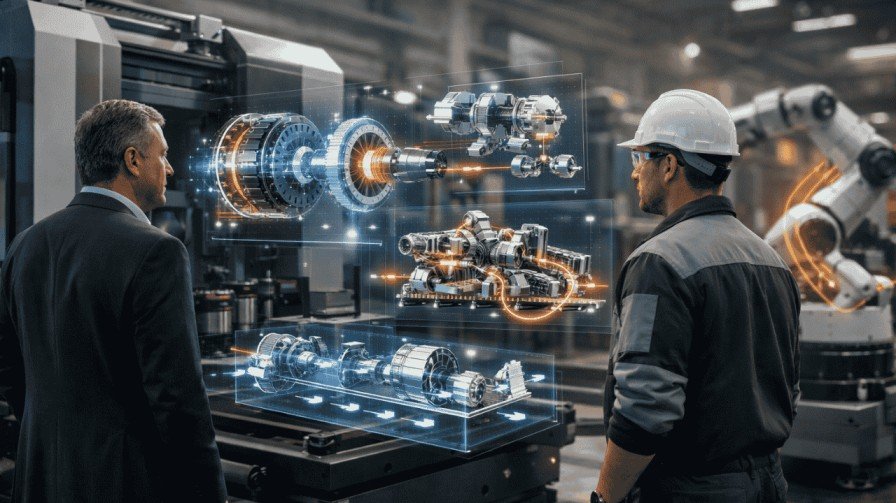
New way: Tools powered by AI algorithms (like NVIDIA’s DLSS, Chaos AI Enhancer, or Stable Diffusion-based plugins) denoise and upscale in seconds.
Real-life example: My friend at a mid-size studio in Dubai used to wait 45–60 minutes per exterior shot.
Last month he switched to an AI-accelerated workflow inside Twinmotion + Unreal Engine 5. Same quality. 20–40 seconds per frame.
He now delivers two extra client revisions per day and still leaves the office at 5 pm.
The 6 Biggest Ways AI Is Changing the Game Right Now
- Lightning-Fast Rendering
AI-powered architectural rendering cuts hours to seconds using denoising and upscaling tech.
- Generative Design on Steroids
Feed parameters (site boundaries, sun path, budget) into tools like Autodesk Forma or Spacemaker and watch hundreds of massing options appear in minutes.
- One-Click Material Magic
Type “weathered Corten steel + Scandinavian moss” and generative AI spits out perfect PBR textures. Tools like Adobe Firefly, Poly.cam, or even Blender add-ons do this today.
- Real-Time 3D Rendering with AI
Unreal Engine 5 + NVIDIA Omniverse + Lumen + Nanite = you can literally fly through a 200-million-polygon scene at 4K 60 fps on a laptop.
- Interactive Client Experiences
Export to NVIDIA Omniverse or Twinmotion → client puts on a Quest 3 → walks the building, changes sofa color with voice command. Done.
- AI Automation in Architectural Workflows
Repetitive tasks (layer cleanup, annotation, error checking) now happen automatically with tools like Autodesk’s AI in Revit or Hypar.
Can AI Replace Human Architects and Visualizers?
Short answer: No.
Long answer: It’s more like giving Spider-Man a better web-shooter.
AI still needs you to ask the right questions, pick the best option, and add the soul that turns a building into a place people love.
Every top studio I know uses AI as a turbo-charged assistant, not a replacement.
Real Projects That Already Prove the Point
- Zaha Hadid Architects used machine learning in 3D visualization to optimize the Leeza SOHO tower’s atrium twist — thousands of structural iterations in days instead of months.
- Foster + Partners runs generative design loops inside Autodesk Forma for every new airport terminal.
- A small 8-person studio in Portugal won a €45 M hotel project because they presented an AI-powered VR walkthrough on day one of the competition (built in Twinmotion + Unreal Engine).
Quick Comparison: Traditional vs AI-Enhanced Workflow (2025 reality)
| Task | Traditional (2023) | AI-Enhanced (2025) | Time Saved |
| High-res still rendering | 4–12 hours | 15–90 seconds | 95–99% |
| Material creation | 2–6 hours per set | 10–60 seconds | 98% |
| Design options exploration | 1–3 weeks | 1–4 hours | 80–90% |
| Client presentation | Static images + flythrough | Fully interactive VR | ∞ (new capability) |
How to Start Using AI in Your Architecture Design Today (5 Dead-Simple Steps)
- Pick one fast tool
Start with Twinmotion (free for small studios) or Enscape + Chaos AI Enhancer.
- Install an AI texture generator
Try Material Diffusion, Poly.cam, or the new Blender “Stable Diffusion” add-on.
- Turn one old project into real-time
Import your Revit model into Unreal Engine 5 (it takes 10 minutes with Datasmith).
- Create your first interactive presentation
Export to NVIDIA Omniverse or upload to SimLab VR. Send the link to your client.
- Block 2 hours next week just to play
The learning curve is now measured in hours, not months.
(Pro tip: Check our full guide on Realistic Architectural Textures with AI Tools if you want ready-made prompts.)
Are There Any Downsides of AI in Architecture?
Yes, and we should talk about them:
- Over-reliance can make juniors skip learning light behavior the hard way.
- Early AI images sometimes look “too perfect” and plastic (the infamous “AI sheen”).
- Big firms worry about IP when training data includes copyrighted buildings.
- Clients sometimes choose the flashiest option instead of the best one.
The fix? Treat AI like an intern with superpowers — amazing speed, zero taste. You still steer.
Quick FAQ About How AI Is Transforming 3D Architectural Visualization
1. Will AI make architectural visualization jobs disappear?
No. It kills boring tasks, not creative careers. Demand for high-end visualizers is actually growing.
2. What’s the best AI tool for beginners?
Twinmotion 2025 + the free Chaos AI Enhancer trial. Zero learning curve, stunning results.
3. Can small studios compete with the big ones now?
100%. A two-person team with AI tools can now deliver what used to need a 15-person viz department.
4. What’s the difference between animation vs rendering in the AI era?
Read our detailed breakdown here: animation vs rendering.
5. How do real estate developers use this?
They sell off-plan units 40–60% faster with interactive AI walkthroughs. Full story → architecture uses real estate developers.
The Bottom Line
AI isn’t coming for your job. It’s coming for your all-nighters.
How AI is transforming 3D architectural visualization is simple: it removes 90% of the waiting and 80% of the repetitive work, then hands you back time to design better buildings and actually enjoy the process.
If you haven’t played with these tools yet, open Twinmotion or Unreal Engine this week.
Render one image with AI acceleration. Then tell me it doesn’t feel like magic. Because right now, it kind of is.
Related Reads: