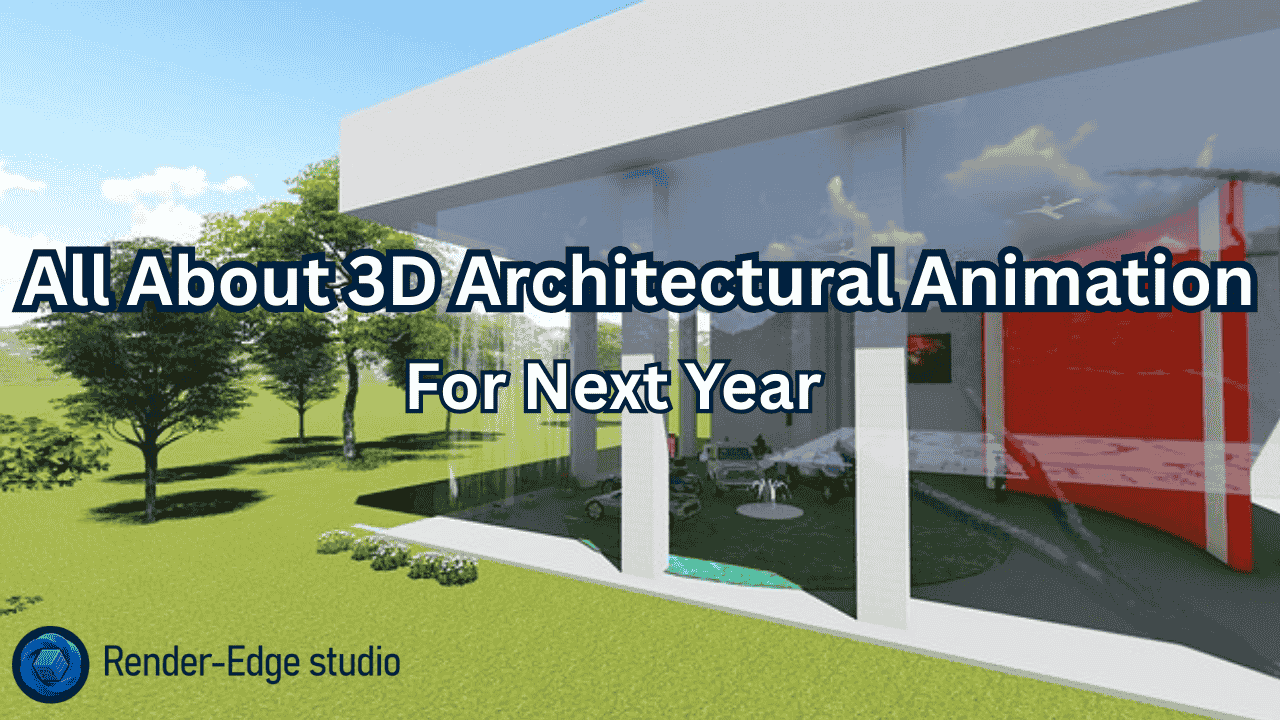
Imagine this: You are presenting a new real estate project to potential investors. Rather than showcasing a 2D concept plan of the development’s shell in the typical manner; you show them a video that highlights the experience of viewing such an environment. In addition to seeing the project from a monochromatic view, investors can now witness firsthand how each of the different spaces within the project will feel. You’ll be able to present a visual representation of your project to potential investors.
That’s the power of 3D architectural animation.
With the introduction of this technology, the way we design, market and construct properties has transformed. As a designer, builder or developer of property, being aware of the unique advantages of architectural animation services will provide you with a tremendous advantage over your competition.
Let’s dive into everything you need to know.
What Is 3D Architectural Animation?
Think of 3D architectural animation as a movie for buildings that don’t exist yet.
It’s a digital technique that brings architectural designs to life through moving images. Unlike static renderings, animations show you how spaces flow, how light changes throughout the day, and how people interact with the environment.
Here’s what makes it special:
- You can walk through every room before construction starts
- Clients see exactly what they’re buying
- Design flaws become obvious early
- Marketing materials become 10x more engaging
Real estate developers use these animations to pre-sell apartments. Architects use them to win project bids. Urban planners use them to get community buy-in for new developments.
The best part? Modern 3D architectural visualization tools make this easier than ever before.
Learn more about what is 3D architectural animation
How Much Does 3D Architectural Animation Cost?
Let’s talk about money because this is usually the first question everyone asks.
The short answer: It depends on what you need.
The detailed breakdown:
A simple 30-second architectural walkthrough might cost between $1,500 and $5,000. A complex 3-minute video with advanced lighting, realistic textures, and multiple camera angles? You’re looking at $10,000 to $50,000 or more.
Here’s what affects the price:
- Video length – More seconds = more money
- Complexity – Simple interior vs. entire city block
- Quality level – Good vs. photorealistic
- Revisions – How many changes you need
- Timeline – Rush jobs cost extra
Many studios now offer packages. You might pay $3,000 for a basic real estate 3D walkthrough that includes one exterior and two interior scenes.
Pro tip: Don’t always go with the cheapest option. A mediocre animation won’t impress clients. A great one pays for itself by closing deals faster.
Discover detailed pricing for cost of 3D architectural animation
Architectural Animation vs 3D Rendering: What’s the Difference?
People often confuse these two, but they serve different purposes.
1. 3D rendering: gives you a single image. Think of it as a photograph of a building that doesn’t exist yet. It’s perfect for brochures, websites, and presentations.
2. 3D architectural animation: gives you a video. It shows movement, timing, and spatial relationships. You see how spaces connect and how light changes.
When to use rendering:
- Marketing materials
- Quick design reviews
- Social media posts
- Print advertisements
When to use animation:
- Client presentations
- Project fundraising
- Complex spatial explanations
- Pre-sales campaigns
Here’s an analogy: Rendering is like a movie poster. Animation is the actual movie. Both are valuable, but they serve different goals.
Many projects use both. You might create 5-10 key renderings plus a 2-minute animation. This gives you flexibility for different marketing channels.
Compare the full differences: architectural animation vs 3D rendering
The Complete Process of 3D Architectural Animation
Creating an architectural animation isn’t magic. It follows a clear workflow that you should understand.
Step 1: Concept and Planning
You start with your vision. What story do you want to tell? Will viewers walk through the front door? Fly over the entire property? See a day-to-night transition?
This is where you define camera paths, key scenes, and animation length.
Step 2: 3D Modeling
Next, artists build the digital environment. They create every wall, window, door, and detail using software like Autodesk 3ds Max or Blender.
This is the foundation. If the model isn’t accurate, nothing else matters.
Step 3: Texturing and Materials
Now comes the realism. Artists apply materials that look like real wood, concrete, glass, and fabric. Modern AI rendering tools make this faster and more realistic than ever.
Step 4: Lighting Setup
Light makes or breaks your animation. Artists set up sun angles, interior lights, and ambient lighting. They might show how spaces look at different times of day.
Step 5: Camera Animation
The camera becomes your viewer’s eyes. Artists program smooth movements that guide attention and tell your story.
Step 6: Rendering
This is where the computer does heavy lifting. It calculates every frame of your animation. A 60-second video at 30 frames per second needs 1,800 individual images rendered.
Step 7: Post-Production
Final touches include color correction, adding music, sound effects, and text overlays. This polish makes good animations great.
The entire process typically takes 3-6 weeks depending on complexity.
Get the detailed workflow: process of 3D architectural animation
Why Real Estate Developers Love 3D Architectural Walkthroughs
Real estate is a show-me business. People don’t buy based on descriptions. They buy based on what they can see and imagine.
Here’s why developers invest in architectural animation services:
1. They pre-sell before building: Imagine selling 60% of your apartments before breaking ground. That’s what great animations enable. Buyers see finished spaces and commit early.
2. They reduce buyer anxiety: Purchasing off-plan is risky. A detailed 3D architectural visualization guide helps buyers feel confident about their decision.
3. They stand out from competitors: While others show floor plans, you show a cinematic experience. Who do you think wins the sale?
4. They save time in sales meetings: Instead of explaining layouts for 20 minutes, you show a 2-minute video. Clients understand immediately.
5. They work 24/7 online: Your animation becomes a marketing tool that never sleeps. It works on your website, social media, and email campaigns.
One developer told me they recovered their $15,000 animation cost with just two additional pre-sales. Everything after that was pure profit.
Explore real-world benefits: why real estate developers use 3D architectural walkthroughs
How AI Is Transforming 3D Architectural Visualization
Artificial intelligence isn’t just a buzzword anymore. It’s actively changing how we create architectural animations.
Here’s what’s happening right now:
1. Faster rendering times: AI-powered tools like NVIDIA Omniverse cut rendering time by 50-70%. What took days now takes hours.
2. Automatic texture generation: Need realistic brick textures? AI creates them in seconds. You describe what you want, and it generates options.
3. Smart lighting calculations: AI analyzes your scene and suggests optimal lighting setups. It learns from thousands of real-world examples.
4. Real-time visualization: Unreal Engine uses AI to show near-photorealistic previews instantly. You make changes and see results immediately.
5. Automated camera paths: AI can analyze your building and suggest the most compelling camera movements.
6. Cost reduction: These improvements mean lower costs for clients. Projects that once required specialists can now be handled more efficiently.
The best part? These tools keep getting better. What seems impressive today will be standard next year.
Discover AI’s impact: how AI is transforming 3D architectural visualization
Architectural Visualization Trends in 2026
The industry evolves fast. Here’s what’s hot right now and what’s coming next.
1. Virtual reality integration: Clients don’t just watch animations anymore. They put on VR headsets and walk through spaces themselves. This creates emotional connections that videos alone can’t match.
2. Real-time rendering: Software like Lumion and Unreal Engine makes changes instant. You adjust a wall color and see the result immediately, not after hours of re-rendering.
3. Sustainable design visualization: Animations now show solar panels working, rainwater collection, and green spaces. Sustainability isn’t just mentioned—it’s visually demonstrated.
4. AI-generated variations: Need to show 5 different interior design options? AI creates them automatically from your base model.
5. Drone-style flythroughs: Aerial perspectives have become standard. They show how projects fit into existing neighborhoods and cityscapes.
6. Interactive elements: Some animations let viewers click to explore different options. Want to see the kitchen with marble instead of granite? Click and it changes.
7. Photogrammetry integration: Real-world textures captured from actual materials make animations more realistic than ever.
These aren’t future predictions. They’re happening now. Studios that adopt these techniques win more projects.
Stay ahead with: architectural visualization trends in 2026
Common Mistakes in Architectural Animation (And How to Avoid Them)
Even experienced teams make mistakes. Here are the big ones you should avoid.
Mistake #1: Unrealistic lighting
Nothing screams “fake” like bad lighting. If your outdoor scene looks like it’s lit by a thousand suns, you’ve lost credibility.
Fix: Study how light actually behaves. Use HDRI maps for realistic sky lighting.
Mistake #2: Dead spaces with no life
Empty rooms with perfect furniture look like catalogs, not homes. Real spaces have personality.
Fix: Add small details. A coffee mug on a table. Books on shelves. Wrinkles in curtains. These make spaces feel lived-in.
Mistake #3: Ignoring scale and proportion
Doors that feel small or ceilings that seem low ruin immersion. Your brain knows something’s wrong even if it can’t pinpoint what.
Fix: Use proper measurements from architectural plans. Test camera heights at human eye level (around 1.6-1.7 meters).
Mistake #4: Overusing motion blur
Too much motion blur makes viewers dizzy. Not enough makes movement look jerky.
Fix: Use subtle motion blur that mimics what real cameras capture.
Mistake #5: Forgetting your audience
Are you making this for architects or end buyers? Technical audiences want different things than emotional home buyers.
Fix: Define your target audience before starting. Design every choice around their needs and expectations.
Avoid costly errors: common mistakes in architectural animation
Creating Realistic Architectural Textures with AI
Textures make the difference between “that looks CGI” and “wait, that’s not a photograph?”
Here’s how modern AI tools help:
1. Texture generation from descriptions: You type “weathered red brick with moss in corners” and AI creates it. Tools like Stable Diffusion and Midjourney excel at this.
2. Seamless pattern creation: AI ensures textures tile perfectly without visible seams. This used to take hours of manual work.
3. Material property prediction: AI doesn’t just create the visual. It generates bump maps, roughness maps, and reflection maps automatically.
4. Style matching: Have a reference photo? AI analyzes it and generates similar textures that fit your project.
5. Real-time adjustments: Change the weathering level, color variation, or surface roughness with sliders. AI recalculates everything instantly.
6. Quality upscaling: Starting with a low-res texture? AI upscales it to 4K or 8K while adding realistic detail.
The workflow now looks like this: You describe what you need, AI generates options, you pick the best one, and refine it. What used to take a day takes 30 minutes.
Architects using these techniques create more convincing architectural animation services at lower costs.
Master texture creation: creating realistic architectural textures with AI
Architectural Walkthrough vs Flythrough: Which Should You Choose?
Both are types of 3D architectural visualization, but they serve different purposes.
Architectural Walkthrough:
This simulates walking through a building at human eye level. The camera moves through doors, down hallways, and between rooms. It’s personal and intimate.
Best for:
- Interior design showcases
- Residential property sales
- Hotel and restaurant presentations
- Retail space planning
Buyers connect emotionally because they see spaces from their perspective. They imagine themselves living or working there.
Architectural Flythrough:
This uses aerial or sweeping camera movements. Think drone footage that reveals the entire project, swoops down to street level, then flies around the building.
Best for:
- Large developments
- Urban planning presentations
- Commercial complexes
- Campus designs
Flythroughs show context. They reveal how your project fits into the neighborhood and what surrounds it.
Can you combine them?
Absolutely. Many animations start with a dramatic flythrough, then transition into a walkthrough of key spaces. This gives viewers both the big picture and intimate details.
Your choice depends on what story you’re telling. Selling apartments? Focus on walkthroughs. Proposing a new city district? Lead with flythroughs.
Make the right choice: architectural walkthrough vs flythrough
How to Outsource 3D Architectural Animation Projects Successfully
Not everyone has in-house teams for this work. Outsourcing is common and often smarter than hiring full-time staff.
Here’s how to do it right:
Step 1: Define your requirements clearly
Write down exactly what you need. How long should the animation be? What scenes must be included? What’s your deadline?
Vague briefs lead to disappointing results.
Step 2: Request portfolios and demo reels
Never hire without seeing previous work. Look for projects similar to yours. If you need residential work, don’t hire a studio that only shows commercial projects.
Step 3: Check their software expertise
Ask what tools they use. Studios working with Autodesk 3ds Max, Blender, and Unreal Engine are usually solid choices. Bonus points if they use AI rendering tools.
Step 4: Establish clear communication channels
Will you have weekly calls? Daily email updates? Project management software access? Agree on this upfront.
Step 5: Set milestone payments
Don’t pay everything upfront. Break payments into stages: 30% at start, 30% at first draft, 40% at completion. This protects both parties.
Step 6: Request revision policies in writing
How many revision rounds are included? What happens if you need major changes? Get this clear before signing anything.
Step 7: Secure file ownership
You should own the final files, 3D models, and source materials. Some studios try to retain these. Don’t accept that.
Red flags to watch for:
- Prices way below market average
- No portfolio or references
- Poor communication from the start
- Unwillingness to sign contracts
Good outsourcing relationships often last years. Treat your studio partner well, pay on time, and you’ll get priority treatment on future projects.
Get outsourcing tips: how to outsource 3D architectural animation projects
Best 3D Architectural Animation Software in 2026
The tools you choose matter. Here’s what professionals actually use.
Autodesk 3ds Max:
The industry standard for years. It handles complex modeling, has powerful rendering engines, and tons of plugins. Most architectural animation services use this.
Pros: Deep feature set, huge community, excellent for large projects Cons: Expensive, steep learning curve, Windows-only
Blender:
Free, open-source, and surprisingly powerful. It’s gone from “budget option” to “professional tool” in recent years.
Pros: Free, cross-platform, active development, great for indie artists Cons: Different workflow than industry standards, fewer corporate training resources
Unreal Engine:
Originally made for video games, now used heavily for real-time architectural visualization. The real-time rendering is its superpower.
Pros: Instant previews, stunning visuals, free for most uses, VR-ready Cons: Different paradigm from traditional CAD tools, requires gaming PC hardware
Lumion:
Built specifically for architects. It’s the easiest option if you’re coming from AutoCAD or Revit.
Pros: Fastest learning curve, one-click effects, great for quick presentations Cons: Less control than 3ds Max, not ideal for complex custom work
NVIDIA Omniverse:
The new kid showing huge promise. It’s built for collaboration and uses AI heavily.
Pros: Real-time collaboration, AI-powered features, handles huge projects Cons: Still maturing, requires NVIDIA GPUs, smaller community
Cinema 4D:
Popular in motion graphics, increasingly used for architectural work.
Pros: Intuitive interface, excellent motion graphics tools, stable Cons: Smaller architectural community, fewer specific arch-viz plugins
Which should you choose?
- Need industry standard: Autodesk 3ds Max
- Want free but powerful: Blender
- Need real-time previews: Unreal Engine
- Want easiest learning: Lumion
- Want cutting-edge AI: NVIDIA Omniverse
Many studios use multiple tools. They might model in 3ds Max, render in Unreal Engine, and finish in Lumion. Pick what fits your needs and budget.
Compare software options: best 3D architectural animation software
3D Architectural Visualization for Urban Planning
Cities don’t grow by accident. Urban planners use 3D architectural visualization to design better communities.
Here’s how it works:
1. Community engagement: Instead of showing residents boring maps, planners show realistic animations of proposed changes. People see exactly what’s planned for their neighborhood.
2. Traffic flow analysis: Animations show how new roads, intersections, and public transit will work. Stakeholders spot problems before construction begins.
3. Environmental impact demonstration: See how new buildings affect sunlight, wind patterns, and views. This helps with environmental reviews and approvals.
4. Infrastructure planning: Visualize water systems, electrical grids, and telecommunications networks. Complex systems become understandable.
5. Historical preservation: Show how new developments will blend with existing historical buildings. This helps get approvals in sensitive areas.
6. Disaster preparedness: Simulate floods, earthquakes, or fires. Test evacuation routes and emergency response before emergencies happen.
7. Cost-benefit comparisons: Create multiple scenarios and compare them visually. Decision-makers see tradeoffs clearly.
Urban planning departments that use these tools get better community buy-in. People support projects they understand.
One city showed residents a 3D walkthrough of a proposed park renovation. Feedback came in quickly, changes were made, and the project had 85% approval—unheard of for urban planning projects.
The future of city development is visual, interactive, and data-driven.
Learn about urban applications: 3D architectural visualization for urban planning
Frequently Asked Questions
1. How long does it take to create a 3D architectural animation?
Most projects take 3-6 weeks depending on length and complexity for quality architectural animation services.
2. Can I make changes during the animation process?
Yes, but early changes are easier and cheaper than revisions after rendering is complete.
3. Do I need architectural drawings to start?
Yes, accurate CAD files or detailed plans are essential for creating precise 3D architectural visualization.
4. What’s the typical cost per second of animation?
Budget $50-$200 per second depending on quality level, complexity, and studio experience in the market.
5. Can animations be used in VR presentations?
Absolutely, modern software like Unreal Engine creates animations that work perfectly in virtual reality environments.
Final Thoughts: Investing in 3D Architectural Animation
We’ve covered a lot of ground. From costs and processes to AI innovations and software choices.
Here’s the bottom line: 3D architectural animation isn’t a luxury anymore. It’s a competitive necessity.
Real estate developers who show compelling walkthroughs pre-sell units faster. Architects who present animated proposals win more bids. Urban planners who visualize changes get community support more easily.
The technology keeps improving. AI makes it faster and cheaper. Real-time rendering makes it more interactive. VR makes it more immersive.
Your competitors are already using these tools. The question isn’t whether you should adopt architectural animation services. It’s when and how.
Start small if you need to. Create one animation for your next project. Measure the results. Then scale up.
The buildings you design deserve to be seen at their best—before the first foundation is poured.
Ready to bring your architectural visions to life? The tools, talent, and technology are all available right now.
Important and Relevant Read: