3D Explainer Videos for SaaS: Benefits, Examples & ROI

Why Are SaaS Products Genuinely Hard to Explain? Here’s a question worth sitting with: if your SaaS product takes 20 minutes to demo but only 8 seconds to lose a visitor’s attention, what does that say about your current marketing approach? SaaS products are, by nature, invisible. You can’t hold them, touch them, or photograph them on a white background. What you’re selling is a promise — a workflow made faster, a process made smarter, a team made more productive. And yet, most SaaS landing pages still try to communicate that promise through walls of text and static screenshots. It doesn’t work. Research consistently shows that the human brain processes visuals 60,000 times faster than text. In a competitive B2B SaaS landscape — where companies like Salesforce, HubSpot, and Slack are spending millions on visual storytelling — the bar for product communication has never been higher. That’s exactly why 3D explainer videos for SaaS have moved from a “nice to have” to a serious marketing investment. In this guide, we’ll break down what they are, why they work, and how to measure the ROI — with real use cases and practical advice for SaaS founders and marketing teams. What Is a 3D Explainer Video for SaaS? Let’s start with a clear definition, because this term gets used loosely. A 3D explainer video for SaaS is an animated video that uses three-dimensional visuals, motion graphics, and cinematic production to explain how a software product works — its features, workflows, architecture, and value proposition — in a way that’s visually compelling and instantly understandable. How Is It Different From 2D Animation or Screen Recordings? Think of a screen recording as showing someone your living room through a keyhole. A 2D animation is a cartoon map of that living room. A 3D explainer video is a full architectural walkthrough — you see depth, perspective, movement, and spatial relationships. Format Strengths Limitations Screen Recording Cheap, fast Boring, no storytelling 2D Animation Affordable, clean Less immersive, flat 3D Explainer Video Cinematic, high impact Higher investment For SaaS products specifically, 3D animation allows you to visualize things that literally can’t be filmed — data flowing through an API, automation logic triggering across a dashboard, or multiple software integrations communicating in real time. Tools like Blender 3D, Autodesk Maya, and Adobe After Effects are commonly used in professional production pipelines to bring these abstract concepts to life. Why SaaS Companies Are Turning to 3D Animation The SaaS industry has a unique set of marketing challenges that most other industries simply don’t face. The Core Problem Stack Complex product features — Modern SaaS platforms often have dozens of modules, each requiring explanation. Long sales cycles — B2B SaaS deals can take weeks or months, requiring persistent and persuasive content at every stage. Difficult onboarding — Even after conversion, users churn when they don’t understand the product. Intense competition — On platforms like Product Hunt and Y Combinator’s demo days, you’re competing against hundreds of equally capable products for the same attention. A well-crafted animated SaaS explainer video addresses every single one of these problems simultaneously. It simplifies features into digestible narratives, accelerates understanding, reduces onboarding friction, and differentiates your brand visually in a crowded market. Key Benefits of 3D Explainer Videos for SaaS Companies 1. Simplifies Complex Software Concepts This is the foundational benefit. When your product involves multi-step automation, integrations between five different platforms, or AI-driven data analysis, language alone struggles to carry that weight. 3D product animation for software turns abstract logic into visual metaphors. Imagine showing a CRM’s lead scoring system not as a bullet-point list, but as a visual pipeline — leads flowing through stages, scores updating in real time, notifications triggering across a team. That’s the difference between telling and showing. 2. Increases Website Conversion Rates Data from Wyzowl’s annual State of Video Marketing report consistently shows that landing pages featuring explainer videos generate significantly higher conversion rates than those without. In B2B SaaS video marketing specifically, a well-placed product video can reduce bounce rate and increase time-on-page — two signals that directly influence both conversions and SEO performance. When a visitor lands on your SaaS homepage and immediately sees what your product does — not reads about it — the decision-making process accelerates dramatically. 3. Improves Product Adoption and Reduces Churn Here’s an insight that often gets overlooked: the value of a SaaS onboarding animation isn’t just in acquiring users — it’s in keeping them. According to research by Precursa, a significant percentage of SaaS churn happens within the first 90 days, primarily because users don’t fully understand the product they’ve signed up for. A structured SaaS onboarding animation that walks new users through core workflows — visually, clearly, at their own pace — dramatically improves activation rates and reduces the support burden on your team. 4. Strengthens SaaS Brand Authority There’s a perception dynamic at play here that’s worth acknowledging directly. When a prospect sees a cinematic, professionally produced 3D explainer video on your website, they make an immediate subconscious judgment about your brand’s credibility. It signals investment, seriousness, and polish. Companies like Zoom and Slack didn’t just grow because their products were good — they grew because their brand communication was consistently high quality. Professional software product visualization contributes directly to that brand authority signal. 5. Enhances SaaS Marketing Campaigns Across Every Channel A 3D explainer video isn’t a single-use asset. Once produced, it can be repurposed across your entire marketing ecosystem — landing pages, product launches, investor presentations, paid ads, LinkedIn campaigns, and email sequences. For SaaS startups that went through Y Combinator or launched on Product Hunt, a polished explainer video is often the difference between a forgettable launch and a viral one. Real Use Cases: Where SaaS Teams Deploy 3D Explainer Videos SaaS Product Demo Videos Rather than scheduling a live demo for every prospect — which is time-consuming and doesn’t scale — a high-quality SaaS product demo video lets your product sell itself 24/7. It
3D Product Rendering Case Study: Axys Bank Black Elite Card
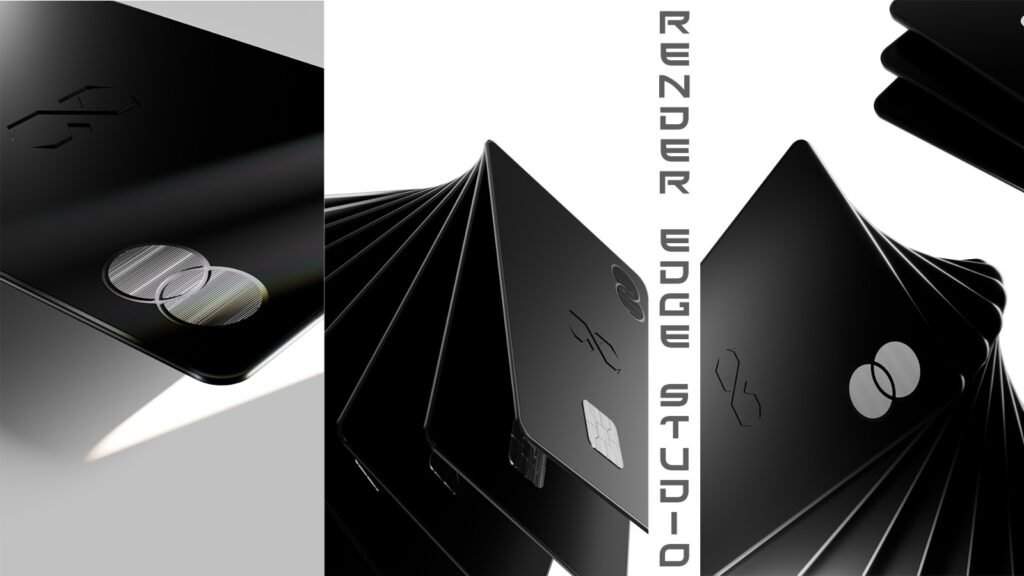
In the last few years, 3D product rendering has become a core tool for luxury brands and financial institutions that want to present products with precision and prestige. Traditional photography often struggles to capture dark materials, reflective surfaces, and minimal luxury aesthetics, especially when products rely heavily on subtle textures and lighting. Industry research shows that over 65% of premium product campaigns now rely on 3D visualization or hybrid CGI workflows because they provide complete creative control, faster iteration, and consistent brand identity across digital platforms. This 3D product rendering case study demonstrates how Render-Edge Studio developed a high-end visual identity for the Axys Bank Black Elite Card using a combination of Blender, Cinema 4D, and After Effects, delivering photorealistic visuals that communicate exclusivity, craftsmanship, and luxury branding. Project Overview Axys Bank approached Render-Edge Studio with a clear objective: create a visual identity for their Black Elite credit card that reflects prestige, minimalism, and authority. Luxury financial products often depend on visual perception to communicate status. Unlike consumer electronics or retail goods, a premium credit card must look powerful without excessive visual noise. The design brief emphasized three attributes: The result required precision-driven product visualization capable of communicating tactile luxury through a digital screen. The Challenge Rendering luxury products—especially matte black surfaces—is technically complex. Unlike reflective materials such as chrome or glass, matte surfaces absorb light. Without precise lighting control, they can appear visually flat or lose depth entirely. For the Black Elite card, the team needed to achieve a careful balance: Achieving this balance required a lighting-driven rendering approach, where shadows and reflections were intentionally crafted rather than generated automatically. The Production Process Concept Development The process began with a visual exploration phase focused on luxury branding principles. Premium financial products rely on restrained design language, meaning every detail—from edge bevels to lighting gradients—must reinforce exclusivity. Render-Edge Studio established a visual direction centered on: This ensured the final visuals aligned with Axys Bank’s premium positioning. 3D Modeling and Geometry The card was recreated in Blender with exact dimensional proportions. Accurate modeling is critical in 3D product rendering because small geometric inaccuracies can break realism, especially in close-up shots. The modeling process focused on: This step laid the foundation for photorealistic rendering. Lighting and Rendering Lighting is often the most important factor in luxury product rendering. Instead of using standard studio setups, the team built a custom lighting system designed to highlight the card’s subtle material variations. Using Blender’s physically-based rendering engine, the team experimented with multiple lighting configurations to achieve: This technique produced the signature premium black aesthetic required for the campaign. Motion Graphics and Animation To expand the marketing value of the visuals, Render-Edge Studio created motion sequences using Cinema 4D. These included: Motion graphics are increasingly important in 3D product marketing animation, especially for digital campaigns, landing pages, and social media advertising. Compositing and Post-Production Final compositing and color grading were completed in After Effects, ensuring the renders matched Axys Bank’s brand tone. Post-production refinements included: This stage ensures that 3D renders integrate seamlessly across marketing platforms. Tools and Technologies Used The project relied on a professional CGI production pipeline combining several industry-standard tools. Core technologies included: Together, these tools allowed Render-Edge Studio to produce high-precision product visualization assets optimized for marketing use. The Results The final delivery included a complete visual package designed for multi-channel marketing campaigns. Assets delivered included: These visuals are now used across: The result is a luxury credit card presentation that visually communicates prestige, exclusivity, and craftsmanship. Why 3D Product Rendering Matters for Financial Brands The financial sector has increasingly adopted 3D visualization to present premium cards and fintech products. Several trends explain this shift: 1. Creative control 3D rendering allows unlimited lighting, angles, and environments without physical photography constraints. 2. Faster iteration Design teams can update colors, materials, and branding instantly. 3. Cross-platform consistency Assets can be adapted for websites, mobile apps, and advertising campaigns. Because of these advantages, many fintech and banking brands now rely on 3D product visualization studios instead of traditional product photography. Companies searching for a 3D product rendering service typically prioritize studios capable of delivering both photorealistic imagery and motion graphics. Global Collaboration Render-Edge Studio works with global clients across fintech, luxury branding, and technology sectors. Modern digital workflows allow studios to collaborate internationally, delivering assets optimized for global marketing campaigns. As demand for 3D financial product animation grows, specialized visualization studios are becoming essential partners for brands seeking high-end product presentation. FAQs About This Product Rendering Case Study 1. What is a 3D product rendering case study? A 3D product rendering case study explains how a visualization studio used CGI technology to create marketing visuals for a real client project. It typically includes the design brief, technical process, tools used, and final results. 2. Why do banks use 3D visualization for credit cards? Banks use 3D bank card visualization because it allows precise control over lighting, materials, and presentation. This is especially important for premium cards where visual perception strongly influences brand positioning. 3. What software is used for 3D product rendering? Professional studios often use tools such as Blender, Cinema 4D, and After Effects to produce photorealistic rendering, motion graphics, and final compositing. 4. How long does a luxury product rendering project take? Most luxury product rendering projects take between 1–3 weeks, depending on animation complexity, number of renders, and revision cycles. 5. Can 3D renders replace product photography? In many cases, yes. Photorealistic rendering can produce visuals indistinguishable from photography while providing greater creative flexibility and scalability. Important Reads: How to Choose a 3D Product Animation Service Provider? What is the best software for 3D product animation? How much does 3D product animation cost? How long does it take to create a 3D product animation? How 3D Product Animation Increases Sales? Render-Edge Studio continues to push the boundaries of product visualization, motion graphics, and photorealistic rendering, helping brands communicate sophistication and value through precision-crafted visuals.
3D Animation for E-commerce Products to Boost Sales
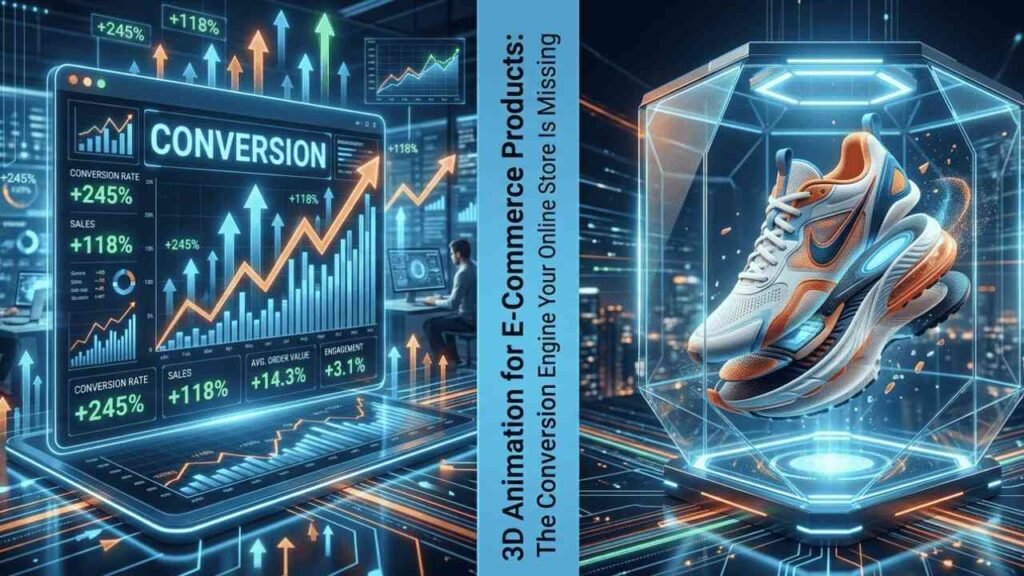
E-commerce has never been more competitive — or more visual. With over 26 million online stores operating globally and platforms like Shopify, Amazon, and WooCommerce hosting millions of active sellers, the margin between a conversion and an abandoned cart has never been thinner. Against this backdrop, the limitations of traditional static product photography have become impossible to ignore. Research consistently shows that shoppers make purchasing decisions in seconds, and the inability to physically interact with a product is the single greatest barrier to online conversion. A flat, two-dimensional image simply cannot communicate texture, scale, depth, or functionality — the very attributes that drive purchase confidence. The result? High bounce rates, low add-to-cart percentages, and an industry-wide product return rate that costs retailers an estimated $816 billion annually in the United States alone (NRF, 2022). 3D animation for e-commerce products directly addresses this gap. By replacing static imagery with immersive, interactive, and motion-driven product presentations, forward-thinking brands are achieving measurable improvements in engagement, conversion, and post-purchase satisfaction. This guide explores what 3D product animation is, why it has become operationally essential for online retailers, and how to strategically deploy it across your e-commerce ecosystem. What Is 3D Animation for E-Commerce Products? At its core, 3D product animation is the process of creating photorealistic, computer-generated visuals that simulate a physical product in three-dimensional space — and then animating that model to move, rotate, disassemble, or interact with a digital environment. Unlike traditional photography, which captures a product from a fixed angle under specific lighting conditions, 3D animation is entirely constructed in software, giving studios and brands unprecedented control over every visual variable. The practical applications within e-commerce are broad. A 360-degree product visualization allows shoppers to orbit a product from every angle, replicating the tactile exploratory behavior of in-store browsing. An AR product demo lets customers project a photorealistic 3D model of a sofa or smart device into their own living space via smartphone. A digital product presentation can integrate seamlessly into a Shopify product page, an Amazon listing, or a WooCommerce store, functioning simultaneously as a conversion tool, a trust signal, and a marketing asset. What distinguishes conversion-focused product animation from purely aesthetic animation is intent. Every frame, transition, and interaction is engineered to reduce purchase hesitation, answer visual questions before they arise, and move the shopper closer to the checkout. Why 3D Animation Is Essential for Online Sales The case for 3D animation in e-commerce is no longer theoretical — it is supported by a growing body of behavioral research and industry performance data. Accelerating Purchase Decisions Consumer psychology research from the Baymard Institute identifies “inability to judge product quality” as one of the top reasons for cart abandonment. When a shopper can rotate a product, zoom into surface details, or watch a mechanism in motion, the cognitive effort required to evaluate a purchase drops significantly. Studies by Marxent (now part of PTC) found that AR-enabled product previews can reduce product return rates by up to 40%, precisely because shoppers arrive at purchase with a more accurate mental model of what they are buying. Building Brand Trust Through Interactivity Trust is the currency of e-commerce. Improve customer trust with interactive animation by giving shoppers verifiable visual evidence of product quality. A rotatable 3D model of a Swiss-movement watch communicates craftsmanship in a way that a flat JPEG cannot. An interactive product demo for a smart home device that highlights features in sequence answers technical questions without requiring a support chat. These interactions build confidence — and confident shoppers convert. Industry Applications With Proven ROI The impact of 3D animation varies by vertical, but the pattern is consistent: Across all three categories, platforms like Shopify, Amazon, and WooCommerce have progressively expanded support for 3D and AR content, reflecting the measurable commercial impact these formats deliver. Types of 3D Animation for E-Commerce Products Understanding the 3D animation for e-commerce products list is essential for matching the right format to your product category, customer journey stage, and marketing channel. Each animation type serves a distinct commercial purpose: 1. 360° Rotatable Product Animation The most widely adopted format in e-commerce, 360-degree product visualization allows shoppers to interactively orbit a product model through a full horizontal (and often vertical) axis. This format is particularly effective for products where surface detail, symmetry, or finish quality drives purchase decisions — watches, footwear, electronics, and packaging-heavy consumer goods. Shopify’s native 3D/AR support and Amazon’s 360° product viewer have made this format accessible to sellers at virtually every scale. 2. Interactive Product Demo An interactive product demo extends beyond rotation to include zoom functionality, configurable color or material variants, and animated feature highlights. This format functions as a virtual product showcase — replicating the behavior of an in-store sales associate who demonstrates a product’s key selling points in sequence. The commercial value is highest for complex products where features are non-obvious from appearance alone. 3. Lifestyle 3D Animation Lifestyle animations place the product within a photorealistic environmental context — a sofa in a styled living room, a coffee maker on a marble kitchen counter, a smartwatch on a wrist mid-run. This format directly addresses the imagination gap: the shopper’s inability to visualize how a product will look and feel in their own life. For furniture e-commerce and home goods, lifestyle animation consistently outperforms isolated product photography on both engagement metrics and conversion rate. 4. Explainer Animation Explainer animations walk the viewer through a product’s usage workflow step by step — from unboxing through setup to daily use. This format is engineered to reduce post-purchase friction and pre-sale hesitation simultaneously. For electronics e-commerce, software-integrated devices, and subscription products with installation requirements, a well-executed explainer animation can materially reduce both return rates and customer support volume. 5. Assembly / Functionality Animation Assembly animations disassemble a product into its component parts and reassemble them in sequence, giving the viewer a transparent view of how the product is constructed and how it functions internally. This format is indispensable for furniture e-commerce (flat-pack
3D Product Animation Case Study: Real Animation Examples That Drive Results
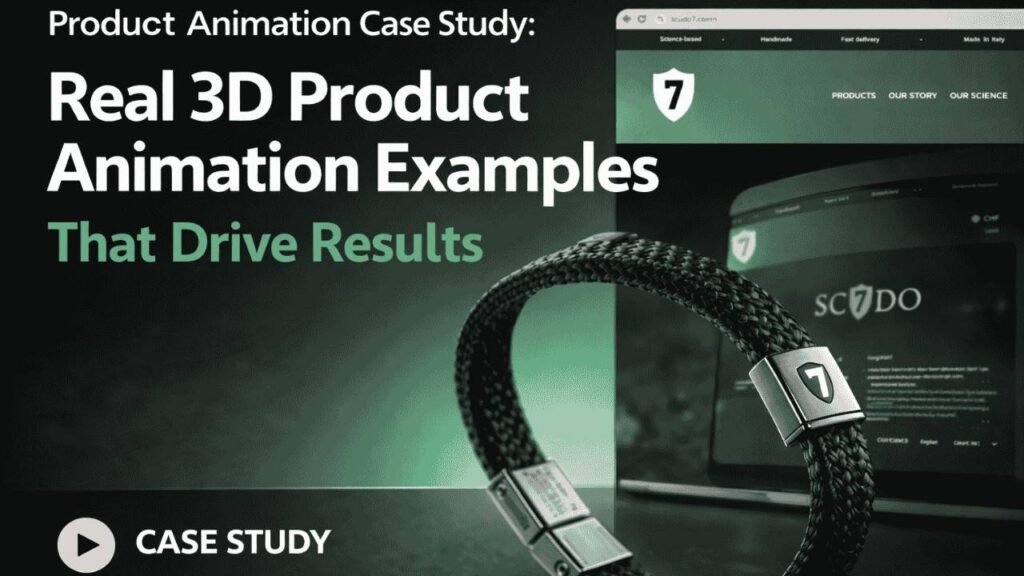
Visual communication has fundamentally shifted how brands sell complex products — and 3D product animation sits at the center of that shift. As consumer attention spans narrow and purchase decisions move increasingly online, brands that rely on static images and written descriptions alone are losing ground to competitors who show exactly how their product works. According to Wyzowl’s 2024 State of Video Marketing report, 89% of consumers say a product video directly influenced a purchase decision, and that figure climbs even higher for products with invisible mechanisms or science-based benefits. This article presents a real product animation case study — the Scudo7 wellness bracelet, handcrafted in Italy — to show how a professional animated product presentation transforms a complex value proposition into a clear, trustworthy visual story. Alongside it, you will find several 3D product animation examples across key industries, a full breakdown of the production process, the core marketing benefits, and expert answers to the most frequently asked questions businesses have before commissioning their first product animation video. What Is Product Animation? Definition: Product animation is a 3D visualization technique used to showcase how a product works, its design features, and its material composition through motion graphics or computer-generated imagery. Unlike traditional photography, it can visualize internal mechanisms, molecular interactions, and assembly sequences that are physically impossible to film. The broader trend driving adoption of 3D product visualization is straightforward: buyers increasingly expect to understand a product before they buy it, not just see it. Professional studios build photorealistic digital models using industry-standard tools like Blender, Cinema 4D, and Autodesk Maya, then render them using high-performance engines such as V-Ray or Octane Render. The result — whether a 30-second product demo animation or a longer product explainer animation — communicates in seconds what a data sheet takes minutes to explain. It is used most strategically at product launches, on e-commerce landing pages, in investor presentations, and across paid social campaigns where clarity and stopping power are non-negotiable. Product Animation Case Study: Scudo7 Wellness Bracelet Client Overview Scudo7 is an Italian wellness brand founded by inventor Fabrizio Serra. The name derives from the Italian word for ‘shield’ — a deliberate metaphor that reflects the bracelet’s promise of energetic protection and physical support for the wearer. Every Scudo7 bracelet is handcrafted in Italy using a science-based mineral composition developed over a decade of research, positioning the product at the intersection of artisan craftsmanship and human performance science. The target audience is a health-conscious European consumer who demands both aesthetic quality and evidence-based results from the wellness products they invest in. The Challenge Scudo7’s core marketing problem was a communication gap that no photograph or written description could close. The bracelet’s value proposition — that specific mineral materials interact with the human body’s energy field to deliver measurable health benefits — is a sophisticated scientific claim. Prospective buyers could see that the product was beautifully made, but they had no way to visualize or understand the mechanism behind the benefit. This created a persistent objection at the point of purchase that was costing the brand real conversions. Fabrizio Serra needed a format that could make the invisible visible and do so within the attention window of a modern digital consumer — ideally in under 35 seconds. The Solution Render Edge Studio produced a 32-second 3D product animation video using a combined Blender and Cinema 4D production pipeline, with Adobe After Effects handling the final compositing, motion graphic overlays, and color grading. The animation opened with a full product view of the bracelet, then progressively broke down its mineral layers through an exploded-view sequence, visualizing how each material component interacts with the body’s energy system through particle animation and anatomical overlays. The storyboard was structured so that every five-second segment answered one specific buyer question, building scientific credibility in a sequential narrative arc designed for digital distribution across web, Instagram, and paid media placements. The Result The final 3D animated product showcase resolved Scudo7’s most critical conversion barrier. By making the product’s scientific mechanism visible and comprehensible inside 30 seconds, the animated product presentation elevated the brand’s perceived credibility, reduced purchase hesitation, and gave the sales team a shareable visual asset that performed across every channel where it was deployed. The impact was direct: a complex, science-based value proposition became one of the brand’s most effective marketing tools — not despite its complexity, but because the animation embraced it. 3D Product Animation Examples Across Key Industries The strategic application of product animation for marketing varies significantly by industry, and understanding those differences helps businesses identify the right creative approach for their product category. The following 3D product animation examples represent four of the most active sectors investing in this format today. Example 1 — Industrial Product Animation Industrial sectors are among the earliest and most consistent adopters of 3D product animation. Manufacturers of machinery, precision tools, and engineered components rely on animated product presentations to demonstrate assembly sequences, internal fluid dynamics, and performance specifications that physical photography cannot capture. A typical 3D product animation example in this space animates hydraulic or pneumatic systems through transparent housing, making invisible pressure dynamics instantly legible to both technical and commercial audiences. Studios use Autodesk Maya or Blender to build geometrically precise models from CAD data, rendered in V-Ray to achieve the photorealistic metal textures and environmental lighting that industrial clients require. The result is a product explainer animation that serves the marketing team and the field sales force simultaneously — a dual-purpose asset with significant commercial leverage. Example 2 — Medical Device Animation Medical product animation demands the highest standard of scientific accuracy while remaining visually accessible to mixed clinical and procurement audiences. A strong 3D product animation example in this category might visualize how a bioabsorbable implant integrates with bone tissue over six months — a biological process no camera can document. Studios producing medical animated product showcases rely on Cinema 4D’s advanced simulation tools for fluid and tissue interaction modeling, with high-quality product
Different Types of 3D Animation for Industrial Companies: Your Essential Guide
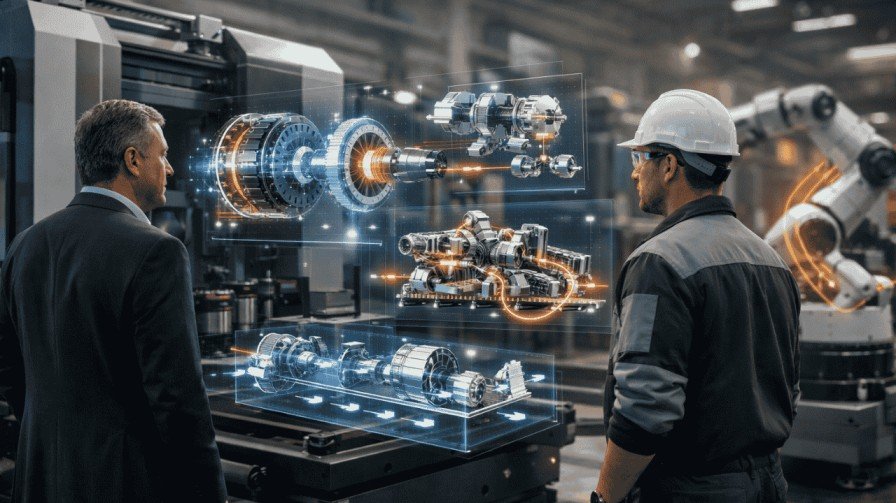
Ever struggled to explain how your industrial equipment works to a client? You’re not alone. Industrial companies face a unique challenge. Your products are complex. Your processes are technical. And your audience doesn’t always have an engineering degree. That’s where different types of 3D animation for industrial companies change the game. Let me show you how the right animation can transform your business communication, boost sales, and simplify even the most complex machinery. Why Should Industrial Companies Care About 3D Animation? Picture this: You’re at a trade show with a 10-ton hydraulic press. You can’t bring it. Photos don’t do it justice. Technical specs put people to sleep. Now imagine showing a 90-second animation that reveals every feature, safety mechanism, and operational benefit. People stop. They watch. They understand. That’s the power of industrial 3D animation. Industrial 3D animation services turn complex engineering into visual stories. They eliminate confusion. They cross language barriers. They close deals faster. Studies show that people process visuals 60,000 times faster than text. For industrial products with intricate mechanisms, that speed is everything. What Are the Main Types of 3D Animation for Industrial Use? 1. Product Animation: Show What Makes You Special Product animation puts your machinery in the spotlight. Think of it as your product’s digital showroom. It highlights features, demonstrates functions, and reveals competitive advantages—all without shipping heavy equipment worldwide. Real example: A robotics manufacturer created a product animation for their new collaborative robot. Instead of expensive on-site demos, they sent the video. Sales inquiries jumped 45% in three months. Best for: You can rotate products 360 degrees, zoom into precision components, and show operations impossible to photograph. It’s like giving prospects X-ray vision. 2. Manufacturing Process Animation: Your Virtual Factory Tour Want to show clients your production capabilities without disrupting operations? Manufacturing process animation visualizes your entire workflow—from raw materials to quality control to finished products. It’s particularly valuable for industrial manufacturing facilities that can’t easily accommodate visitor tours. Cleanrooms, hazardous areas, or high-security zones become accessible through animation. Key benefits: A pharmaceutical company used this approach to show their sterile manufacturing environment. Regulatory auditors could review processes without entering sensitive areas. 3. Industrial Equipment Animation: Technical Training Made Easy This is where mechanical engineering meets visual education. Industrial equipment animation dives deep into how machinery operates. It shows internal mechanisms, maintenance procedures, and troubleshooting steps. CAD design files provide the foundation. Engineers supply specifications. Animators create accurate visualizations that demonstrate: Real-world impact: An automotive supplier reduced equipment training time by 40% using detailed animations. New technicians understood complex systems faster with visual guides versus manuals alone. 4. Machinery Explainer Video: Simplicity Wins Not everyone needs engineering-level detail. A machinery explainer video breaks down complex equipment for non-technical audiences—procurement managers, executives, or end-users who need to understand value, not specifications. What makes them work: Think of it as translating engineering into conversation. If your grandmother couldn’t understand it, the explainer needs work. 5. Factory Workflow 3D Animation: The Strategic Overview Need to show how everything connects? Factory workflow 3D animation presents your entire operational ecosystem. It visualizes material flow, manufacturing workflow coordination, and system integration. This bird’s-eye perspective excels for: A logistics company secured $3 million in funding using a workflow animation that showed their automated warehouse system. Investors saw the complete picture in minutes instead of hours of presentations. 6. Industrial Product Visualization: Market Before You Build Here’s where industrial marketing animation gets exciting. Industrial product visualization creates photorealistic renderings of products that don’t exist yet. You can market, test, and refine before manufacturing begins. Perfect for: An agricultural equipment manufacturer saved $150,000 by testing three design variations with dealers using visualization. They identified the winning design before cutting metal. How Do You Choose the Right Animation Type? Ask yourself three questions: What’s your goal? Who’s watching? What’s your budget? Quick Comparison: Which Type Fits Your Needs? Type Best Use Complexity Timeline Product Animation Sales, launches Medium 2-4 weeks Process Animation Training, compliance High 4-8 weeks Equipment Animation Technical education High 3-6 weeks Explainer Video General marketing Low 1-3 weeks Workflow Animation Strategic planning Very High 6-12 weeks Product Visualization Pre-launch marketing Medium 2-6 weeks How Does Industrial 3D Animation Boost Marketing? Let’s talk results. Industrial 3D Animation Boosts Marketing in measurable ways: 1. Conversion increases: Visual demonstrations convert 80% better than text descriptions alone. 2. Global reach: Language barriers disappear. Your animation works everywhere. 3. Faster sales: Complex approvals that took months now happen in weeks. 4. Trade show impact: Animations draw crowds that static displays can’t match. 5. Content leverage: One animation becomes dozens of marketing assets. Want proof? Check out industrial 3d animation production example from companies transforming their sales process—the results speak clearly. What Makes Industrial Animation Different? Regular animation entertains. Industrial 3D animation educates and sells. Every measurement must be exact. Every movement must reflect real physics. Every component must match actual specs. Why such precision? Because million-dollar decisions depend on accuracy. Industrial machinery animations require collaboration between engineers, animators, and subject experts. This ensures engineering visualization that’s both beautiful and technically correct. Step-by-Step: Getting Your First Animation Step 1: Define your objective What problem are you solving? Be specific. Step 2: Gather technical assets Collect CAD files, specs, and operational details. Step 3: Choose your type Use the guide above to select the right approach. Step 4: Script and plan Outline the story your animation will tell. Step 5: Review for accuracy Have engineers verify every detail. Step 6: Deploy strategically Create versions for different platforms. Frequently Asked Questions 1. How much does industrial 3D animation cost? Prices range from $3,000 for basic explainer videos to $50,000+ for complex factory workflows. Most product animations cost $8,000-$20,000. Complexity, length, and detail drive pricing. 2. How long does production take? Simple animations need 2-4 weeks. Complex projects require 6-12 weeks. Your review process and technical complexity affect timeline. 3. Can animations be updated later? Yes. Updates typically cost 30-50% less than creating new animations. Keep source
What Is Apple Style 3D Animation? Expert Guide 2026
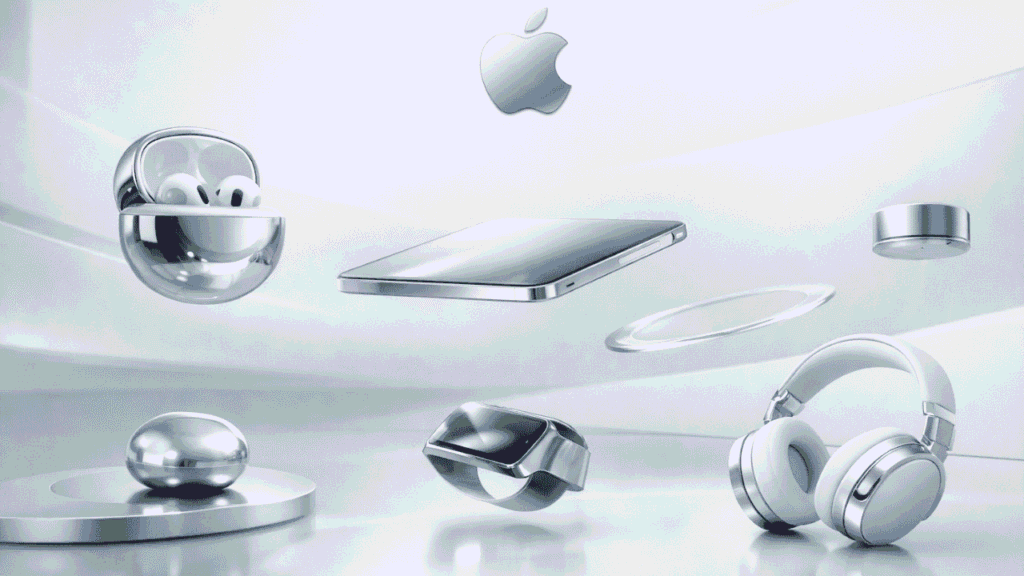
Have you ever watched an Apple product launch and felt mesmerized by those sleek, floating devices? That’s not magic—it’s Apple-style 3D animation at work. Apple Inc. has changed the way brands display goods, utilizing a unique animation style which has established a new standard for indicators of high-valued brand status through the use of 3D animated products. So what makes Apple’s animation different than other companies? Let me break it down for you. Understanding Apple-Style 3D Animation Design Apple-style 3D animation is a visual approach that combines minimalism, precision, and elegance. Think of it as the visual equivalent of their product design philosophy—clean, refined, and purposeful. This animation style focuses on three core elements: When you see an iPhone gracefully rotating in space with soft shadows and reflections, that’s what is apple style 3d animation in action. Why Does Apple’s Animation Style Stand Out? The Apple product launch video series has set the standard in which every technology company attempts to recreate. But simply trying to recreate the visual style will not suffice; you must also understand what they are trying to convey in those videos. Their “secret” is in their ability to exhibit restraint. While many brands will use excessive effects (and rapid edits) on their products, Apple allows the product to “breathe.” That is, every individual frame has a defined purpose. The best analogy is that of a cluttered room versus a Japanese tea room that is designed with minimalism. In both instances, you have a space; however, while a cluttered room creates distractions and chaos, a Japanese tea room creates peace and serenity. Key Characteristics of Apple Product Animation Style 1. Clean Backgrounds and Negative Space Apple’s use of clean, minimalist backgrounds allows them to focus attention entirely on the products themselves. The absence of background images or patterns leaves little chance for distraction. The use of intentional negative space creates room for your eye to take a break throughout the entire product experience and reinforces a feeling of luxury associated with Apple products. 2. Controlled Lighting and Reflections Lighting in Apple-style animations follows studio photography principles. You’ll notice: This creates that signature “floating in space” look that defines 3D Product Visualization in Apple’s world. 3. Smooth, Physics-Based Motion Nothing moves too fast or too slow. Apple’s animators understand timing and easing curves perfectly. The principles of motion design are based upon similar principles found in real-world physics. The way the iPad moves when rotated seems heavy and has a sense of movement; by contrast, there is a sound of ‘click’, when the Apple Watch band snaps into place. Such detail adds realism to the experience of the animation, despite being a simulation. How Apple-Style Animation Differs from Traditional 3D Animation When examining traditional 3D animation, you often will find emphasis placed on entertainment value. Explosions, dramatic camera moves, exaggerated movement among other things. When looking at Apple, though, their approach has a different emphasis. It is not about showing off; it is about being as clear as possible and getting a message across effectively. Here’s a quick comparison: Aspect Traditional 3D Animation Apple-Style 3D Animation Pace Fast, dynamic Slow, deliberate Camera Work Complex, sweeping shots Simple, controlled movements Background Detailed environments Minimal or solid colors Purpose Entertainment Product showcase Effects Heavy post-processing Subtle, realistic The Role of Minimal 3D Animation Aesthetics The concept of “minimalism” doesn’t imply you find a way to do less work, rather you will do more with less “work.” If you want to take a look at Apple graphics and/or animations, all the elements of their animation have a purpose and earn their place. This approach aligns perfectly with UI/UX Animation principles. Just as good interface design removes friction, good product animation removes visual clutter. The result? Your brain processes the information faster. You understand the product better. And you remember it longer. Creating Cinematic 3D Motion Graphics Like Apple Want to achieve that Apple look? Here’s a step-by-step approach: Step 1: Start with High-Quality 3D Models Your 3D model should be geometrically perfect and have a good topography. Just like Apple, you should not use shortcuts on quality of assets. Three important factors to pay attention to: Step 2: Set Up Studio Lighting Use a three-point lighting setup as your foundation: Add environment lighting for realistic reflections. HDRI maps work great for this. Step 3: Choose Your Color Palette Carefully Apple typically uses: Avoid oversaturation. Keep colors true to the actual product. Step 4: Master Camera Movement Less is more. Use simple camera moves: Keep your camera movements intentional. Every move should reveal something new about the product. Step 5: Perfect Your Timing and Easing Use bezier curves for natural acceleration and deceleration. Nothing should start or stop abruptly. A good rule of thumb: If the motion feels slightly slower than you think it should be, you’re probably in the right zone. Software and Tools for Apple-Style 3D Product Animation Professional studios use various tools to achieve this look: 3D Software: Rendering Engines: Compositing: The most expensive tools are not necessary when starting out. You can achieve fantastic results through the software Blender, as long as you learn and apply the basic principles. Real-World Applications Beyond Product Launches Apple-style animation isn’t just for tech companies. This aesthetic works beautifully for: The premium presentation approach can be applied to any product that requires a premium and trustworthy presentation. Common Mistakes to Avoid Over-Complicating the Animation Don’t add effects just because you can. If a camera move doesn’t serve the product, cut it. Ignoring Real-World Physics Even in stylized animation, basic physics matters. Objects should have weight and momentum. Poor Lighting Setup Harsh shadows and blown-out highlights destroy the premium feel. Take time to fine-tune your lights. Rushing the Render Apple-quality visuals require high render settings. Don’t compromise on quality to save time. Frequently Asked Questions 1. What software does Apple use for their product animations? Apple utilizes Cinema 4D along with the high-end rendering engines Octane and Redshift, but knowing the
How long does it take to create a 3D product animation?
Hey, imagine you’re launching a new gadget. You want to show it spinning, exploding into parts, and reassembling like magic. That’s where 3D product animation comes in. It makes your product pop on screen. But here’s the big question: How long does it take to create a 3D product animation? The answer isn’t one-size-fits-all. It depends on details like complexity and team size. From my experience working with animation studios, simple projects wrap up in a few weeks. Complex ones stretch to months. Let’s break it down so you get a clear picture. This guide covers the 3D product animation timeline step by step. You’ll see factors, processes, and tips. By the end, you’ll know what to expect for your project. What Exactly Is 3D Product Animation? Think of 3D product animation as a virtual showcase. It uses computer graphics to bring products to life. Unlike flat images, it shows movement, textures, and interactions. Tools like Blender or Autodesk Maya help create these. Blender is free and powerful for beginners. Autodesk Maya shines in pro studios for detailed work. Product visualization is key here. It helps brands in e-commerce, ads, or demos. For example, a furniture company might animate a chair unfolding. This boosts sales by letting customers “see” it in action. But why care about time? Knowing the animation project duration helps you plan budgets and launches. No surprises. Key Factors That Influence the 3D Product Animation Timeline Ever baked a cake? Simple ones take an hour. Fancy ones need days. Same with animation. Several things speed up or slow down the process. Let’s list them out. From searches, pros say a 30-second clip takes 4-10 weeks on average. That’s for high-quality work. How Long Does It Take to Create a 3D Product Animation by Complexity? Curious about specifics? Let’s sort projects into levels. This helps match your needs. Use this table for a quick overview. Complexity Level Description Typical Timeline Examples Basic Simple spins, basic lighting, no interactions 2-4 weeks E-commerce product rotations, like a watch turning 360 degrees Medium Internal parts shown, moderate movements 4-8 weeks Tech gadgets disassembling, such as a blender’s blades spinning Advanced Cinematic effects, particles, storytelling 8-12 weeks Ad campaigns for cars with dynamic zooms and explosions Expert Full narratives, voiceovers, ultra-realism 12+ weeks (up to months) Movie-like product launches, like furniture in virtual rooms These ranges come from studio insights. For instance, a 60-second animation often hits 8-10 weeks. Remember, these are estimates. Your 3D product animation timeline might shift based on factors above. The 3D Animation Production Process: Step by Step Want to know why it takes time? Let’s walk through the steps in 3D animation creation. It’s like building a house – foundation first. This process ensures quality. Skip one, and things crumble. Step 1: Pre-Production (1-3 Weeks) You start here. Brainstorm ideas. What story does your product tell? Tip: Share references early. It speeds things up. Step 2: Modeling and Texturing (1-4 Weeks) Time required for 3D modeling varies. Build the product in software. For a chair, model the frame. Then texture the fabric to look soft. Step 3: Rigging and Animation (2-5 Weeks) Make it move. Rigging sets up “bones” for parts. Imagine animating a lamp bending. Rig the arm, then keyframe the twist. Step 4: Lighting, Rendering, and Post-Production (1-4 Weeks) Light the scene. Render frames – this eats rendering time. Cloud rendering helps here. It cuts wait times. Overall, this 3D animation production process flows logically. Each step builds on the last. Real-Life Examples: From Concept to Screen Let’s make this real. I’ve seen projects firsthand. Take a tech startup. They wanted a 30-second animation for a drone. Basic fly-around with highlights. Using Blender, the animation studio finished in 3 weeks. Modeling took a week, animation another, rendering the last. Now, a bigger one. A furniture brand needed product animation services for a sofa. It showed fabric options and reclining. This medium project hit 6 weeks. Why? Extra textures for realism. But the furniture product animation benefits were huge – sales jumped 20% after launch. Another? A car ad. Cinematic with explosions. 10 weeks total. Revisions added a week, but wow, the results. These show how long it takes to create a 3D product animation in practice. Experience matters. Tips to Shorten Your Animation Project Duration Tired of waiting? You can trim time without cutting quality. Avoid “Problems with DIY 3D product animations” like steep learning curves. Pros handle it better. Also, factor in “3d product animation cost“. Quicker projects might cost more in rushes. Common Challenges and How to Overcome Them What if things go wrong? Delays happen. From my chats with creators, planning beats these every time. Key Takeaways for Your 3D Project These points make your journey smoother. Frequently Asked Questions How Long Does It Take to Create a 3D Product Animation for Beginners? If you’re new, add extra weeks for learning. A simple one might take 4-6 weeks solo. Better to hire product animation services. What Affects Rendering Time the Most? Resolution and effects. High-res needs powerful GPUs. Plan for 1-3 days per scene. Is There a Way to Rush a Project? Yes, but expect higher “3d product animation cost”. Overtime or teams help. Why Choose 3D Over 2D for Products? 3D shows depth. Great for product visualization. Think furniture – see it from all sides. What Are Furniture Product Animation Benefits? It lets buyers visualize in homes. Boosts engagement and reduces returns. There you have it. How long does it take to create a 3D product animation? Now you know. Ready to start? Reach out to an animation studio. Your product could shine sooner than you think.
3D Product Animation: The Complete Guide for Businesses
Your product deserves more than flat images. Think about it. When was the last time a static photo made you say “wow”? Probably never. But a spinning, rotating 3D animation? That catches your eye every time. 3D product animation is changing how businesses sell online. It’s not just for big brands anymore. Small businesses, eCommerce brands, and startups are using it to stand out in crowded markets. This guide shows you everything. We’ll cover costs, software, DIY options, and how to pick the right partner. You’ll learn why 3D animation boosts sales and builds trust with customers. Let’s dive in. What Is 3D Product Animation? (And Why It Matters) 3D product animation brings your products to life on screen. It’s a digital technique that creates moving visuals of your product. Think of it as a virtual photoshoot. But instead of a camera, you use 3D rendering software. The result? Your customers see every angle. They watch features in action. They understand your product before buying. Why Businesses Use 3D Product Animation Here’s the thing: online shoppers can’t touch your product. They rely on visuals alone. Static images only show one view. Videos can be expensive to reshoot. But 3D animation? It shows everything without physical limits. Key benefits: Product visualization techniques have evolved. 3D animation is now the gold standard for high-quality product visuals. How 3D Product Animation Increases Sales Let’s talk numbers. Studies show that product pages with 3D visuals get 40% more engagement. Conversion rates jump by 27% when customers can rotate products. Why does this work? The Psychology Behind It Your brain processes visuals 60,000 times faster than text. When customers see a product move, their brain engages differently. It’s like window shopping. You stop when something catches your eye. 3D animations create that “stop and look” moment online. Here’s what happens: Real-World Results eCommerce brands using 3D animation report fewer returns. Customers know exactly what they’re getting. No surprises at delivery. Think of it as a test drive. Car dealerships let you drive before buying. 3D animation does the same thing online. You’re reducing buyer hesitation. That’s powerful. Building Emotional Connection Static photos are forgettable. Animations stick in memory. When customers rotate a product, zoom in on details, or watch features in action, they’re investing time. That investment creates connection. Connection leads to trust. Trust leads to sales. Learn more about the exact sales metrics in our detailed article: How 3D Animation Boosts Your Revenue. 3D Product Animation vs Product Photography: The Ultimate Comparison Should you ditch photography completely? Not necessarily. But understanding the differences helps you decide. The Photography Challenge Traditional product photography has limits. You need physical samples. Lighting must be perfect. Each angle needs a new shot. Changes require reshoots. It’s expensive and time-consuming. The Animation Advantage 3D rendering for marketing solves these problems. You create the product digitally once. Then you can: Comparison Table: Feature Product Photography 3D Product Animation Setup Time 2-5 days 1-3 weeks (initial) Cost per Product $500-$2,000 $1,000-$5,000 Flexibility Limited Unlimited Changes Requires reshoot Quick updates Interactivity None Fully interactive Virtual Products Impossible Easy Reusability Single use Infinite use Still deciding between the two? Our in-depth comparison breaks down every detail: 3D Product Animation vs Product Photography: Which Wins? When Photography Still Wins Photography works great for: But for technical products, complex designs, or products still in development? Animation wins every time. The Hybrid Approach Smart businesses use both. Photography for lifestyle content. 3D animation for product features. Together, they create a complete visual story. Think of it like peanut butter and jelly. Good separately, better together. Best Software for 3D Product Animation Ready to create animations yourself? You’ll need the right tools. The software landscape can be confusing. Let’s break it down. Professional-Grade Options Blender This is the free powerhouse. Yes, free. Blender handles everything from modeling to animation. It’s open-source and constantly updated. The learning curve is steep, but the results are professional. Best for: Budget-conscious businesses willing to learn. Autodesk Maya Maya is the industry standard for animation studios. It offers advanced features and incredible control. But it comes with a subscription cost ($235/month). Best for: Large projects needing maximum flexibility. Cinema 4D This is the user-friendly option. Cinema 4D balances power with ease of use. Motion graphics designers love it. The interface makes sense quickly. Best for: Businesses wanting faster results. KeyShot KeyShot specializes in rendering. It creates photorealistic images fast. The real-time preview helps you see results instantly. Best for: Product visualization with minimal animation needs. Game Engine Options Unreal Engine Unreal isn’t just for games anymore. It creates interactive product demos that customers can control. Real-time rendering means instant feedback. Best for: Interactive experiences and configurators. Choosing Your Software Ask yourself: Most beginners start with Blender. It’s free and capable. Once you outgrow it, upgrade to paid options. The Learning Investment Here’s the truth: all 3D rendering software takes time to learn. Expect 3-6 months to get comfortable. YouTube tutorials help. Online courses accelerate learning. But if time is money for you, hiring professionals might be smarter. Compare all options side-by-side in our Best Software for 3D Product Animation guide. 3D Product Animation Cost for Small Businesses Let’s talk about the elephant in the room: money. How much does 3D product animation actually cost? Breaking Down the Numbers Costs vary wildly. Here’s why: Factors affecting price: Typical Price Ranges DIY Route: Freelancer Hire: Animation Studio: Planning your budget? Get exact pricing breakdowns in our 3D Product Animation Cost Guide for Small Businesses. What You’re Actually Paying For 3D animation production workflow includes multiple steps: Each step takes skill and time. Budget-Friendly Strategies Start small. Create animation for your best-selling product first. Test the impact. Then expand. Reuse assets. Once your product is modeled, creating variations costs less. Bundle services. Many studios offer discounts for multiple products. Plan ahead. Rush jobs cost 50% more. Give providers reasonable timelines. ROI Perspective Yes, $3,000 sounds expensive. But compare it to: If animation increases conversions
How much does 3D product animation cost for small businesses?
Hey, friend, picture this: You’re running a small online shop, selling cool gadgets like custom phone cases. You snap some photos, but they fall flat. Customers scroll right past. Now, imagine a slick 3D animation where your product spins, zooms in on details, and even shows how it works. Boom—engagement skyrockets. That’s the magic of 3D product animation. But if you’re like most small business owners, you’re wondering: What’s the 3D product animation cost? Is it even affordable for startups? I’m here to break it down like we’re chatting over coffee. We’ll cover everything from average prices to money-saving tips. By the end, you’ll know exactly how to fit this into your budget without breaking the bank. Let’s dive in—because in 2026, with AI tools slashing prices, 3D animation isn’t just for big brands anymore. What Is 3D Product Animation and Why Do Small Businesses Need It? So, what exactly is 3D product animation? Think of it as bringing your product to life in a digital world. It’s like a video where your item rotates, explodes into parts, or interacts with users—all in three dimensions. Unlike flat photos, it lets customers “touch” your product online. For small businesses, this is a game-changer. Why? Because e-commerce is fierce. Studies show visuals boost sales by up to 30%. Imagine a startup selling eco-friendly water bottles. A 3D animation could show the bottle filling up, highlighting its insulation tech. Customers get it instantly—no guesswork. But here’s the real question: Does your small biz really need it? If you’re in tech, fashion, or health products, yes. It builds trust. People buy what they understand. Plus, it’s versatile—use it for website demos, social media ads, or email campaigns. Now, on to the biggie: cost. The 3D product animation cost varies, but for small businesses, it starts low. Freelancers might charge $1,000 for a basic 30-second clip. Studios? Up to $10,000 for fancy stuff. We’ll unpack that next. And if you’re in specialized fields, like healthcare, you might explore the cost of 3D medical animation for similar insights. Or for buildings, check out the cost of 3D architectural animation. These can guide your decisions too. In 2026, tools like AI make it easier. No wonder more startups are jumping in. It feels like giving your product a superhero cape—sudden visibility everywhere. What Factors Influence 3D Product Animation Cost? Okay, let’s get real. Why does one animation cost $1,000 and another $50,000? It’s not random. Several factors play in, like ingredients in a recipe. Get them right, and you control the price. First, complexity. Simple spin-and-zoom? Cheap. But add moving parts, realistic textures, or explosions? That ramps up effort. Think of it as baking a cake versus a wedding tower—more layers mean more work. Duration matters too. A 15-second clip costs less than a 2-minute epic. Why? Each second needs modeling, lighting, and rendering. Short and sweet keeps bills low. Then, the team. Hire a freelancer for budget vibes, or a 3D animation studio for pro polish? Freelancers start at $50/hour. Studios? $100+ per hour, but they handle everything. Location affects this—US pros cost more than overseas talent. Software plays a role. Tools like Blender (free!) cut costs. But premium ones like Autodesk Maya add fees—about $1,785 yearly. Don’t forget revisions. Extra changes? Extra bucks. Turnaround time? Rush jobs spike prices by 20-50%. Plan ahead, friend. Customization and effects? Interactive features or sound? They add up. For small businesses, stick to basics for affordable 3D animation services. Real example: A coffee startup wanted a bean-roasting animation. Simple version: $2,000. With steam effects and music: $5,000. See? Choices matter. Other bits: Resolution (HD vs. 4K) and post-production tweaks. All influence the final 3D product animation cost. By understanding these, you avoid surprises. It’s like shopping for a car—know the add-ons before signing. Average 3D Product Animation Pricing Guide for 2026 Alright, numbers time. What’s the average 3D product animation cost in 2026? Based on fresh data, it ranges from $1,000 to $50,000+ per project. But let’s break it down for small businesses. 1. For a basic 30-second product demo: $1,000-$5,000. This covers simple rotations and highlights. Perfect for startups testing waters. 2. Mid-range: $5,000-$15,000 for 60 seconds with some effects. Think realistic lighting or basic interactions. 3. High-end: $15,000-$50,000+ for complex, minute-long ads. Includes custom models and VFX. Per minute? $5,000-$12,000 on average. But for small biz, aim lower. Here’s a quick table: Animation Type Duration Average Cost (2026) Best For Basic Spin & Zoom 15-30 sec $1,000-$3,000 E-commerce listings Mid-Level with Effects 30-60 sec $3,000-$10,000 Social media ads Advanced Interactive 60+ sec $10,000-$50,000 Product launches Freelancer Rate Per hour $50-$150 Budget startups Studio Rate Per project $5,000+ Pro quality These come from industry reports. For the cost of 3D product visualization, it’s similar—static renders start at $200 per image. Freelancers on platforms like Upwork offer 3D product demo animation rates from $1,100. Studios? Higher, but worth it for polish. Inflation and AI? Prices dipped 10-20% since 2024, thanks to faster tools. For a small business 3D animation budget, allocate 5-10% of marketing spend. A $20,000 yearly budget? $1,000-2,000 per animation. Remember, overseas agencies cut costs by half. But check the quality. This guide helps you shop smart. Like picking a phone plan—compare to save. Is 3D Product Animation Affordable for Startups? You bet it is! Startups often think 3D animation is a luxury. But in 2026, it’s more accessible than ever. Why? AI and freelancers lowered barriers. For bootstrapped teams, start small. A basic animation costs $1,000—less than a fancy coffee machine. ROI? Huge. One startup saw a 40% sales bump from a $2,000 video. Affordable 3D animation services abound. Platforms like Fiverr offer gigs from $500. Or hire a product visualization agency for $3,000 packages. Rhetorical question: Can you afford not to? Competitors use it. Your plain photos? Snooze-fest. Tools help. Blender is free—learn basics yourself. Or use AI plugins in Adobe After Effects for quick renders. Real-life: A tech startup made a $1,500 animation
What is the best software for 3D product animation? Top picks for 2026
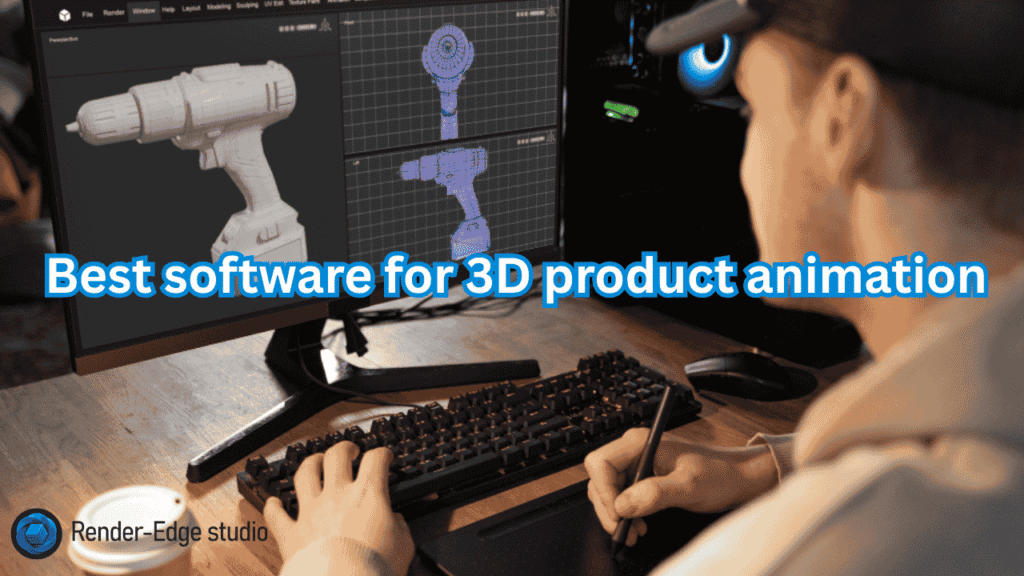
Have you ever imagined how you might show off a new piece of tech to a buddy? Well, when you tell them about it you wouldn’t just tell them what it is, you’d physically show them the item by spun it round, zoomed into all the little bits and pieces, etc. This is what 3D product animation can do for any product too, as it brings your flat images to life and turns them into something visually appealing and grabs people’s attention. If you’re a designer, marketer, or business owner, you need the right software for 3D product animation to make this happen. In this guide, I’ll walk you through the top picks for 2026. We’ll cover why product animation matters, how it boosts sales, and which tools fit your needs. Think of me as your buddy explaining this over coffee. No tech jargon—just straightforward advice. By the end, you’ll know exactly what to choose. Let’s dive in. What Is 3D Product Animation and Why Do You Need It? Picture this: You’re shopping online for a watch. A static photo is okay, but what if you could rotate it 360 degrees or see the gears tick? That’s product animation in action. It uses 3D models to create moving visuals that show how products work, look, and feel. Why bother? Simple. Product animation increases sales by up to 40% in e-commerce, according to recent studies. Customers get a better sense of the item, which builds trust and cuts returns. For industries like furniture or tech, it’s a game-changer. To develop your animations you will need good software. For example, Software for 3D product animation has all the features required to produce great animations from start to finish, including modelling, rigging, rendering, etc. These tools use your initial sketches to produce a finished animated demo (e.g. video or interactive demo). Without this software, you would be limited to creating 2D images (static). Key Benefits of Using 3D Product Animation Software Let’s break it down. Why invest time in learning these tools? Take IKEA, for example. They use 3D animations to let customers visualize furniture in their homes. Result? Happier buyers and fewer complaints. If you’re in product design, this software is your secret weapon. Top Software for 3D Product Animation in 2026 It’s time to have some fun. I’ve done my research and tested several 3D design applications and their animation capabilities against some criteria, such as ease of use, usability, and user reviews. Each application is designed for a specific audience (from novice to advanced) specific to a purpose (product visualization). I will provide an overview of the advantages and disadvantages of each application and what situations to utilize each application. 1. Autodesk Maya: The Pro’s Choice for Complex Animations Autodesk Maya tops the list for good reason. It’s an industry standard used by big studios for films and products. Think of it as a Swiss Army knife for 3D. Price starts at $1,785/year. Ideal for professionals in industrial product animation software needs. I once used Maya to animate a car engine for a client—it looked so real, they thought it was video footage! 2. Blender Foundation’s Blender: Free and Versatile for Everyone Blender, from the Blender Foundation, is a powerhouse that’s completely free. It’s open-source, so a massive community keeps it updated. In 2026, Blender’s Cycles renderer delivers photorealistic results fast. Perfect for startups on a budget. A friend of mine animated a whole product line of kitchen gadgets using just Blender—and it went viral on social media. 3. Cinema 4D (Maxon): Intuitive for Motion Graphics and Design Cinema 4D by Maxon shines in product design. It’s user-friendly, like drawing with a fancy pen instead of a chisel. Subscription around $720/year. Suited for 3D animation tools for product design, especially if you pair it with After Effects. Real-life example: A jewelry brand used it to animate rings spinning in light—sales jumped 25%. 4. Unreal Engine (Epic Games): Real-Time Magic for Interactive Experiences Unreal Engine from Epic Games isn’t just for games. It’s revolutionizing 3D product visualization software with real-time rendering. In 2026, it’s free until you hit $1M in revenue. Great for e-commerce sites where users interact with products. Imagine animating a bike in VR—Epic’s tool made that possible for a cycling company I know. 5. Autodesk 3ds Max: Strong in Modeling and Architectural Ties Autodesk 3ds Max excels in detailed modeling and rendering. It’s like Maya’s sibling, focused more on architecture and products. Costs $1,785/year. Use it for architectural animation software or furniture designing software. A real estate firm animated building interiors with 3ds Max, helping clients “walk through” before construction. Other mentions: KeyShot for quick renders, Houdini for effects-heavy work. But these five cover most needs in product rendering and animation programs. Comparison Table: Which Tool Fits Your Workflow? Here’s a quick side-by-side to help you decide. Software Best For Price (2026) Learning Curve Key Strength Autodesk Maya Complex VFX $1,785/year High Simulations Blender All-around, free Free Medium Versatility Cinema 4D (Maxon) Motion graphics $720/year Low Speed Unreal Engine Interactive/real-time Free (royalty) Medium Immersion Autodesk 3ds Max Modeling/architecture $1,785/year High Precision This table makes scanning easy. Pick based on your budget and skills. How to Choose the Right Software for 3D Product Animation Overwhelmed? Ask yourself these questions: Consider product animation cost too. Software subscriptions add up, but they pay off in efficiency. For big projects, factor in hardware—good GPUs speed rendering. Step-by-Step Guide: Getting Started with 3D Product Animation Ready to try? Here’s a simple guide using Blender as an example—it’s free and powerful. This process took me hours for my first animation, but now it’s second nature. Practice on a simple object like a lamp. When to Choose a 3D Product Animation Service Instead Sometimes, DIY isn’t best. If time is short or skills lacking, choose a 3D product animation service. Agencies handle everything from modeling to final renders. Costs range from $500 for basic animations to $10,000+ for complex ones. It’s worth it for