How to Choose a 3D Product Animation Service Provider?
Hey friend, Imagine this: you’re about to launch your new gadget. You need a jaw-dropping video that makes people stop scrolling and actually buy. One wrong choice and you waste weeks + thousands of dollars on something that looks like a 2008 YouTube intro. I’ve been on both sides of that table — hiring studios and running one. Today I’m saving you the pain. Here’s exactly how to choose a 3D product animation service provider that delivers real results. Let’s jump in. Why Even Bother with 3D Product Animation in the Right Way? Simple. Great 3D product animation increases sales by 200–300 % on landing pages (Backlinko & Wyzowl 2025–2026 reports). Bad animation kills trust faster than a typo on your homepage. So choosing the right partner isn’t optional — it’s make-or-break. Step 1: Get Crystal Clear on What You Actually Need Most people skip this and regret it later. Ask yourself three quick questions: Write the answers down. You’ll thank me when studios start throwing proposals at you. Step 2: Look at Their Portfolio Like a Detective A pretty website means nothing. Dig deeper. Red flags vs Green flags: Red Flag Green Flag Only 2–3 samples 20+ recent product videos Everything looks the same Multiple styles (photoreal, stylized, clay, etc.) No before/after or breakdown Reels with wireframe → final render Watermarked “demo” projects only Real client brands you recognize Pro tip: Ask for a 15–30 second raw render test of YOUR product. The best studios will do it for free or tiny fee to prove capability. Step 3: Check If They Actually Understand Products (Not Just Pretty Pictures) There’s a massive difference between a motion graphics specialist who makes logo stings and a real 3D product visualization expert who works with Product Design & R&D Teams every day. Look for: Render Edge Studio (and studios like us) live inside Blender, Maya, Cinema 4D, and the full CGI rendering pipeline every single day. That matters more than you think. Step 4: Read Reviews the Smart Way Don’t just scroll stars on their website. Do this instead: Real quote I saw last month: “They delivered three rounds of changes in 48 hours and the client loved it.” ← That’s the kind of partner you want. Step 5: Talk Money Early (Here’s What Things Actually Cost in 2026) Let’s be real — nobody likes surprises. Current market rates (worldwide, professional quality): Video Length & Style Average Cost (USD) What You Get 15–30 sec social teaser $3,000 – $6,000 Photoreal, 1–2 revisions 60 sec explainer / Amazon A+ $7,000 – $14,000 Voice-over, sound design included 90–120 sec premium launch video $15,000 – $30,000+ Unlimited revisions, 8K delivery Want the full transparent breakdown? → Check our page Product animation cost. Step 6: Test Their Process Before You Pay a Cent Great studios have a proven system. Ask for it. A healthy workflow looks like this: If they can’t show you this in writing → run. Quick Comparison: Product Animation vs Product Photography (2026) You can check out the details guide here. Factor 3D Product Animation Traditional Product Photography Cost per hero asset Higher upfront, $0 after Lower per shot, but adds up 360° spin / cutaway Yes, instantly Impossible or extremely expensive Change color or variant Click a button New photo shoot Impossible angles/locations Yes (product in space, underwater) No Time to create new variant Hours Days + studio booking That’s why forward-thinking brands are moving heavy into 3D. (Read more: increase sales with product animation) Bonus: Can You Do 3D Product Animation by Yourself? Short answer: Yes, but… If you have 200+ hours, a $10k workstation, and years in Blender/Maya — go for it. Most founders I talk to would rather spend that time closing deals. Full guide here → 3d product animation by my self. FAQs – Your Questions Answered Fast Q: How long does a professional 3D product video take? A: 4–8 weeks is normal. Top studios can rush in 10–14 days for extra fee. Q: Do I own the files when it’s done? A: Always get source files (.blend, .c4d, etc.) and unlimited commercial license in the contract. Q: Will it work on Amazon, Shopify, and social? A: Yes — good studios deliver square, vertical, and horizontal versions automatically. Q: What if I need changes six months later? A: Studios with proper project archiving (like Render Edge Studio) can reopen and update in days, not weeks. Important Read: Details Guide on Product Animation For Business. Your Next Move (Don’t Overthink It) You now know more than 95 % of buyers out there. Take this checklist, open three studios you like, and ask them the tough questions above. Or — if you want to skip the whole dance and work with a team that already checks every box — book a free 15-minute call with Render Edge Studio today. We’ll look at your product, tell you exactly what will work best, and give you a zero-BS quote in 24 hours. Ready to make your product look unstoppable? → Click here to book your slot (we only take 8 new projects per month) You’ve got this, Talk soon! P.S. The next product launch window waits for no one. Let’s make yours unforgettable.
3D Furniture Visualization: Boost Sales & Engage Buyers
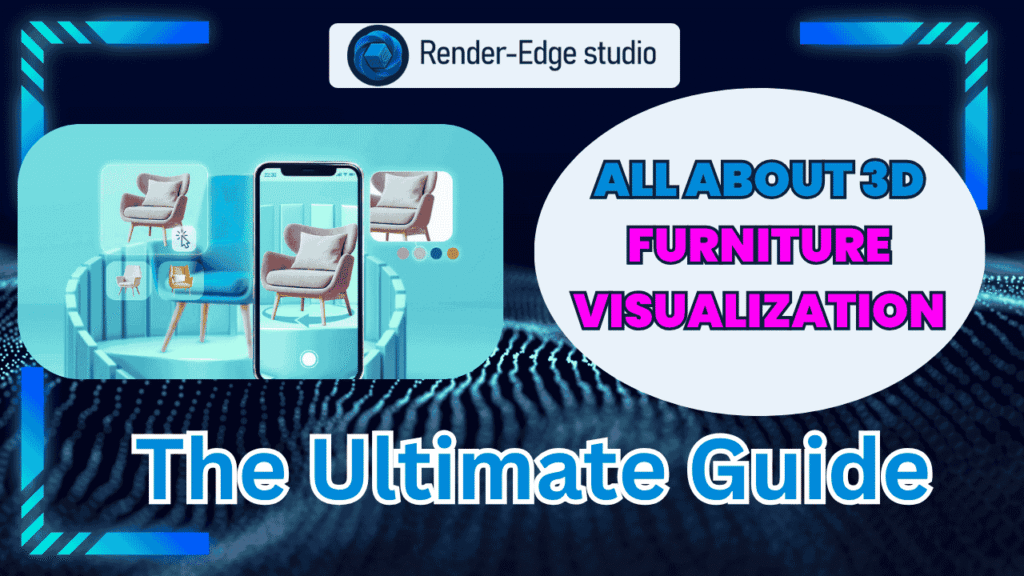
Have you ever asked yourself why some furniture websites have you hooked and continually hitting the “Buy” button? The “secret sauce” behind this experience is often the presence of 3D furniture visualization. 3D furniture visualization allows customers to experience the products as if they were in a showroom—spinning or exploring every angle without stepping foot out of their own home. It’s a beautiful feature that isn’t just a clever tech feature; it drives sales and customer trust. Let’s define and understand what 3D furniture visualization is, how it works, and how it can set your business apart. What Exactly Is 3D Furniture Visualization? Imagine a digital representation of your favorite chair or sofa that looks so real that you could touch the fabric. Where a 2D flat photo is just a photo, 3D models are fully rotatable and allow shoppers to examine every inch of the model. It’s like bringing the showroom experience to your consumer’s home. This technology leverages 3-dimensional modeling and rendering and animation programs to present visuals that are engaging and detailed and appear realistic. So how does this technology stack up to 2D imagery? Our deep dive comparing 2D images vs. 3D animation for furniture marketing will illuminate why imagery that moves matters. Why Should Your Furniture Business Care? Here’s the catch – 3D visualization isn’t just eye candy. It actually influences purchasing. How do we know? Customers are more confident in their purchase decisions after being able to spin around a chair in the 3D view, or see a table in a room setting. That means fewer returns and happier customers. In fact, 3D product animation has been shown to increase online sales by creating a more tactile and trusted experience for the consumer. It also saves money as it removes the need for physical prototypes. Why invest thousands of dollars making samples, when your digital model can accomplish the same purpose? For Amazon sellers or e-commerce brands in general, this technology offers significant advantages – find out how 3D rendering works for Amazon sellers specifically. How It Brings Your Furniture to Life Picture this—your customers are holding a mini-show instead of a still photo. 3D animated models will showcase the features of the product and present the furniture in action! Think of the top 5 ways 3D furniture animation can increase online sales: action catches the eye and interests shoppers in ways that photo images can’t. 3D takes product display from dull to exciting and special, and shoppers will be able to make faster purchasing decisions. Tools to Make It Happen It is not a must to be a tech wizard to get started. There is popular software like Blender (it’s free and powerful) and Autodesk 3ds Max (it is an industry favorite) and SketchUp (it is easy to use) that makes it easier to create 3D models than ever. If you want to see more, you can check out the 10 best software for furniture designing to see what best fits your business style. Personalize and Customize With Ease One of the major benefits? Customers can virtually view the colors, fabrics, and sizes. That type of flexibility in customization allows customers to see exactly what fits to their taste without the inconvenience of seeing it in person. Would you like to know more about how 3D product visualization benefits the furniture business and how it drives personalization? It is a topic worth exploring to understand how it can revolutionize the industry. How to Start Using 3D Visualization It might appear complicated to get started, but the process is easier than you expect. Begin with creating your furniture digitally, then apply textures and other details, such as wood grain or fabric. Next, light the model in a realistic manner, then render some images or animations to place on your website. You can do this on your own, or partner with a studio like Render Edge Studio for a higher quality render. Why 3D Visualization is a Must-Have Marketing Tool In the rapidly changing marketplace of today’s world, it is important to be different from your competition. 3D visuals provide not only a product overview, but also story telling capabilities. They can help a customer imagine a piece in their space the feels struck on the product and promotes the feeling of excitement to buy. If you are interested in gaining an understanding of how 3D product animation impacts, and increases sales specifically, or other benefits of 3D product visualization as a furniture manufacturer; these topics will help give you great direction and provide proof points. Final Thoughts About 3D furniture visualization 3D furniture visualization is not just a passing trend; it is a savvy way to engage with your customers, save money, and increase your sales. Why show them a static photo when you can provide interactive shopping experiences that actually sell? Are you ready to grow your furniture business? Check out the cluster guide above for further information and get started now. FAQs – All About Furniture Visualization 1. How does 3D furniture visualization actually work? 3D visualization begins by building a specific digital model for that piece of furniture. After that, designers add textures, colors, and lighting for photorealistic appearance. 2. Can 3D furniture visualization help if I sell furniture on sites like Amazon? Absolutely. High-quality 3D renderings and animations showcase your product better than flat images. 3. How long does it take to create a 3D furniture animation or rendering? The timeline depends on the complexity of the furniture and the level of detail. Simple models may take a few days, but high-end, photorealistic animations can take weeks. 4. How much does 3D furniture visualization cost? Costs vary based on the project’s complexity, quality, and turnaround time. Simple 3D renders are more affordable, while detailed animations and interactive models cost more. 5. Can 3D visualization show furniture customization options? Yes! One of the biggest advantages is allowing customers to visualize different colors, fabrics, and finishes instantly. 6. Is 3D furniture
The Top 10 Furniture Designing Software
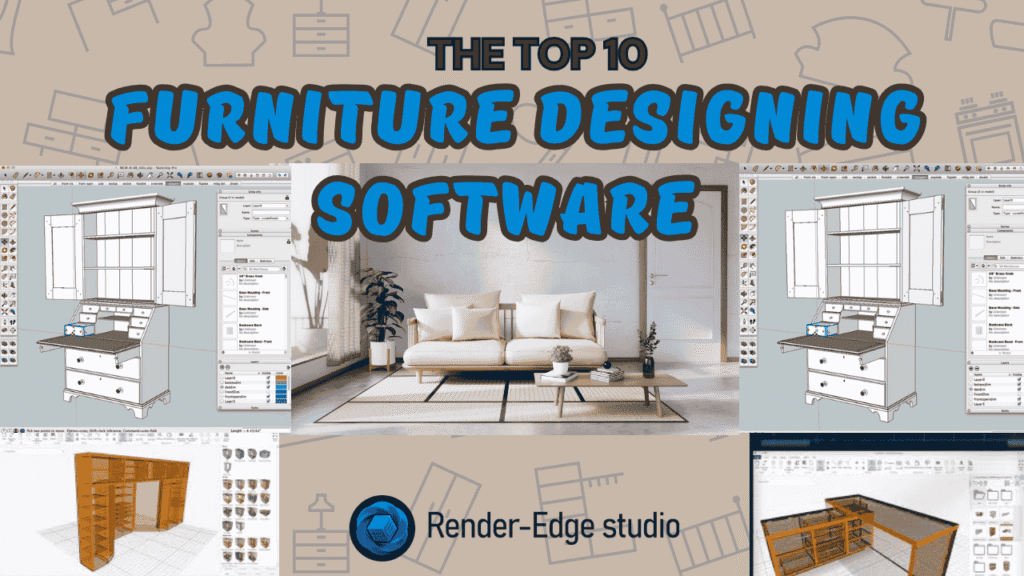
After spending years in 3D animation, I’ve worked on everything from blockbuster visual effects to product commercials. But when clients started asking for furniture visualization projects, I realized something important. The software I used for animation wasn’t always the best choice for furniture design. I needed specialized tools that understood real-world manufacturing, precise measurements, and client presentations. That journey led me to test dozens of furniture design programs. Today, I’m sharing the top 10 tools that actually deliver results for professional work. Why Furniture Design Software Matters for Animation Professionals Think about it. When a client wants to see their custom sofa before manufacturing, they don’t want a rough sketch. They want photorealistic renders that look like professional photography. Traditional animation software can do this, sure. But furniture-specific tools cut your workflow time in half. They understand joinery, materials, and manufacturing constraints that general 3D tools miss. The right software bridges the gap between creative vision and real-world production. It’s the difference between pretty pictures and actual buildable designs. What Separates Good Software From Great Software? I’ve wasted countless hours on programs that promised everything but delivered frustration. Here’s what actually matters in professional work. Essential features you need: Let me break down the tools that meet these standards and explain when to use each one. 1. SketchUp: The Gateway Drug for Designers SketchUp gets unfairly dismissed as “beginner software.” That’s wrong. It’s actually one of the most efficient tools for conceptual furniture design. Why professionals use it: I use SketchUp for initial concept presentations. Clients can immediately visualize ideas without waiting for complex renders. The furniture drawing process is intuitive and quick. For wooden furniture concepts, SketchUp’s simplicity becomes its strength. You can iterate through five design variations in the time other software loads. The real magic happens with extensions. Tools like V-Ray turn SketchUp into a rendering powerhouse for product visualization for furniture business needs. Best for: Rapid prototyping and client concept presentations. 2. Fusion 360: The Modern Professional’s Choice Autodesk Fusion 360 changed how I approach furniture projects. This CAD software for furniture makers bridges design and manufacturing seamlessly. Professional advantages: Here’s a real example. A client needed custom furniture for a restaurant chain. Fusion 360 let me create one master design, then automatically generate 15 size variations by changing parameters. The software handles complex joinery that would take hours in polygon modeling. Mortise and tenon joints? A few clicks. Dovetails? Built-in tools handle it. Product animation capabilities are solid too. You can create exploded views and assembly animations directly in the software. These animations increase sales by showing clients exactly how pieces go together. Best for: Professional custom furniture designers and small studios. 3. SolidWorks: The Industry Heavyweight When furniture manufacturing companies want serious engineering, they specify SolidWorks files. There’s a reason for that. Enterprise-level features: I worked with a high-end furniture manufacturer using SolidWorks. Their quality control team could simulate weight distribution and stress points before building prototypes. This saved them thousands in material waste. The learning curve is real. But comparing 2D images vs 3D animations, SolidWorks produces the most technically accurate visualizations possible. For furniture animation services targeting luxury brands, SolidWorks credentials matter. It signals professional-grade work. Best for: Large-scale manufacturing and engineering-focused projects. 4. Blender: The Open-Source Powerhouse As an animation expert, you probably know Blender. But many don’t realize how good it is for furniture design and rendering. Animation professional advantages: I use Blender when clients want cinematic furniture presentations. The rendering quality matches software costing thousands. The animation capabilities let me create product animations that competitors can’t match. 3D furniture animation boosts online sales significantly. Blender gives you Hollywood-quality tools to make that happen. You can create 360-degree turntables, exploded assembly views, and lifestyle animations. The furniture modeling workflow takes some setup. But once you build a template file with proper lighting and materials, you’re incredibly fast. Best for: Animation professionals wanting cinematic furniture visualizations. 5. Rhinoceros 3D: The Precision Sculptor Rhino handles curves and organic shapes better than anything else. For modern, flowing furniture designs, it’s unbeatable. Design excellence: I designed a curved lounge chair that would have been impossible in polygon software. Rhino’s NURBS tools created mathematically perfect curves that manufacturers could actually produce. The software excels at complex wooden furniture with curved elements. Traditional CAD programs struggle with organic shapes. Rhino makes them effortless. For digital furniture planning and visualization tools, Rhino’s Grasshopper plugin opens incredible possibilities. You can create furniture families that automatically adjust proportions while maintaining design integrity. Best for: High-end contemporary furniture with complex geometry. 6. AutoCAD: The Technical Documentation Master AutoCAD feels old-school because it is. But for technical furniture drawing and manufacturing documentation, nothing beats it. Technical strengths: Manufacturing shops speak AutoCAD. When you deliver DWG files, they know exactly what to do. No translation errors, no compatibility issues. I use AutoCAD for final technical drawings after designing in other software. It’s the common language between designers and makers. The 3D modeling feels dated compared to modern tools. But for creating shop drawings that woodworkers actually use? AutoCAD remains king. Best for: Technical documentation and manufacturing communication. 7. Shapr3D: Professional CAD Goes Mobile Shapr3D surprised me. Real professional CAD on an iPad seemed impossible. But it works remarkably well. Mobile innovation: I sketched a coffee table design on a flight using my iPad. By landing, I had a complete 3D model ready for client review. That workflow was impossible before. The software handles serious furniture design, not just sketches. You can create precise joinery, export for manufacturing, and generate realistic renders. For best 3D furniture design tools that work anywhere, Shapr3D delivers. It’s especially valuable for client meetings where you can sketch modifications in real-time. Best for: Professionals who design on location or travel frequently. 8. Cinema 4D: The Visualization Specialist Cinema 4D comes from the motion graphics world, but it’s fantastic for furniture visualization and product animation. Rendering excellence: The MoGraph toolset creates incredible product animations. I used it for
Benefits of 3D Product Visualization for Furniture Business
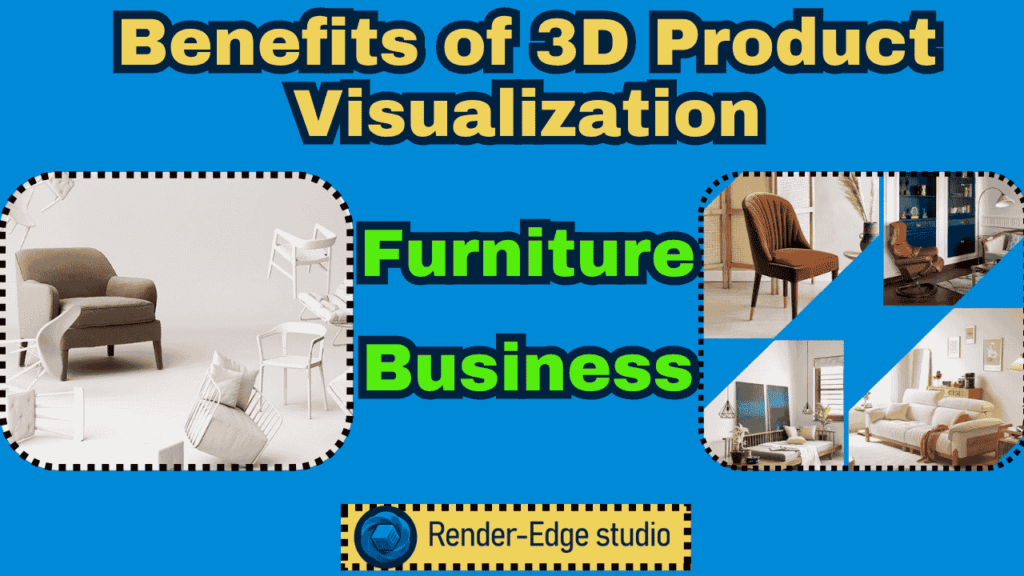
Picture this: A customer browsing your furniture website can spin a sofa 360 degrees, zoom in to see fabric textures, and even change colors with a click. No photoshoot required. No physical samples needed. That’s the power of 3D product visualization, and it’s transforming how furniture businesses operate. If you’re running a furniture company, you’ve probably felt the squeeze. Traditional photography is expensive. Physical prototypes pile up. Customers return products because “it looked different online.” Sound familiar? Let’s break down how 3D visualization solves these headaches while boosting your bottom line. What Exactly Is 3D Product Visualization? Think of it as creating a digital twin of your furniture. Using specialized 3D rendering software, designers build photorealistic 3D furniture models that look identical to the real thing—sometimes even better. Unlike flat photos, these models are interactive. Customers can view products from every angle, customize finishes, and see how pieces fit in their space. Furniture manufacturers and interior designers now rely on this technology to showcase products before they’re even built. The best part? One digital model creates unlimited variations. Change the fabric color? Done. Show different wood finishes? Easy. Try doing that with traditional photography. 7 Benefits of 3D Product Visualization for Furniture Business 1. Slash Your Marketing Costs in Half Traditional photoshoots are brutal on budgets. You need photographers, studios, lighting equipment, and physical samples in every color and finish. A single product line can cost thousands. 3D furniture visualization services flip this model. Create one digital asset, then generate unlimited images, videos, and animations. Need lifestyle shots? Your product visualization studio renders them without staging furniture or hiring models. Real numbers matter here. Furniture companies report saving 40-60% on visual content costs after switching to 3D rendering. That’s money you can pump into product development or marketing campaigns. 2. Speed Up Time-to-Market Remember waiting weeks for prototypes? Then another week for the photoshoot? Those days are gone. With 3D rendering for furniture design, you visualize products while they’re still in the design phase. Test materials, tweak dimensions, and get stakeholder approval—all digitally. This cuts product launch timelines by 30-50%. One furniture brand we studied launched a new collection in just 6 weeks using 3D visualization. Their previous process? Four months minimum. 3. Create Unlimited Product Variations Without Extra Inventory Here’s where things get interesting. Let’s say you offer a chair in 20 fabric options and 5 wood finishes. That’s 100 variations. Manufacturing and photographing each one? Impossible. Virtual product visualization for furniture solves this. Create the base model once, then swap materials digitally. Customers see every option without you producing a single physical sample. This is gold for e-commerce platforms. Shoppers expect choices, and 3D visualization delivers without exploding your inventory costs. 4. Boost Online Sales Through Better Customer Experience Would you buy a $2,000 sofa from a single flat photo? Probably not. But what if you could examine every stitch, spin it around, and see it in different colors? Augmented Reality (AR) takes this further. Customers use their phones to place virtual furniture in their actual rooms. No guesswork. No buyer’s remorse. Stats back this up. Products with 3D visualization see conversion rates jump 40-94% compared to static images. Why? Because shoppers feel confident about what they’re buying. Furniture animation boosts online sales by showing products in action. A recliner that actually reclines. A sofa bed transforming. Movement builds trust and excitement. 5. Dramatically Reduce Product Returns Returns kill profit margins. In furniture, the average return rate hovers around 15-20%. Most returns? “Looks different than expected.” When customers interact with photorealistic 3D furniture models, they know exactly what’s coming. They’ve zoomed in on fabric texture. They’ve seen accurate colors in different lighting. They’ve confirmed dimensions. Result? Return rates drop by 25-35%. That’s fewer logistics headaches and more profit per sale. 6. Strengthen Your Brand Across All Channels Consistency matters. Your furniture should look identical whether someone sees it on your website, Instagram, Amazon, or in a catalog. 3D visualization in furniture marketing ensures this. One master file feeds every channel. No more mismatched colors between your website and amazon 3D product rendering. No confusion about what the product actually looks like. To get a clear idea check out the benefits of 3D rendering for Amazon Sellers. This builds brand trust. When shoppers see the same high-quality visuals everywhere, they perceive your brand as professional and reliable. 7. Future-Proof Your Visual Assets Here’s a scenario: You redesign your website or launch on a new platform. Suddenly you need product images in different formats, sizes, or contexts. With traditional photography, you’re scheduling another shoot. With 3D assets, you’re rendering new images in hours. Need a vertical image for mobile? Done. Want a video for TikTok? Easy. Furniture designing software integrates with these 3D models, making updates seamless. As technology evolves—think virtual showrooms or metaverse stores—your 3D assets adapt instantly. Comparing 2D Images vs 3D Animations: What Works Better? Let’s be honest. Static images still work for simple products. But furniture? That’s a different story. Feature 2D Images 3D Animations Customer Engagement Low High Product Understanding Limited angles 360-degree view Customization Display Requires multiple shoots Instant variations Production Cost High for variations One-time investment Return Rate Impact Higher Lower AR Compatibility No Yes Product animation increases sales because it mirrors the in-store experience. Customers don’t just see furniture—they experience it. Here is a detailed guide on comparing 2d images vs 3d animation. Real-World Success: How Furniture Businesses Win with 3D Take a mid-size furniture manufacturer struggling with high photography costs. They switched to furniture prototyping and design visualization using 3D rendering. Results after 6 months: Another example? A DTC furniture brand implemented AR visualization. Customers could place sofas in their living rooms virtually. Their sales jumped 65% within a quarter. These aren’t exceptions. They’re becoming the norm for furniture businesses that embrace 3D technology. How to Get Started with 3D Product Visualization You don’t need to be a tech wizard. Here’s a simple roadmap: Step 1: Audit Your Current Visual
Comparing 2D Images vs 3D Animations for Furniture Marketing
Imagine this: You’re browsing an online furniture store. One item has a flat, basic photo. The next item? A beautiful 3D animation that allows you to rotate the sofa, zoom in on the fabric, and see it from all angles. Which one do you click “add to cart”? If you picked the second, you’re not alone. The furniture is experiencing a new visual revolution, with 3D animations that bring product imaging to life over traditional 2D images. But that’s the million dollar question. Do you stick with the tried and true? Or do you fully embrace 3D animations in your furniture marketing? Let’s talk about it! What Is the Difference Between 2D Animation and 3D Animation? Think of 2D images as looking at a postcard. It’s flat, straightforward, and shows you one perspective. Now imagine 3D animations as holding the actual object in your hands. You can rotate it, examine it from different angles, and truly understand what you’re looking at. Here’s the simple breakdown: 2D Images: 3D Animations: The difference isn’t just technical. It’s about how your customers feel when they interact with your products online. Why 2D Images Still Matter in Furniture Marketing Before we crown 3D animations as the undisputed champion, let’s give 2D images their fair share of credit. Speed and Simplicity Need to promote something quickly? 2D product photography can get you there quickly – a pro photographer can shoot an entire furniture line in one day. No expensive or complex 3D rendering software; no weeks of building a model and adding textures; Just point, shoot and edit. Budget-Friendly for Startups If you’re a small furniture business starting off, 2D images make financial sense. There’s no need to invest in expensive furniture design software or hire specialized 3D artists. You can usually get away with a good camera and light. Perfect for Technical Specifications When companies need building plans or assembly instructions, 2D technical drawings are extremely straightforward. Carpenters and factory workers recognize them immediately. You could think of them as the common language spoken in the production of furniture. Easy Updates and Modifications Altered a color of a fabric? All you need to do with your 2D images, is just take another photograph of that specific angle. It’s easy and doesn’t require skill. But here’s where 2D images fall short: They’re unable to illustrate how a recliner reclines. They are unable to show how smoothly cabinet drawers slide. They can’t invite customers to imagine furniture within their space. And in a world full of digital advertising campaigns, this is a significant limitation. The Game-Changing Power of 3D Animations in Furniture Marketing Now, let’s talk about why 3D animations are revolutionizing visual marketing strategies for furniture brands. Product Animation Increases Sales (Here’s How) Studies show that product pages with 3D visualization see conversion rates jump by up to 40%. Why? Because 3D animations answer the questions customers have before they even ask them. Real-Life Example: IKEA added 3D product visualization to their app. Customers can now utilize augmented reality to place virtual furniture in their real-life rooms. The end result? Much lower return rates and greater customer confidence. Here is a guide on how product animation increases sales. That’s the value of letting people “try before they buy.” Benefits of 3D Product Visualization Let me paint you a picture of 3D product visualization benefits: 1. Show Functionality in Action 2. Create Emotional Connections 3D animations don’t merely display products; they tell stories. Add ambient lighting, furnish a space with beautiful furniture, and all of the sudden you’re not selling a chair, you’re selling a lifestyle. 3. Unlimited Customization: Would you like to see the same dining table in 12 different wood finishes? By using 3D rendering, you model once, and change any materials or colors with a few clicks. No need for multiple photo shoots. No storage issues with different samples. 4. Perfect for Amazon 3D Render Requirements: Amazon now prioritizes listings with 3D renders and 360-degree views. If you’re selling furniture on major e-commerce platforms, 3D visualization isn’t optional anymore—it’s expected. Here is our detailed guide on Benefits of 3D Rendering for Amazon Sellers. How 3D Animation Boosts Furniture Sales Here’s where things get really interesting. Interactive Product Configurators Imagine customers building their perfect sectional sofa online. They choose: All visualized in real-time 3D. This level of personalization drives serious purchasing decisions. Virtual Showrooms Furniture animation service providers are now developing entire virtual showrooms. Consumers can now move through a space in a digital capacity and examine products from every angle without leaving the comforts of their couch. During the pandemic, brands that had invested in 3D visualization were able to sustain sales, while companies who only had static images struggled. If you are interested here is a guide on Ways 3D Furniture Animation Boosts Online Sales. 2D vs. 3D Product Visualization: The Head-to-Head Comparison Let’s put them side by side so you can make an informed decision. Feature 2D Images 3D Animations Production Speed Fast (days) Slower (weeks) Initial Cost Low ($500-$2,000) Higher ($2,000-$10,000+) Viewing Angles Limited to what’s photographed Unlimited 360° rotation Customization Requires reshoots Instant digital changes Customer Engagement Moderate High (interactive) Return Rates Higher (expectation mismatch) Lower (accurate visualization) Mobile Experience Static viewing Interactive exploration AR/VR Integration Not possible Seamlessly compatible Long-Term Cost Ongoing photo shoots One-time investment, reusable SEO Value Standard image optimization Rich media boosts rankings When Should You Choose 2D Images? 2D images still make sense in specific situations: When Should You Choose 3D Animations? 3D animations are your best bet when: Product Animation vs Product Photography: Can You Use Both? Here’s a secret the best furniture brands know: You don’t have to choose just one. The Hybrid Approach: Start with 3D rendering for your core collection. Use it to create: Then supplement with lifestyle 2D photography showing: This combination gives you the technical accuracy of 3D with the emotional warmth of real photography. You can also check out this guide on 3D Product Animation vs
Benefits of 3D Rendering for Amazon Sellers – Increase sales
Promoting products on Amazon can feel like you are yelling into a crowded room. There are millions of products competing for shoppers’ attention and they quickly scroll through product listings. The question is, how do you make your product stand out from the rest? The answer is 3D rendering! This article will discuss the benefits of 3D rendering for Amazon sellers, examples of real-life companies using 3D renderings, and how this technology can change your listings on Amazon! What is 3D Product Rendering? You can think of a 3D product rendering as a digital twin of your product! A designer builds a very detailed 3D model based on your real product using 3D rendering software. Colors, textures and lights are added to make it look realistic. You no longer need to have physical samples, boring expensive studios or hours of a photo shoot to then get the needed images to market your product. Just zoom, rotate, or alter the model infinitely as your game’s source content is complete. Benefits: Why 3D Renders Are a Game-Changer for Amazon Sellers You may be thinking, “Can’t I just use pictures?” Absolutely, but here’s how 3D rendering is unique: 1. Interactive Product Visualization The customer can interact with, spin, and zoom into the product digitally. This instills confidence, especially with higher items like furniture or electronics. 2. Consistency Across Listings All your images have the same lighting, background, and style. This represents your brand as more professional and helps build trust. 3. Cost-Effective Over Time Even though developing a 3D model does take some time upfront, you can use the slice of 3D models for: 4. Quicker Time to Market You can list products before the initial batch has been produced at all. Sellers can use their 3D renders to start pre-launch campaigns and make early sales. How 3D Product Rendering Can Improve Amazon Conversion Rates Conversion rates are king. More views don’t mean more sales unless your visuals engage customers. Feature Traditional Photography 3D Rendering Angles Limited Unlimited, interactive Color Variations Reshoot required Adjust digitally Detail Clarity Can be lost in lighting Always crisp and accurate Time-to-Market Delayed by photoshoots Immediate after modeling Cost per Variation High Low once model exists By adding 3D renders to your listings, you can increase customer engagement, reduce returns, and boost sales. Real-Life Example: A furniture brand used 3D renders for a new sofa collection. Customers could view the sofa from every angle and even see fabric textures closely. The result? 30% higher engagement and 25% fewer returns compared to standard photos. Step-by-Step Guide: How to Create 3D Product Images for Amazon Listings Here is an easy to follow workflow, even for beginners: Step 1: Pick Your Software Step 2: Create Your Model Have many reference images and/or blueprints so you can get the exact size. Step 3: Create Your Textures + Add Materials Try to recreate real surfaces (wood, metal, fabric) as best as you can for an authentic render. Step 4: Set Up Your Lighting Test out What is the difference between animation and 3D render? Rent ways to light the product so it brings out its features without being too hard in shadow. Step 5: Render and Post-Process Keep the editing to photo-shop, mainly for contrast and color balance and nothing more. Again, do not let the editing take away the realistic quality. Step 6: Create Variations Change the color, size or a feature of the model digitally without having to create a new model. Places to Incorporate 3D Renders on Amazon 3D renders are not just beautiful visuals, they are an effective sales tool when used in particular ways: Example: One electronics seller used 3D renders for a smart home device by showing exploded views, multiple colors, and interactive visuals. This resulted in a 20% increase in conversion rates. Benefits for FBA Sellers If you sell on Amazon FBA, 3D rendering addresses distinct issues: 1. Fewer Returns: Now the customer has a clear view of the product they will receive. 2. Faster Time to Market: You won’t have to wait for physical samples of products to develop accurate sales materials. 3. Increased Marketing Flexibility: You can utilize product images and videos on sites like Shopify, Etsy, eBay, and others. Case Study: A startup selling vacuum cleaners created 3D renders of its product, which were utilized before manufacturing and rather than product samples. The company started a pre-order campaign that accurately represented the product, and within a week of launching the pre-order campaign, they sold out 100 units prior to the first shipment. Main Points Final Thoughts There are countless advantages to 3D rendering for Amazon sellers. From increased conversion rates to decreased return rates, it’s a way to combine creativity, technology, and a solid marketing strategy into one tool. Whether you’re an e-commerce entrepreneur, Amazon seller, or FBA start-up, the use of 3D renders will help your products stand out, look professional, and sell quicker. Start small and only use 3D rendering for one flagship product, then test out interactive 3D visuals, track engagement and view your Amazon listing performance improve. With 3D product rendering, you’re not just selling a product. You’re selling a visually engaging experience. FAQs About 3D Rendering for Amazon Sellers Q1: Can 3D renders replace photography completely? Yes, for main images and product variations. However, lifestyle shots sometimes benefit from real photography. Q2: Are 3D renders expensive? Initial costs are higher than a photoshoot, but once created, they save money for multiple products and variations. Q3: How long does it take to create a 3D render? Depending on complexity, 1-5 days for a single product. Variations take hours, not days. Q4: Which products benefit most from 3D rendering? Electronics, furniture, kitchen gadgets, FBA products with sturdy surfaces. Soft or wearable items are trickier. Q5: Do Amazon guidelines allow 3D renders? Yes, as long as the main image meets requirements: white background, no props, 85% product coverage. Read More About : Key Benefits of 3D Visualization and Guide for
3D Product Animation vs Product Photography: Which One Should You Choose?
When it comes to displaying products online, a question businesses often ask themselves is: should you stick with traditional product photography or take the plunge into 3D product animation? Each has specific benefits, but understanding how they differ will guide brands in making educated decisions of product marketing, e-commerce, and digital presentations. In this guide, we’ll look at everything from cost comparisons and creative flexibility to actual applications, so that you have a clear understanding of which is right for your products. What Does 3D Product Animation Mean? Think of 3D product animation as putting a pulse into your digital models. Designers utilize Computer-Generated Imagery (CGI) and 3D Rendering to make interactive, lifelike animations of products that may not even exist yet. 3D animations allow potential purchasers to do things that static photographs cannot, such as: For example, if you’re launching a new, futuristic accessory or piece of custom furniture, a 3D animation can show it to your customers in ways the best camera could never achieve. 3D product animation is compelling and flexible—you can change as many aspects of the product after the fact without the need to invest in a new photo shoot. Learn more about how you can apply 3D animation to your products here: 3D Product Animation. What is Product Photography? Product photography is the traditional approach to photographing real products using a camera. This encompasses a variety of images from e-commerce images to commercial photo campaigns. It’s real, honest and offers customers a real view of your product. The benefits of product photography are: The drawbacks are: it’s costly to make changes and photographing more complicated or non-existent products can be nearly impossible. Key Differences Between 3D Animation and Product Photography Let’s break it down into an easy-to-read table for clarity: Feature 3D Product Animation Product Photography Flexibility Can show products from any angle, in any environment. Easy to update. Fixed once shot. Changes require reshoots. Cost Can be cost-effective for complex products or multiple variations. Usually cheaper for simple, real products. Expensive for complex setups. Creativity Unlimited: can create conceptual or impossible scenes. Limited by physical environment and lighting. Interactivity Allows 360° views, motion graphics, AR/VR integration. Static images; no interactive elements. Time Efficiency Quick updates, revisions, and iterations. Time-consuming to set up, shoot, and edit. Use Case Unreleased products, complex or highly customizable items, immersive e-commerce experiences. Simple existing products, when realism and authenticity are key. To get a clear idea you check out this guide on Comparing 2D Images vs 3D Animations. Why Use 3D Product Animation? 3D product animation is not just eye-catching; it’s an effective marketing tool. Here’s why more brands are utilizing it: Unlimited Creative Potential In 3D animation, you are not limited by the physical reality of the objects. You can have a product hovering in space or have a product do something that simply isn’t possible in reality. Interactive Style Customers love things that are interactive. Everyone knows the common 360° views of product videos, even the pull AR try-on services, there is a level of engagement and memorability that 3D animation can bring to shopping experiences. Gives you an edge with eCommerce Digital platforms like Amazon and Shopify rank visually rich product content higher in their search categories. Quality animation can also save time, and lower returns rates, giving insight to customers before they make a purchase. Cost-Effective for complex products For products that have many variations and custom options, or products that are prototypes, 3D animation can be a more cost-effective alternative than shooting multiple photo sessions. Boosted Brand Image Sleek animations can suggest attention to detail, sophistication, and professionalism, all of which elevate trust and the perception of quality for customers. Real-world examples of how 3D animation can drive conversion or increase sales can be seen here: How 3D Product Animation Increases Sales? When Product Photography Continues to Matter Although 3D animation can be exciting, photography still has its place: 1. Real Products Only: When the product is real and simple, often photography will suffice. 2. Affordable and Simple: A simple shoot can be less expensive than creating a single, simple 3D product. 3. High Fidelity Detail: When you need to see, feel, or touch realistic detail like fabric or textures, photography usually still feels more real. For example, when a clothing brand is trying to show and convey fine fabric textures, they may show a commercial product photograph, since they want viewers to associate their product with quality. A Corporate Framework: Assessing the Best Approach The following simple workflow will assist you in determining if you should pursue your project with 3D animation or product photography: 1. Evaluate Your Product Complexity 2. Clarify Your Marketing Goals 3. Consider Your Budget and Timeline 4. Examine What Engages Your Audience 5. Option For Both! Many successful brands provide a hybrid approach of 3D product animation for online marketing and video (as well as social media) along with photography for a catalog or print. Real-Life Examples 1. Furniture E-commerce: Offering 3D furniture animations so customers can spin and view different chairs, tables, and couches from a 360° angled perspective before they make a purchase. For additional examples of such interactive animations, you can check 3D Furniture Animation Services. 2. Medical devices: As a 3D animation can depict complex or involved processes, so products can be shown safely and clearly in use. Learn more about similar projects at Medical Product Animation Services. Cost Comparison: 3D Animation vs Product Photography Aspect 3D Product Animation Product Photography Single Product $500–$2,500 (depends on complexity) $100–$1,000 (depends on shoot) Multiple Variations Cost-effective: small incremental changes Expensive: separate photoshoots needed Time to Update Hours to days Days to weeks for reshoots Creative Freedom Unlimited Limited Key Takeaway: 3D animation becomes more cost-effective as product complexity increases. Important Points Final Thought: Picture this: You’re not just showing your prospective customer a view of your product. Instead, imagine providing them with a spinning view outside of a standard flat view, allowing them to
How 3D Product Animation Increases Sales?
In today’s fast-paced digital marketplace, simply showcasing your products with static images or traditional videos isn’t enough. Do you know what customers want? Customers want more—they want to see, interact, and understand your product before buying. This is where 3D product animation comes in. If you’ve ever wondered how 3D product animation increases sales, then you are in the right place. This guide will explain it in detail, with actionable insights, examples, and strategies to elevate your marketing campaigns. Whether you’re a product manufacturer, a furniture brand, an electronics company, or an e-commerce store owner, leveraging 3D animation can significantly boost customer engagement, enhance conversion rates, and improve your overall marketing strategy. Yes this is 100% true. Let’s begin. What is 3D Product Animation? 3D product animation is the process of creating three-dimensional digital representations of products, which can rotate, move, and demonstrate features in a lifelike environment. Unlike standard images or 2D videos, 3D animations offer depth, realism, and interactivity, allowing potential customers to explore every aspect of a product. Key components include: Let’s for example: A furniture brand can show how a sofa converts into a bed, highlighting hidden storage compartments, all within a 3D animation that customers can interact with online. If you need , you can check out our 3D furniture animation services. Why 3D Product Animation Matters for Sales The value of 3D product animation goes beyond aesthetics—it directly impacts sales and conversion rates. Here’s why: 1. Enhanced Product Visualization Customers can view your product from every angle, zoom in on intricate details, and even explore internal mechanisms. This level of detail builds trust and helps buyers make informed decisions. Real-Life Example:A home appliance brand used a 3D animation to showcase a blender’s multi-functional attachments. As a result, online sales increased by 25%, and product return rates decreased. 2. Increased Customer Engagement Interactive animations encourage customers to spend more time on your site, exploring features in a gamified, engaging way. Longer engagement often translates into higher conversion. Quick Stats: 3. Simplified Product Explanation 3D animations make complex products easier to understand. Features, assembly steps, or unique functionalities can be demonstrated clearly, reducing confusion. Example: Car manufacturers can illustrate how advanced safety systems work or show an engine’s internal components in motion, enhancing trust in their products. 4. Better E-Commerce Listings 3D animations provide 360-degree product views, interactive demos, and high-quality visuals that stand out on platforms like Amazon, Shopify, or Etsy. This increases click-through rates and conversion. Benefits of 3D Product Visualization for Sales Benefit How it Helps Real-Life Example Improved Engagement Interactive features keep customers exploring longer Electronics brand demoed headphones with 360° spin; engagement increased 40% Higher Conversion Rate Clear product understanding boosts purchase confidence Furniture brand’s animated sofa assembly tutorial reduced returns by 30% Visual Storytelling Highlight product features and USP effectively Car manufacturer showcased safety features through animated scenarios Reduced Returns Customers know exactly what to expect Kitchen appliance demo showed dimensions and usage scenarios Shareable Content Animations can be used in ads, social media, and newsletters Beauty brand’s animated product demo went viral on Instagram 3D Animation Marketing Strategies That Work Step-by-Step Guide: Creating a 3D Product Animation That Boosts Sales Note: If you want you can contact Render Edge Studio a 3D animation services provider company. They provide 1. 3d product animation 2. medical animation 3. architectural and interior visualizations How 3D Product Animation Impacts Conversion Rate Example: An automotive parts brand increased online sales by 35% after integrating 3D animation that demonstrated installation steps. Interactive 3D Product Presentation Advantages FAQs About 3D Product Animation Q1: How much does 3D product animation cost? A: Costs vary by complexity, length, and software used. Small projects may start at $500–$1,000, while complex animations for high-end products can exceed $10,000. Q2: Can 3D animations increase online sales? A: Yes! By offering interactive product experiences and better visualization, studies show sales can increase 20–50% depending on the industry. Q3: Do I need special software to view 3D animations? A: Most modern browsers and devices support 3D animations. WebGL, HTML5, and optimized video formats ensure accessibility. Q4: How long does it take to create a 3D product animation? A: Depending on complexity, it can take 1–6 weeks for high-quality animations. Q5: Which industries benefit most from 3D product animation? A: Electronics, automotive, home appliances, fashion, e-commerce stores and furniture brand see significant ROI. Key Takeaways Final Thoughts on Product Animation If you want to truly answer the question “how 3D product animation increases sales?”, the answer lies in engagement, clarity, and interactivity. By offering customers a realistic, immersive, and interactive experience, 3D product animations bridge the gap between digital and real-world shopping experiences. Whether you’re a product manufacturer in the USA, UK, or Germany, or an Amazon/Shopify seller aiming for global reach, integrating 3D product animation into your marketing strategy will: Don’t let static images and plain videos limit your sales potential. Start leveraging interactive 3D product demos today and see how they transform your e-commerce growth. Check out our 3D Product Animation Services to get started with professional, high-quality product animations to boost your sales. Read More About: Is 3D Animation Easy? 2D or 3D, Find Out How Beginners Can Start What Is The Cost of 3D Architectural Animation? How Medical Animation Can Boost Your Sales And Increase Roi? 3D Product Animation vs Product Photography. Benefits of 3D Rendering for Amazon Sellers